Wavlink
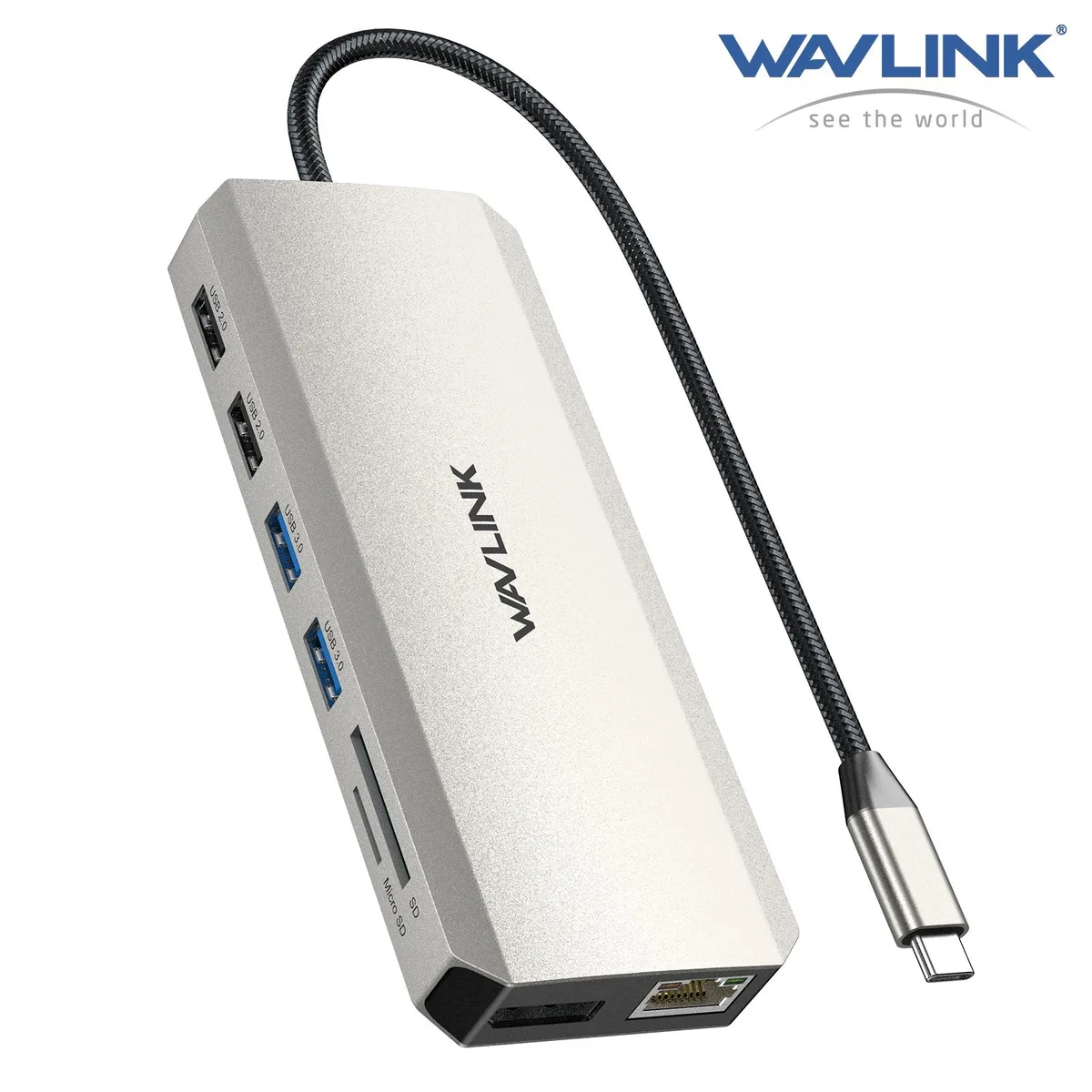
Wavlink WL-UMD03 12-in-1 USB-C Triple Display Docking Station
- Black
- Support OS Windows…
$31.99
0.00037916BTC
In stockWe take cryptocurrency — so the coins you hold can buy real hardware.Pay in crypto, spend it on real hardware. Free insured shipping worldwide over $399. Plain, unbranded boxes, sent from Germany.Free insured shipping over $399. Your rate is locked for 30 minutes once checkout opens.Rate locked 30 minutes. Every item sealed, serial-checked and covered by a 24-month warranty.Sealed, 24-month warranty.


Wavlink
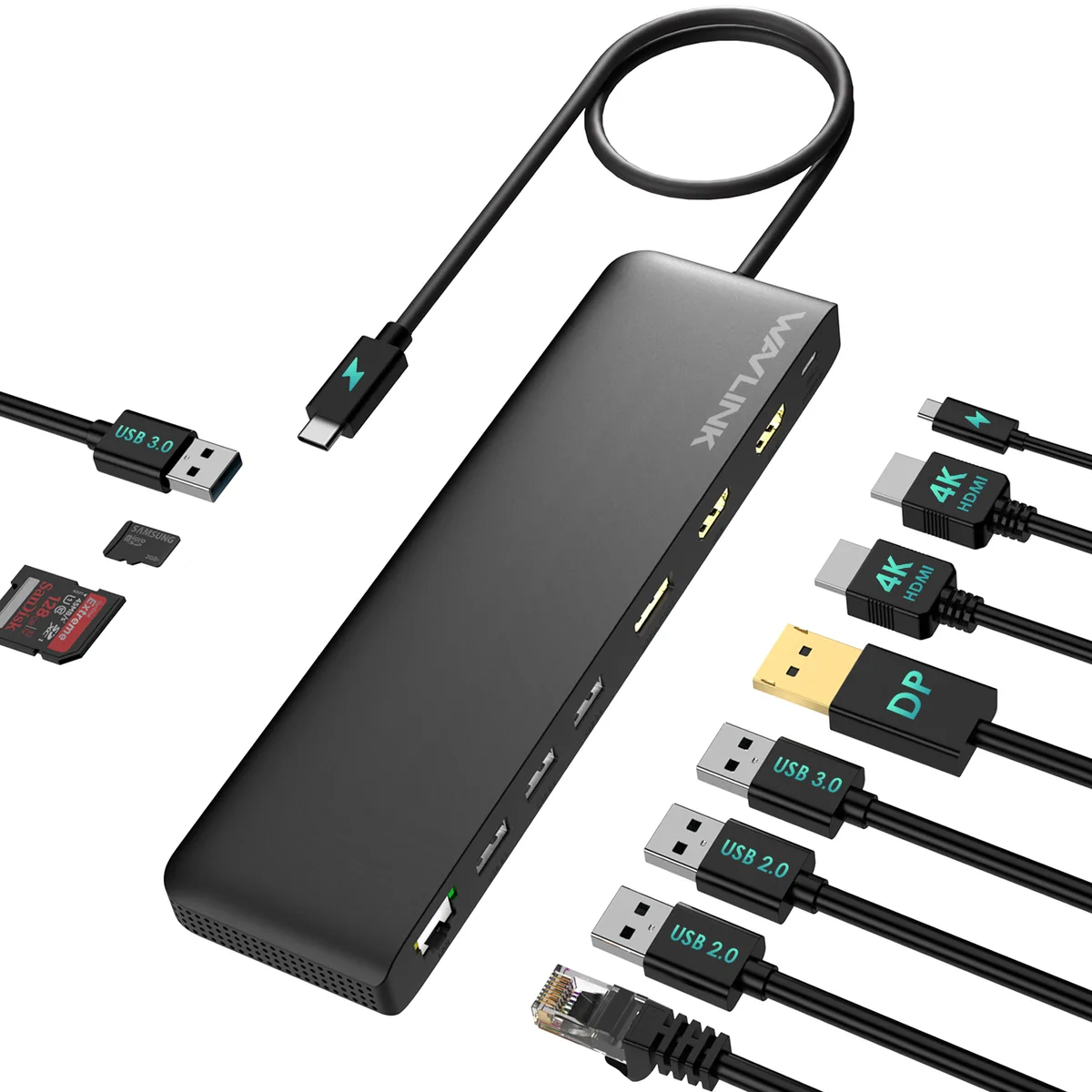
Connects three 4K monitors at 60Hz with 2 HDMI and 1 DisplayPort, adds Gigabit Ethernet, SD card reader, audio jack, four USB-A ports and 85W laptop charging from a 100W USB-C supply
Color Black
The Wavlink WL-UMD09 is a USB-C docking station that connects up to three external monitors through two HDMI ports and one DisplayPort. It supports 4K resolution at 60 Hz on a single display and delivers up to 85 W of pass-through charging to the host laptop via its upstream USB-C port.
Professionals who need extended desktop space across three screens for tasks such as data analysis, coding or design will benefit from the MST triple-display capability. Buyers whose laptops lack DisplayPort Alt Mode or whose Mac systems rely on Apple silicon should look elsewhere, as those configurations can only extend to one external monitor.
The package provides a quick start guide and a driver link card so users can install the required DisplayLink software without searching online. No video cables or power adapter are bundled, so appropriate HDMI or DisplayPort cables and a compatible USB-C charger must be sourced separately.
| Brand | Wavlink |
|---|---|
| Model | WL-UMD09 |
| Part Number | 2x HDMI: up to 4K@60Hz 1x DisplayPort: up to 4K@60Hz 1x USB C (power input): up to 100W 1x USB C (power output): up to 85W 1x Ethernet: up to 1Gbps 2x USB 3.0: up to 5Gbps 2x USB 2.0: up to 480Mb/s 1x SD Card Reader: max 25MB/s 1x Micro SD Card Reader: max 25MB/ s 1x Audio/Mic(4-Pole) |
| Color | Black |
| Compatibility | -Windows 11/10/8.1/8/7/XP/Vista -Mac OS 10.x or later -Chrome OS -Android -Harmony OS -iPadOS -Linux |
| Weight | 245g/8.6oz |
| Features | MST triple displays to extend different pages to 3 monitors 4K displays, featuring 2 x HDMI and 1 x DisplayPort PD3.0 passthrough charging, with power in 100W to charge your laptop up to 85W Multiple USB A ports, Gigabit Ethernet port, Audio/Mic jack, card readers to make up for missing functions of computer Driver-free Plug and Play, compatible with PC with USB-C Alt Mode or Thunderbolt 3/4 port |
| Content | 1x USB-C Triple Display Docking Station 1x Quick Start Guide 1x Driver Link Card |
Other versions of this model
Same family, different memory, cooler or clock — compare before you commit.
Yes, the dock requires a full-featured USB-C port that supports DisplayPort Alt Mode or Thunderbolt 3/4 for triple-display MST output.
No, Intel and Apple M1/M2 Macs can only extend a single external monitor; the other two will mirror.
Check your laptop's battery indicator while connected; it should show charging at the full rate supported by your device.
Also in this aisle
Same shelf, same checkout — eight coins and a 30-minute rate lock.
What you pay in, and what you read prices in.
Sent from your wallet at checkout
Display only — the catalogue is priced in USD
No currency matches that.
Pick the language the site speaks to you in.
No language matches that.
New here?
Already have one?
There is no automatic reset: this shop sends no mail, so there is no one-time link to ask for. Leave the address on the account and it gets picked up by hand.
Request noted
Nothing is on its way to your inbox — this shop sends no mail at all. Someone picks these up by hand.
Remembered it?