


MCHOSE
MCHOSE USB-C Hub 4-Port USB 3.2 10Gbps 100W PD 4K@60Hz
Adds four USB-C ports with 10 Gbps data, 100 W pass-through charging and 4K@60 Hz video from one socket
- TypeUSB Hubs
- 4K@60Hz mirroring on the first USB-C port
- 100W power delivery keeps laptops charged while working
- 10Gbps data speed moves large files in seconds
- Compact 3.31 × 1.85 × 0.55 in design fits any bag
- 75% recycled exterior cuts carbon footprint in half
4-Port USB-C Hub with 10 Gbps Data
This compact hub expands a single USB-C connection into four USB-C ports, delivering up to 10 Gbps transfer speeds and 100 W power delivery. It supports 4K video output at 60 Hz through the first port, making it suitable for professionals who need high-speed data and display connectivity in a small form factor.
Suits users with USB-C laptops needing multi-port
The hub is designed for devices such as MacBook Pro, iPad and Surface Pro that rely on USB-C for charging, data and video. Buyers who require USB-A connectors or additional display outputs beyond a single 4K port will not find those interfaces on this unit. The 75 percent post-consumer recycled enclosure appeals to environmentally conscious users.
First port enables 4K@60Hz video mirroring
Only the primary USB-C port carries a display signal, providing 4K resolution at 60 Hz for screen mirroring. The remaining three ports handle data and power only, so a multi-monitor setup is not possible. Verify that the host device supports USB-C video alternate mode before purchasing.
Highlights
- 4K@60Hz mirroring on the first USB-C port
- 100W power delivery keeps laptops charged while working
- 10Gbps data speed moves large files in seconds
- Compact 3.31 × 1.85 × 0.55 in design fits any bag
- 75% recycled exterior cuts carbon footprint in half
Specifications
| Type | USB Hubs |
|---|
Questions about this item
Does the 10 Gbps USB 3.2 interface also carry the 4K@60Hz video signal?
Only the first USB-C port supports 4K@60Hz display output; the other three ports handle data at up to 10 Gbps.
What are the exact dimensions so I can check if it fits beside my laptop ports?
The hub measures 3.31 × 1.85 × 0.55 inches, making it compact enough to sit alongside most laptop port clusters.
How do I get 4K@60Hz working, and what is the common mistake?
Plug the display into the first USB-C port and ensure your host device supports video over USB-C; using any other port will not deliver video.
New to this? Which coin should you pay with — what to check, what it costs to pay, and what is never asked for.
Also in this aisle
People compared these
Same shelf, same checkout — eight coins and a 30-minute rate lock.


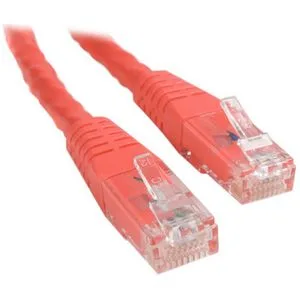
STARTECH
STARTECH C6PATCH1RD 1 ft Red Cat6 network ethernet cable
- others
- 1 ft
$5.99
0.00007225BTC
In stock