


LUOM
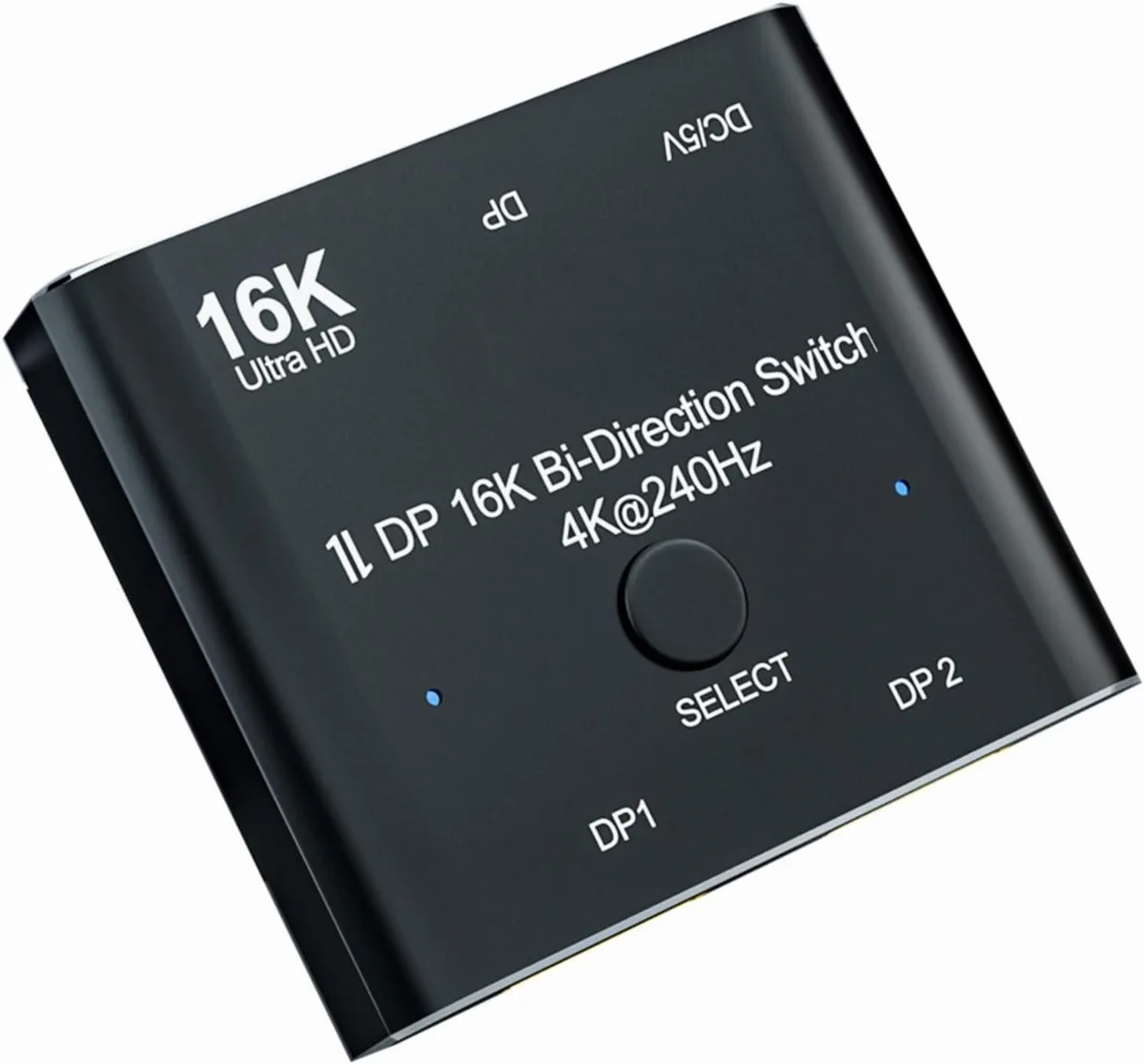
LUOM A0201 16K DP 2.0 Bi-Directional Video Splitter 1x2 2x1 40Gbps Black
Bi-directional DisplayPort 2.0 switch routes one source to two displays or two sources to one display at up to 16K 60 Hz, 8K 60 Hz or 4K 240 Hz with 40 Gbps bandwidth
- TypeDisplayPort Splitters
- Changer TypeDisplay Extenders
- Ports2
- AudioYes
- ColorBlack
- Specifications1. 16K DP 2.0 Switch: Support 16K@60Hz,8K@60Hz,4K@240Hz reso
- Bi-directional switching lets one source drive two displays or two sources share one display
- 40 Gbps bandwidth delivers 16K at 60 Hz, 8K at 60 Hz and 4K at 240 Hz
- External USB power cable included to prevent flicker or black screens in 1-in-2-out mode
- Compact 5.31 × 3.11 × 0.87 inch enclosure weighs only 2.12 ounces
- Plug-and-play operation with standard DisplayPort 2.0 cables up to 6.6 feet
16K DP 2.0 bi-directional switcher
The LUOM A0201 is a DisplayPort 2.0 switcher that supports 16K@60Hz, 8K@60Hz and 4K@240Hz at 40Gbps bandwidth. It operates in two modes: two sources to one display or one source toggling between two displays. Audio is passed through and the unit is backward compatible with earlier DP standards. A USB power cable is included for stable operation.
Who this suits
Builders who need to share a single high-refresh monitor between two PCs or switch one PC between two monitors without unplugging cables. The bi-directional design covers both scenarios with a physical button. Buyers who need both monitors active at the same time should look at a multi-stream transport hub or a graphics card with additional outputs instead.
Installation and common issues
Connect the source or sources and the display or displays with standard DP 2.0 cables no longer than 6.6 feet, then attach the USB power cable to a 5 V source. The switch is plug-and-play with no drivers required. The most common issue is flicker or a black screen when the power cable is omitted or when cables exceed the recommended length. Two displays cannot show an image simultaneously in 1-in-2-out mode.
Highlights
- Bi-directional switching lets one source drive two displays or two sources share one display
- 40 Gbps bandwidth delivers 16K at 60 Hz, 8K at 60 Hz and 4K at 240 Hz
- External USB power cable included to prevent flicker or black screens in 1-in-2-out mode
- Compact 5.31 × 3.11 × 0.87 inch enclosure weighs only 2.12 ounces
- Plug-and-play operation with standard DisplayPort 2.0 cables up to 6.6 feet
Specifications
| Brand | LUOM |
|---|---|
| Series | A0201 |
| Model | A0201 |
| Part Number | A0201 |
| Type | DisplayPort Splitters |
| Changer Type | Display Extenders |
| Ports | 2 |
| Audio | Yes |
| Color | Black |
| Specifications | 1. 16K DP 2.0 Switch: Support 16K@60Hz,8K@60Hz,4K@240Hz resolution, provide you with transfer rates up to 40Gbps and backward compatible with all previous DP standards. ? 2: The DisplayPort switcher allow you to connect two DP source to one DP display or connect one DisplayPort source to toggle between two displays. ? 3. External power required, the DP selector box is easy to setup and operate. Note: While using, press "select"Button to switch signal between two sources or displays, the indicator lights show the working status, two displays CANNOT display simultaneously. ? 4. This di |
| Input Connector | 1x DisplayPort female |
| Output Connector | 2x DisplayPort female |
| Connector Style | Female |
| Maximum Resolutions | Support 16K@60Hz,8K@60Hz,4K@240Hz,4K@144Hz,1080P@240Hz resolution, |
| Bandwidth | 40Gbps |
| Features | Bi-Direction ***DP Switch:The DisplayPort Switcher allow you to connect two DP source to one DP display or connect one DisplayPort source to toggle between two displays. (Two displays CANNOT display simultaneously,Press"Select"button to switch between two displays.)(While connecting to Source or Display,you must use the usb cable to power the splitter,or your display can not show anything).Do not use too long cable(total 2m) for connection between the switcher and your devices. 16K DP 1.4 Splitter: Support 8K@120Hz,4K@240Hz,1080P@240Hz resolution, provide you with transfer rates up t |
| Dimensions | 5.31 x 3.11 x 0.87 inches |
| Weight | 2.12 Ounces |
| Package Quantity | 1 |
| Package Contents | 1x Bi-Direction DP Switch, Power Charging Cable x1, User Manual x1. |
Questions about this item
What DisplayPort cables and power source do I need to connect this A0201 switch to my PC and monitors?
Use standard DP 2.0 cables no longer than 6.6 feet for each link and plug the included USB power cable into a 5 V USB-A port to avoid flicker or black screens.
Can I keep my older DisplayPort 1.4 monitor and still use the 16K@60 Hz capability of this switch?
Yes, the switch is backward compatible with all previous DisplayPort standards, so a DP 1.4 display will work at its native resolution while the switch remains ready for 16K@60 Hz sources.
How do I confirm the bi-directional A0201 is passing 16K@60 Hz or 4K@240 Hz correctly after setup?
Check your OS display settings or monitor on-screen menu to verify the active resolution and refresh rate match the expected 16K@60 Hz, 8K@60 Hz or 4K@240 Hz mode, and ensure only one of the two displays is active at a time.
New to this? Which coin should you pay with — what to check, what it costs to pay, and what is never asked for.
Also in this aisle
People compared these
Same shelf, same checkout — eight coins and a 30-minute rate lock.


STARTECH
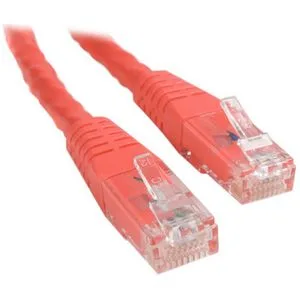
STARTECH C6PATCH1RD 1 ft Red Cat6 network ethernet cable
- others
- 1 ft
$5.99
0.00007225BTC
In stock