

Tripp Lite
Tripp Lite N262 014 BL Cat6a Shielded 10G Patch Cable 14ft Blue accessories barebone
$19.99
0.00023148BTC
In stockWe take cryptocurrency — so the coins you hold can buy real hardware.Pay in crypto, spend it on real hardware. Free insured shipping worldwide over $399. Plain, unbranded boxes, sent from Germany.Free insured shipping over $399. Your rate is locked for 30 minutes once checkout opens.Rate locked 30 minutes. Every item sealed, serial-checked and covered by a 24-month warranty.Sealed, 24-month warranty.
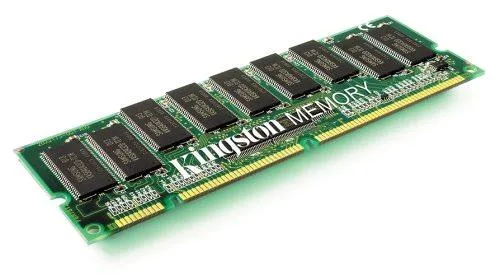
Kingston Technology Corp.
512 MB DDR SDRAM module running at 266 MHz PC2100 for IBM ThinkPad A31, A31p, R32 and T30 systems
This 512 MB module is built for IBM ThinkPad A31, A31p, R32 and T30 systems that take 200-pin SoDIMM DDR SDRAM. It runs at 266 MHz PC2100 with non-parity operation, matching the factory specification for those Pentium 4-M notebooks.
The single stick delivers 512 MB, which covers the maximum supported slot size for the listed models. It will not suit laptops that require faster DDR speeds, larger per-slot capacities or a different pin count.
No published specifications for this item yet.
It matches the PC2100 266MHz specification used by the T30, so it will run alongside the original modules at the same speed.
Boot the ThinkPad and check the BIOS memory count or the system properties in Windows; both should show the additional 512MB.
New to this? Buying memory and SSDs with crypto — what to check, what it costs to pay, and what is never asked for.
Also in this aisle
Same shelf, same checkout — eight coins and a 30-minute rate lock.
What you pay in, and what you read prices in.
Sent from your wallet at checkout
Display only — the catalogue is priced in USD
No currency matches that.
Pick the language the site speaks to you in.
No language matches that.
New here?
Already have one?
There is no automatic reset: this shop sends no mail, so there is no one-time link to ask for. Leave the address on the account and it gets picked up by hand.
Request noted
Nothing is on its way to your inbox — this shop sends no mail at all. Someone picks these up by hand.
Remembered it?


