


Jansicotek
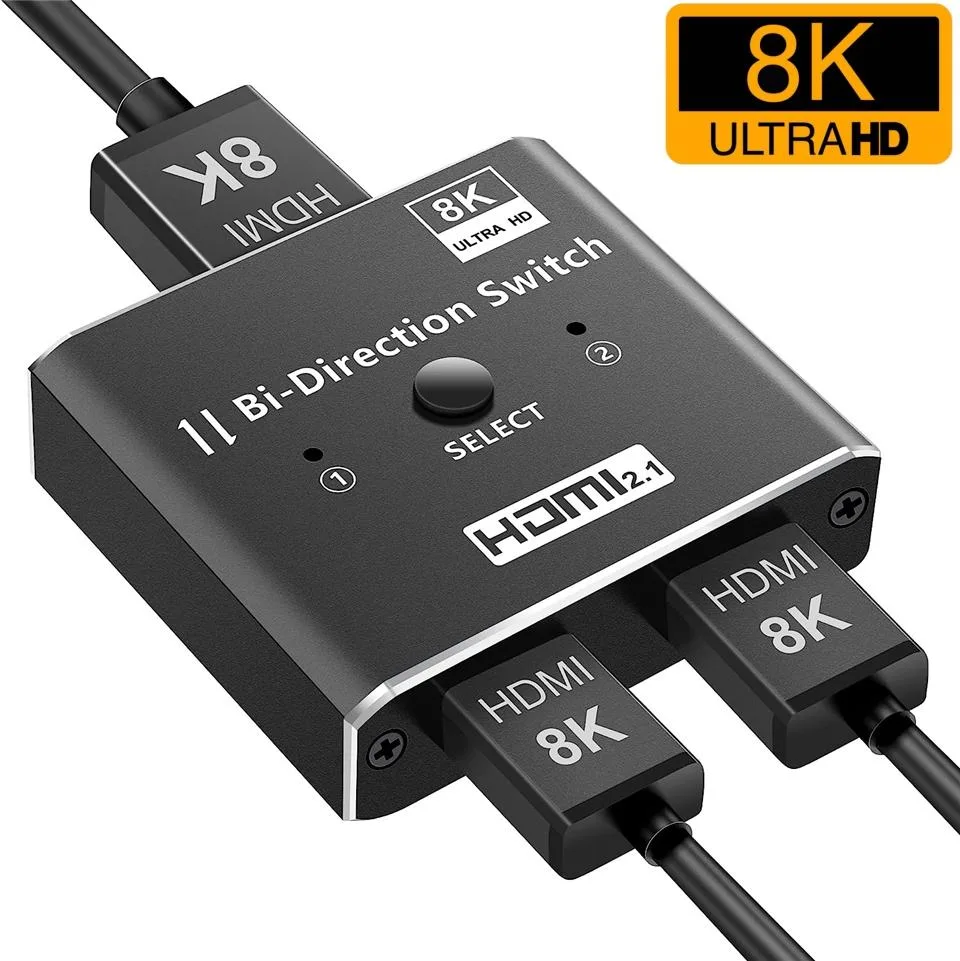
Jansicotek HDMI Bidirectional Switch 2 Port Black
A bidirectional HDMI switch connects two sources to one display or one source to two displays, supporting 8K at 60 Hz and 4K at 120 Hz
- TypeHDMI Switchers
- Changer TypeHDMI Switch/Extender
- ColorBlack
- Ports2
- Bidirectional design connects two sources to one display or one source to two displays
- 48 Gbps bandwidth enables 8K at 60 Hz and 4K at 120 Hz
- HDMI 2.1 with HDCP 2.3 and Dynamic HDR for modern consoles and PCs
- One-button switching with LED indicator shows the active port instantly
- Plug-and-play operation requires no drivers or external power
Bidirectional HDMI Switch 2 Port
The Jansicotek HDMI bidirectional switch connects two sources to one display or one source to two displays, switching manually with a button press. It supports 8K at 60 Hz, 4K at 120 Hz and 1080p at 240 Hz with 48 Gbps bandwidth. The aluminium housing fits desktop setups needing flexible HDMI routing.
Replaces separate switch and splitter units
Instead of buying a dedicated 2-in-1-out switch and a 1-in-2-out splitter, this single device handles both topologies. The upgrade is worth it when you regularly move a console between a monitor and a TV, or when a PC and a streaming box share one screen. Only one output is active at a time.
Check HDMI 2.1 cables and device capabilities
Verify that your source, cables and display all support the target resolution and refresh rate. The supplier notes a maximum cable length of 3 metres for 4K at 120 Hz or 8K at 60 Hz, and 1.5 metres for 8K at 60 Hz. HDCP 2.3 and Dynamic HDR passthrough require compatible endpoints.
Highlights
- Bidirectional design connects two sources to one display or one source to two displays
- 48 Gbps bandwidth enables 8K at 60 Hz and 4K at 120 Hz
- HDMI 2.1 with HDCP 2.3 and Dynamic HDR for modern consoles and PCs
- One-button switching with LED indicator shows the active port instantly
- Plug-and-play operation requires no drivers or external power
Specifications
| Type | HDMI Switchers |
|---|---|
| Changer Type | HDMI Switch/Extender |
| Color | Black |
| Ports | 2 |
Questions about this item
How much desk space does the 2-port black aluminium switch need?
The compact aluminium housing fits in a small footprint; allow room for two HDMI cables on the input side and one on the output side when used as a 2-in-1-out switch.
What is the correct order to connect cables and power before pressing the selector button?
Connect all HDMI cables to the source devices and the display first, then press the button to toggle the active input or output; the indicator LED confirms which port is live.
How often should the HDMI cables be replaced to keep 8K60 or 4K120 performance?
Use certified Ultra High Speed HDMI cables no longer than 3 metres for 8K60 or 4K120, and 1.5 metres for 8K60; replace any cable that shows signal drop-out or fails the 48 Gbps link test.
New to this? Which coin should you pay with — what to check, what it costs to pay, and what is never asked for.
Also in this aisle
People compared these
Same shelf, same checkout — eight coins and a 30-minute rate lock.


YOUHUA
YOUHUA SATA Cable Kit 2×Data 0.48 m 2×Power 0.16 m
- Sata cables: 2 SATA…
$8.99
0.00010323BTC
In stock
Micro Connectors
Micro Connectors SATA cable 40 inches straight to right angle locking latch black 3 pack
- Black
$6.99
0.00008027BTC
In stock