
HP
HP UQ209E 3-Year Business Priority Support Hardware License
- 3 year Care Pack Bu…
- Care Pack type: Ele…
$53.99
0.00062343BTC
In stockWe take cryptocurrency — so the coins you hold can buy real hardware.Pay in crypto, spend it on real hardware. Free insured shipping worldwide over $399. Plain, unbranded boxes, sent from Germany.Free insured shipping over $399. Your rate is locked for 30 minutes once checkout opens.Rate locked 30 minutes. Every item sealed, serial-checked and covered by a 24-month warranty.Sealed, 24-month warranty.


CRU Inc
Write-blocking forensic dock images drives via USB-C without altering evidence
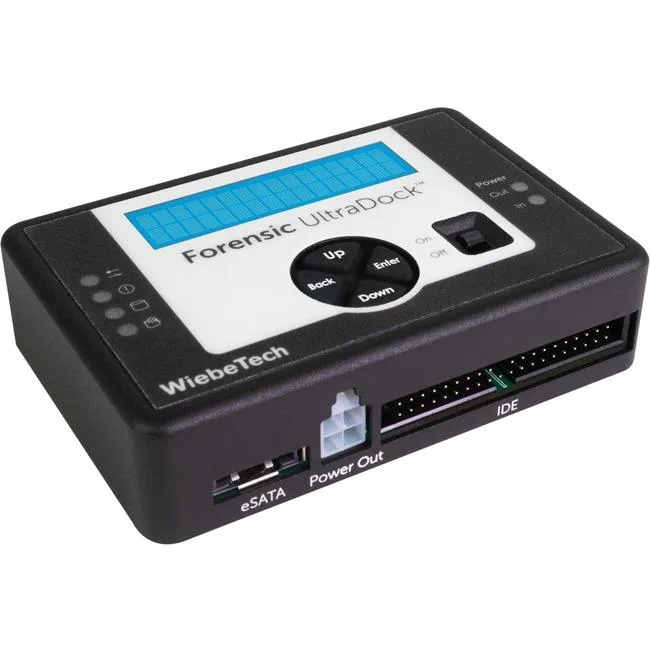
The WiebeTech Forensic UltraDock FUDv6 is a professional-grade write-blocking dock for digital forensics investigators, technicians and lawyers. It lets you view and image a data drive without altering its contents. The dock works with forensic acquisition and analysis software and connects via USB-C.
Write blocking cannot be turned off unintentionally; the dock powers up in write-blocked mode every time. This prevents accidental evidence compromise that can occur on other devices if the mode is forgotten. No DIP switches are required to manage the protection state.
The LCD menu lets you detect, remove or modify Host Protected Areas, Device Configuration Overlays and Accessible Max Address Configurations that may hide data. You can also read selected SMART information such as hours used, power cycles and disk health directly on the dock.
No published specifications for this item yet.
Attach the suspect drive to the dock, then link the dock to the host via the USB-C cable; the unit powers on and immediately enters write-blocked mode.
The drive-mounting cradle and its connector pins are the only mechanical items that wear; keep spares if you process many drives daily.
The USB-C bus bandwidth and the host computer’s thermal envelope are the first constraints during sustained high-speed acquisition.
Also in this aisle
Same shelf, same checkout — eight coins and a 30-minute rate lock.
What you pay in, and what you read prices in.
Sent from your wallet at checkout
Display only — the catalogue is priced in USD
No currency matches that.
Pick the language the site speaks to you in.
No language matches that.
New here?
Already have one?
There is no automatic reset: this shop sends no mail, so there is no one-time link to ask for. Leave the address on the account and it gets picked up by hand.
Request noted
Nothing is on its way to your inbox — this shop sends no mail at all. Someone picks these up by hand.
Remembered it?