


BFKK
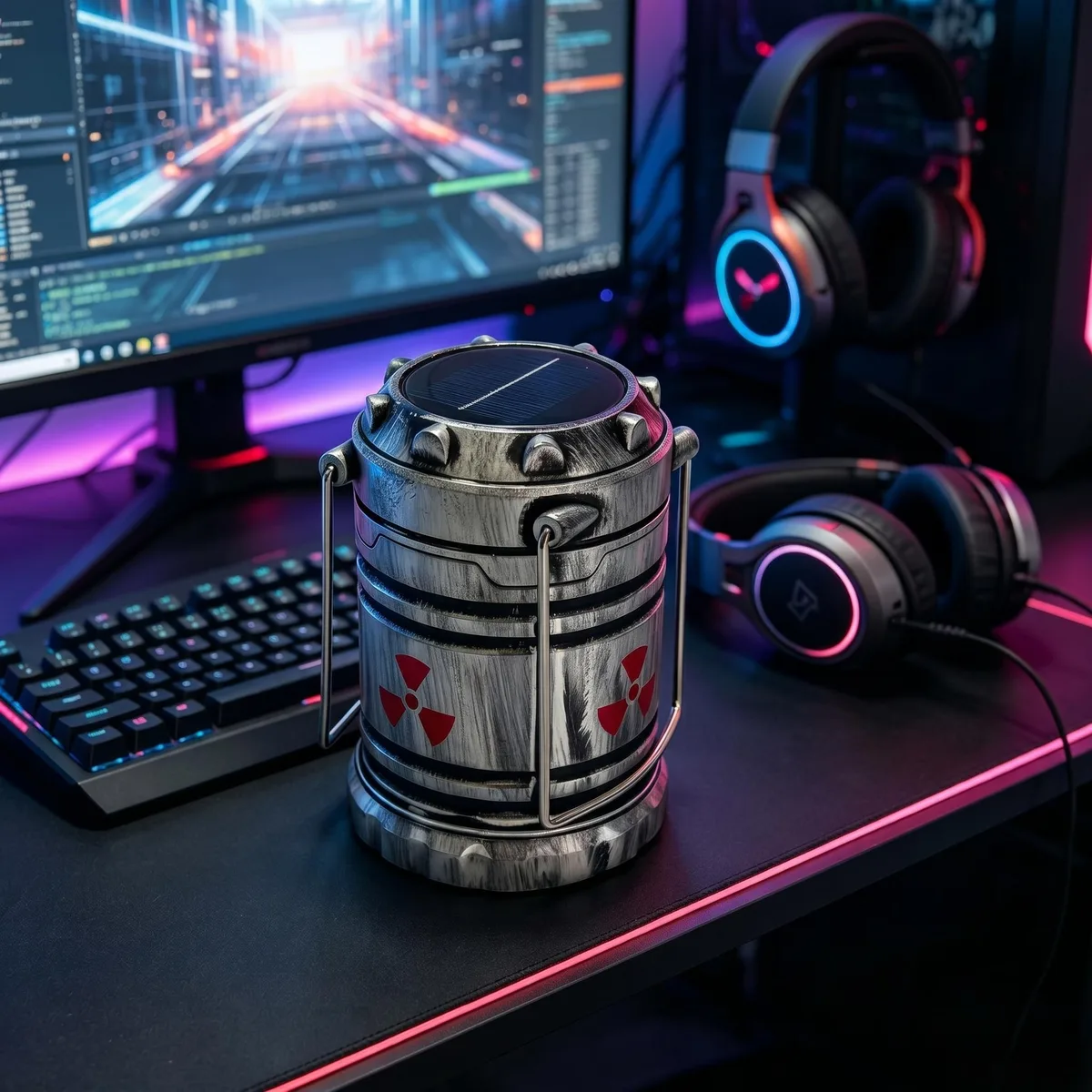
BFKK Wireless Desktop Power Button Silver 180 Days
A wireless desktop power switch with a rechargeable battery lasting around 180 days and solar or USB-C charging
Color Silver
- Green
- Silver
- Wireless operation with 180-day rechargeable battery life
- Solar and Type-C charging keeps the switch powered
- Pull-to-toggle action turns the PC on or off
- Driver-free installation via PCI-E or USB 9-pin
- Desktop-only design — not compatible with laptops or all-in-ones
Wireless PC Power Switch
The BFKK wireless desktop power button adds a remote switch to a tower PC using a rechargeable battery rated for about 180 days per charge. It connects to the motherboard front-panel header and draws power from a PCIe slot, a USB nine-pin header or an external Type-C source. The silver-finished unit features a micro nuclear reactor theme with illuminated detailing. Laptops and all-in-one systems are not supported.
Replaces the Case Front Button
This unit replaces the standard chassis power button when the case is out of reach, tucked under a desk or built into custom furniture. The jump is worth it when you need a tactile pull-to-toggle switch on your desk without running long wires to the front panel. It does not suit builders who need a second independent power button or those who want software-controlled wake functions.
Battery Life and Power Options
A full charge provides roughly 180 days of standby operation and can be topped up by ambient light or a Type-C cable. The receiver card fits a PCIe slot or a USB nine-pin header, with a hardware switch selecting the power source. Headroom ends when the battery depletes beyond solar recovery or when the motherboard lacks a spare PCIe or USB header for the receiver.
Highlights
- Wireless operation with 180-day rechargeable battery life
- Solar and Type-C charging keeps the switch powered
- Pull-to-toggle action turns the PC on or off
- Driver-free installation via PCI-E or USB 9-pin
- Desktop-only design — not compatible with laptops or all-in-ones
Specifications
No published specifications for this item yet.
Other versions of this model
1 more in the same range
Same family, different memory, cooler or clock — compare before you commit.


Questions about this item
What motherboard connectors does the boot card need for the PCI-E power method?
The boot card uses the motherboard POWER SW switch pins and a PCI-E slot on the motherboard or graphics card for power.
Which step is often missed when switching between the PCI-E and USB 9-pin power modes?
The small switch on the boot card must be moved to the left for PCI-E power or to the right for USB 9-pin power after the motherboard is shut down.
How often will the rechargeable battery in the wireless button need recharging?
The battery lasts about 180 days per charge and can be recharged via solar or Type-C.
New to this? Which coin should you pay with — what to check, what it costs to pay, and what is never asked for.
Also in this aisle
People compared these
Same shelf, same checkout — eight coins and a 30-minute rate lock.

Vszerda
Vszerda USB-A to USB-C Braided Cable 5-Pack 3ft 3ft 6ft 6ft 10ft White 3.0A 480Mbps
$18.99
0.00022221BTC
In stock


ATEN
ATEN VC980 Mini DisplayPort to HDMI audio video converter
- Mini DP to HDMI
- White
$21.99$29.49−25%
0.00025732BTC
In stock