

Innovation First, Inc.
Innovation First, Inc. 1UCMA-137 1U Cable Management Arm 19" 28.5"-33" computer accessory
- Product Type:Cable…
- Panel Width:19" Rac…
$72.99
0.00086782BTC
In stockWe take cryptocurrency — so the coins you hold can buy real hardware.Pay in crypto, spend it on real hardware. Free insured shipping worldwide over $399. Plain, unbranded boxes, sent from Germany.Free insured shipping over $399. Your rate is locked for 30 minutes once checkout opens.Rate locked 30 minutes. Every item sealed, serial-checked and covered by a 24-month warranty.Sealed, 24-month warranty.
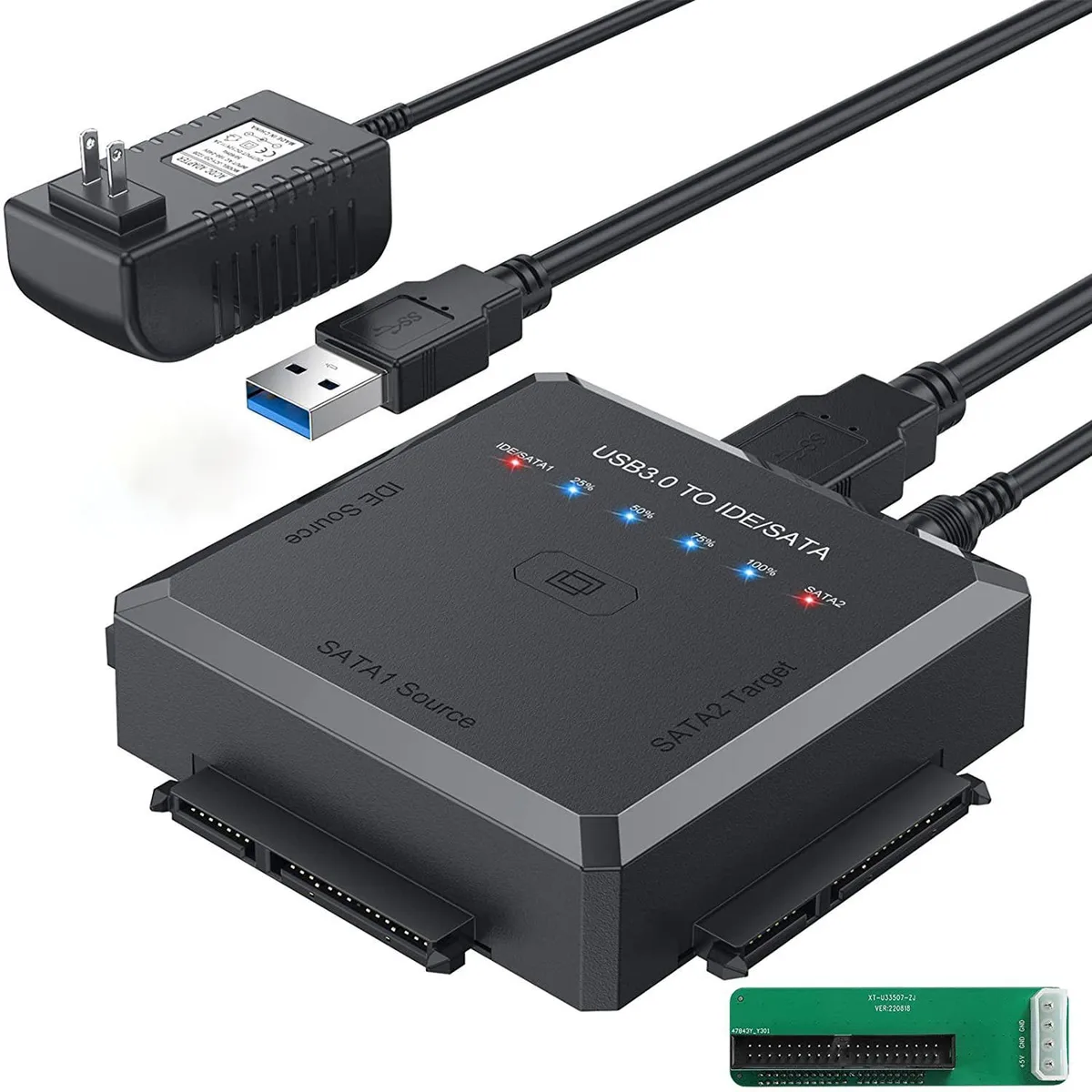


WRIARICH
Connects 2.5" and 3.5" SATA or IDE drives via USB 3.0 with one-touch backup and up to 5 Gbps transfer
The WRIARICH adapter connects 2.5 and 3.5 inch SATA or IDE hard drives and optical drives to a USB 3.0 port. It supports two drives at once for file retrieval, backup or cloning tasks. Compatible with Windows, Mac and Linux systems without extra drivers. Ideal for technicians and home users accessing legacy storage.
A dedicated CLONE button starts an automatic backup when held for three seconds until the first blue indicator flashes at 25 percent progress. The process runs without software installation and copies data between connected drives. A 12V 2A power adapter supplies stable current for both 2.5 and 3.5 inch devices during operation.
The USB 3.0 interface delivers up to 5Gbps throughput with UASP support for faster large-file moves. Package includes the adapter, power adapter, USB 3.0 cable, 4-pin power cable, IDE converter and user manual. No additional cables or software licences are required for basic drive access.
| Color | Black |
|---|
Connect the drive using the SATA or IDE interface converter, attach the 12V 2A power adapter, then plug the USB 3.0 cable into the computer. The step often missed is pressing the CLONE button for 3 seconds until the first blue 25% light flashes to activate one-touch backup.
The adapter has no moving parts and requires no scheduled maintenance. Only the 12V 2A power adapter or USB 3.0 cable may need replacement if they become damaged or lost over time.
The USB 3.0 interface caps sustained throughput at 5 Gbps, and only one drive can operate at a time, so that bandwidth ceiling is the first limit you will hit during long copy sessions.
New to this? Which coin should you pay with — what to check, what it costs to pay, and what is never asked for.
Also in this aisle
Same shelf, same checkout — eight coins and a 30-minute rate lock.
What you pay in, and what you read prices in.
Sent from your wallet at checkout
Display only — the catalogue is priced in USD
No currency matches that.
Pick the language the site speaks to you in.
No language matches that.
New here?
Already have one?
There is no automatic reset: this shop sends no mail, so there is no one-time link to ask for. Leave the address on the account and it gets picked up by hand.
Request noted
Nothing is on its way to your inbox — this shop sends no mail at all. Someone picks these up by hand.
Remembered it?


