

Innovation First, Inc.
Innovation First, Inc. 1UCMA-137 1U Cable Management Arm 19" 28.5"-33" computer accessory
- Product Type:Cable…
- Panel Width:19" Rac…
$72.99
0.00085053BTC
In stockWe take cryptocurrency — so the coins you hold can buy real hardware.Pay in crypto, spend it on real hardware. Free insured shipping worldwide over $399. Plain, unbranded boxes, sent from Germany.Free insured shipping over $399. Your rate is locked for 30 minutes once checkout opens.Rate locked 30 minutes. Every item sealed, serial-checked and covered by a 24-month warranty.Sealed, 24-month warranty.


WRIARICH
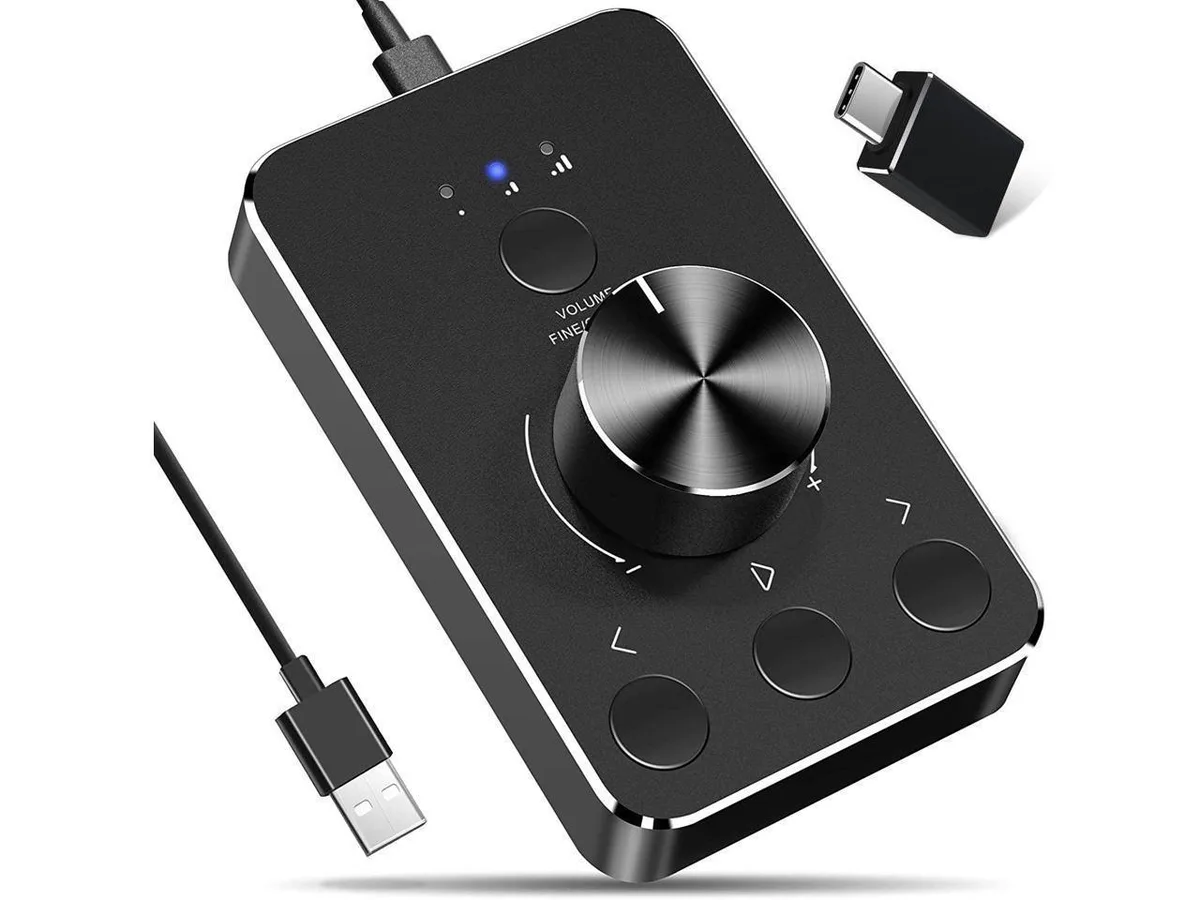
Aluminium rotary controller adjusts system volume, mutes with one press and skips tracks via long-press turns, working driver-free on Windows and macOS
The WRIARICH OZU8 is a USB volume controller built from high-quality aluminium alloy in a black finish. It connects via a supplied USB-to-USB-C cable and works immediately on Windows 7, 8, 10 and macOS without installing any drivers. The device is intended for anyone who wants a physical dial for system volume and media playback.
A single press of the knob mutes or unmutes audio instantly, while rotating it raises or lowers the system volume. Holding the knob down and turning it skips to the previous or next track, giving quick media navigation without reaching for the keyboard. The solid aluminium construction and weighted base keep the unit stable on a desk during repeated adjustments.
This controller replaces software hotkeys and on-screen sliders for volume and track changes, which is useful during gaming, streaming, video calls or music listening. The upgrade is worth it when you prefer tactile, eyes-free control over hunting for function keys or mouse targets. Buyers who need per-application mixing, motorised faders or additional programmable buttons will not find those features here.
| Brand | WRIARICH |
|---|---|
| Model | OZU8 |
| Specifications | Model: OZU8 Prouduct: Multimedia Controller Knob Size: 5.4*3.5*2.1 inches Weight: 0.25kg Material: High quality aluminum alloy Colour: Black |
| Features | Wonderful usage experience:Rotate the Multimedia knob to adjust the volume.With one key mute function, just press the knob when you are listening to music, the music will be stopped and start playing if pressing the knob again. Sturdy and durable:USB volume control knob is made of high quality metal shell and equipped with solid rotary shaft and removable USB cable, which makes this audio adjuster not only durable but also user friendly. Driver Free:Volume control knob supports Win10/8/7/Mac, once you insert it to your computer, it will begin to work. Plug and play, no driver require |
| Package Contents | 1x Navceker Multimedia volume controller 1x USB to USB C cable 1x User manual |
The controller ships with a USB to USB-C cable for plug-and-play operation on Windows 7, 8, 10 and Mac; no driver is needed, so the only practical limit is the host port’s power delivery.
The aluminium-alloy body fits in a 5.4 × 3.5 inch footprint and stands 2.1 inches tall, weighing 0.25 kg, so it sits securely on any flat surface without additional mounting hardware.
Plug the supplied USB to USB-C cable into the computer and the knob; the device works immediately, but users sometimes forget to press the knob once to unmute after the first connection.
New to this? Which coin should you pay with — what to check, what it costs to pay, and what is never asked for.
Also in this aisle
Same shelf, same checkout — eight coins and a 30-minute rate lock.
What you pay in, and what you read prices in.
Sent from your wallet at checkout
Display only — the catalogue is priced in USD
No currency matches that.
Pick the language the site speaks to you in.
No language matches that.
New here?
Already have one?
There is no automatic reset: this shop sends no mail, so there is no one-time link to ask for. Leave the address on the account and it gets picked up by hand.
Request noted
Nothing is on its way to your inbox — this shop sends no mail at all. Someone picks these up by hand.
Remembered it?


