


weastlinks
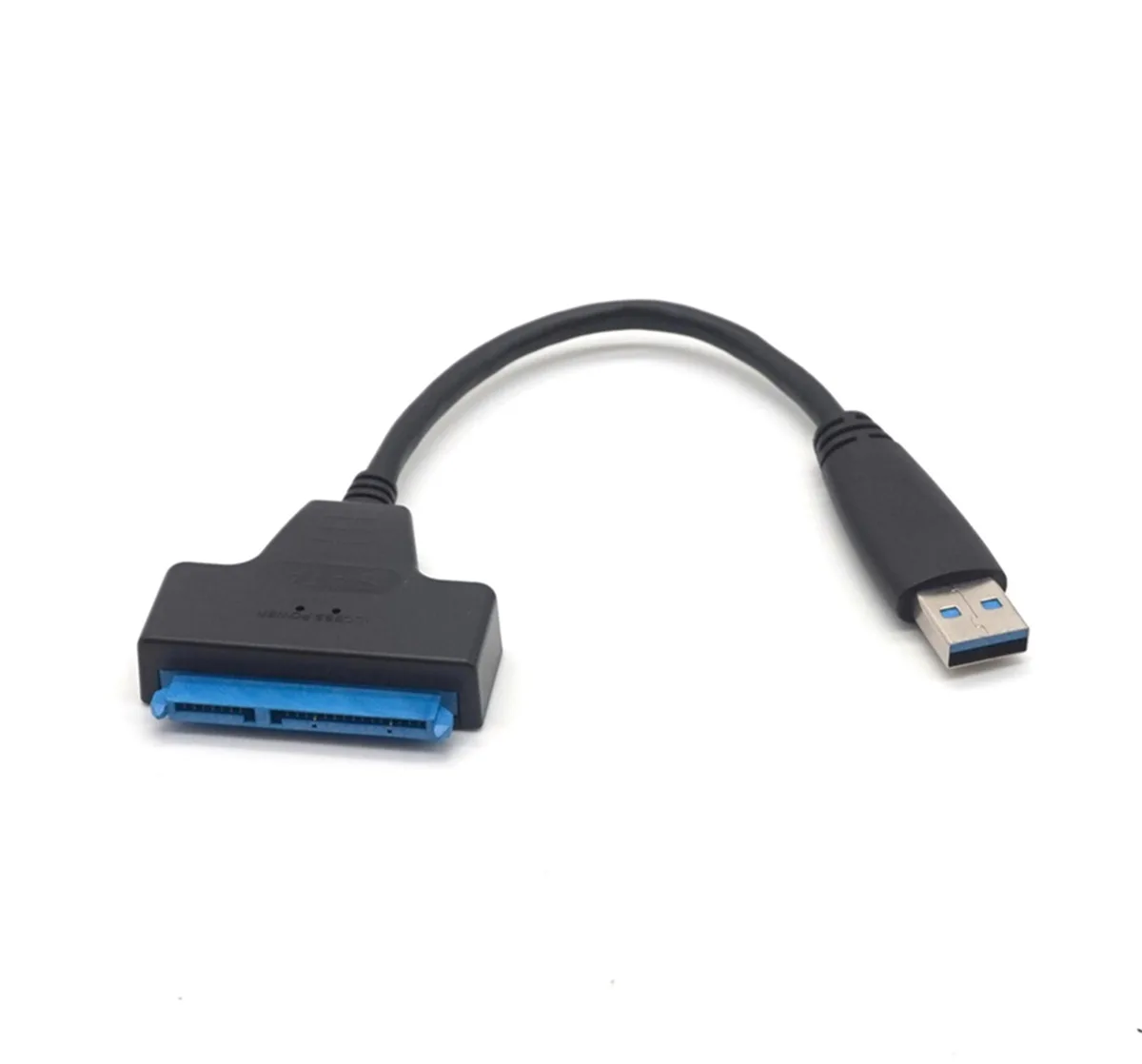
weastlinks USB 3.0 to SATA 22-pin adapter cable 2.5" HDD SSD Black & Blue
Connects a 2.5 inch SATA drive to a USB 3.0 port for quick file backup or drive upgrades
- ColorBlack & Blue
- Connect 2.5 inch drives externally via USB 3.0
- USB 3.0 speed with USB 2.0 and 1.1 fallback
- 22 pin SATA connector fits laptop HDD or SSD
- Not compatible with 3.5 inch desktop drives
- Quick access for backup or notebook drive upgrades
USB 3.0 to SATA 22-pin adapter
This adapter cable connects any standard 2.5 inch SATA hard drive or solid state drive to a computer through USB 3.0 ports. It is only available for notebook hard drives and SSDs, not for 3.5 inch desktop computer HDDs. The cable provides easy and quick access to external storage for file backup or drive upgrades. It is fully compatible with USB 3.0 and backwards compatible with USB 2.0 and 1.1.
Upgrade from USB 2.0 adapter
The USB 3.0 interface replaces slower USB 2.0 connections for faster data transfer when moving large files or cloning drives. The jump is worth it when you regularly handle multi-gigabyte backups or need to image a full 2.5 inch SATA SSD. Builders still using USB 2.0 ports will not see the speed benefit, so the upgrade matters only when the host port supports USB 3.0.
Fits 2.5 inch SATA drives only
The 22-pin connector plugs directly into the drive without a separate power brick, freeing a mains socket and reducing cable clutter. It needs a free USB-A port on the host and a standard 2.5 inch SATA HDD or SSD. The adapter does not support 3.5 inch desktop drives, optical drives or drives with non-standard pinouts, so buyers needing those connections must look elsewhere.
Highlights
- Connect 2.5 inch drives externally via USB 3.0
- USB 3.0 speed with USB 2.0 and 1.1 fallback
- 22 pin SATA connector fits laptop HDD or SSD
- Not compatible with 3.5 inch desktop drives
- Quick access for backup or notebook drive upgrades
Specifications
| Color | Black & Blue |
|---|
Questions about this item
Will the 22-pin SATA connector fit my 2.5-inch SSD without a separate power cable?
Yes, the 22-pin connector carries both data and power for any standard 2.5-inch SATA drive, so no extra power cable is required.
Do I need to install any driver before the drive appears in Windows?
No driver is needed; the adapter uses the native USB 3.0 mass-storage class and is backwards compatible with USB 2.0 and 1.1 ports.
Does the cable or controller need any firmware updates or periodic maintenance?
There is no firmware to update and no moving parts; simply keep the USB and SATA connectors clean and reseat them if the drive stops being detected.
New to this? Which coin should you pay with — what to check, what it costs to pay, and what is never asked for.
Also in this aisle
People compared these
Same shelf, same checkout — eight coins and a 30-minute rate lock.



Black Box Corporation
Black Box Corporation CAT6 EZ-RJ45 Modular Plugs 100-Pack
$95.99
0.00115115BTC
In stock
