
Wavlink
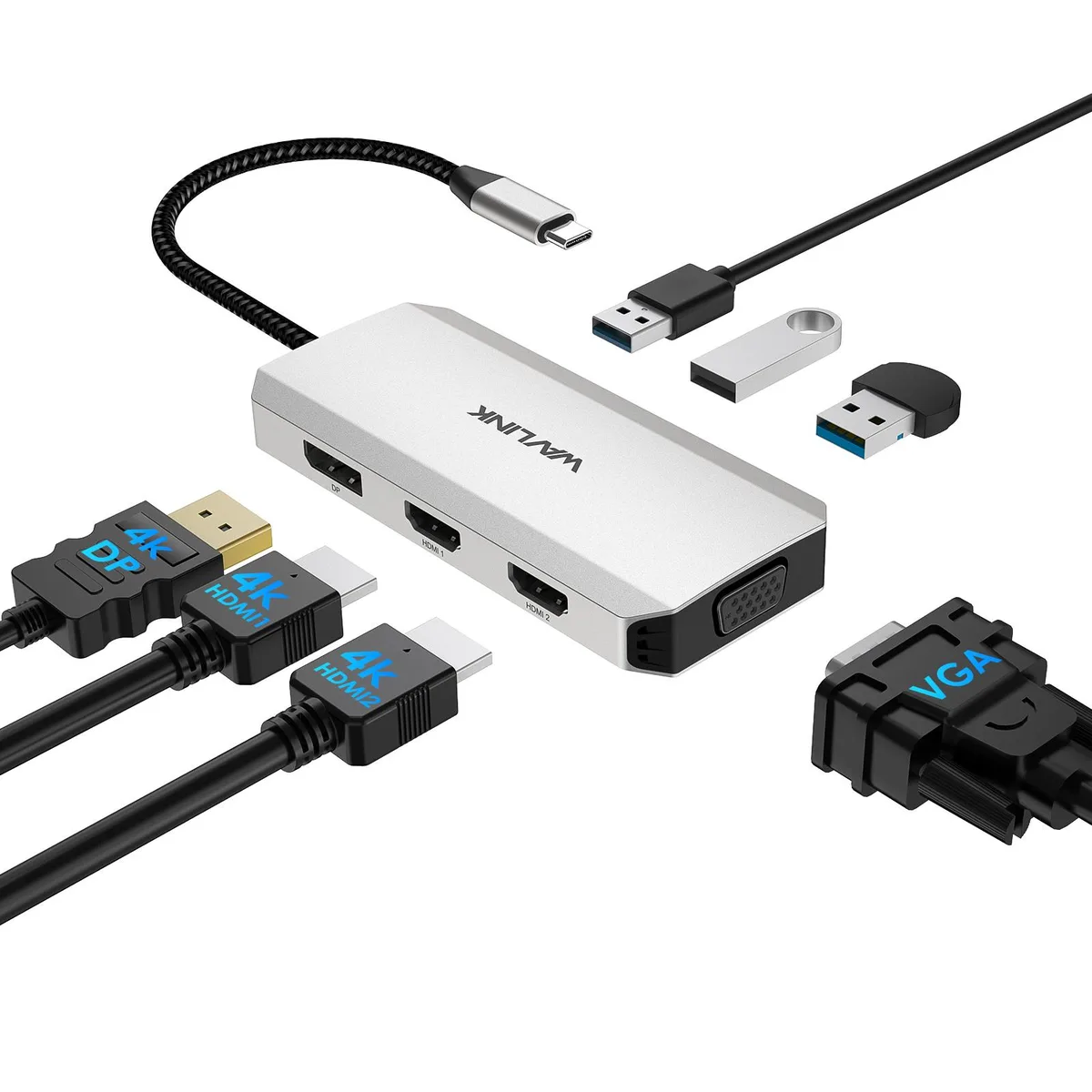
Wavlink V1C43EA docking station 2 HDMI DP VGA 3 USB 2.0 4K 60Hz
- Silver
- Plug and play on Wi…
$26.99
0.00032092BTC
In stockWe take cryptocurrency — so the coins you hold can buy real hardware.Pay in crypto, spend it on real hardware. Free insured shipping worldwide over $399. Plain, unbranded boxes, sent from Germany.Free insured shipping over $399. Your rate is locked for 30 minutes once checkout opens.Rate locked 30 minutes. Every item sealed, serial-checked and covered by a 24-month warranty.Sealed, 24-month warranty.


Wavlink
Connects three external displays via HDMI and dual DisplayPort while delivering 85 W pass-through charging and providing 10 Gbps USB, 2.5 Gbps Ethernet, SD/TF card slots and audio
Option Triple Monitor - 4K HDMI + 2 x 8K DP - 100W PD
The Wavlink V1C43EA docking station adds three external monitors, wired networking, fast USB ports and card readers through a single USB-C connection. It suits visual creators, programmers and multitaskers who need extended desktop space on Windows, macOS, Chrome OS, Linux or mobile platforms. The aluminium chassis weighs .27 lbs for easy transport.
Setup is driver-free on supported operating systems. The critical step is confirming that the host USB-C port delivers video output and accepts power delivery; without both, displays stay dark and the laptop will not charge. Use the certified charger (not included) connected to the dock’s PD input port for up to 85 W pass-through charging.
Check the laptop specification or manual to ensure the USB-C alternate mode carries DisplayPort 1.2 or 1.4 signalling and that the port is rated for power input. Mac users should note that all three extended screens will show the same image. Windows users can run independent content across the displays. No charger is bundled.
| Brand | Wavlink |
|---|---|
| Model | WL-UMD306 |
| Part Number | 1x USB-C(PD IN,100W), 1x HDMI (4K@60Hz), 2x DisplayPort(8K@30Hz), 1x 2.5G RJ45, 1xUSB3.1-A(10Gbps), 1xUSB3.1-C(10Gbps), 2 x USB2.0-A(480Mbps), 1x SD Card Slot, 1x TF Card Slot, 1 x Audio/Mic Port |
| Color | Silver |
| Compatibility | Widely compatible with Windows 11/10/8.1/8/7, Mac OS, Chrome OS, Linux, iPad OS, Harmony OS, Android with OTG function, iOS. Suitable for your Thunderbolt 3/4 laptops or devices with USB-C port that supports charging and video output(Check the details page or contact our customer service to see more compatible devices). No driver required, get rid of hassled driver installation, just plug and play! |
| Weight | 0.27Lbs |
| Content | 1 x USB-C Triple Display MST Docking Station 1 x Quick start guide |
Other versions of this model
Same family, different memory, cooler or clock — compare before you commit.
Connect your laptop's original USB-C charger to the dock's PD-IN port; the laptop should show it is charging at up to 85 W while the three external displays and peripherals remain active.
The box contains only the dock and a quick-start guide; you must supply your own USB-C power adapter, HDMI cable, DisplayPort cables, Ethernet cable and any USB-A or USB-C peripheral cables.
Use either DP1 or DP2 — each supports 7680×4320 at 30 Hz under DP1.4 with DSC, while the HDMI port is limited to 4 K 60 Hz.
Also in this aisle
Same shelf, same checkout — eight coins and a 30-minute rate lock.
What you pay in, and what you read prices in.
Sent from your wallet at checkout
Display only — the catalogue is priced in USD
No currency matches that.
Pick the language the site speaks to you in.
No language matches that.
New here?
Already have one?
There is no automatic reset: this shop sends no mail, so there is no one-time link to ask for. Leave the address on the account and it gets picked up by hand.
Request noted
Nothing is on its way to your inbox — this shop sends no mail at all. Someone picks these up by hand.
Remembered it?


