

Innovation First, Inc.
Innovation First, Inc. 1UCMA-137 1U Cable Management Arm 19" 28.5"-33" computer accessory
- Product Type:Cable…
- Panel Width:19" Rac…
$72.99
0.00086883BTC
In stockWe take cryptocurrency — so the coins you hold can buy real hardware.Pay in crypto, spend it on real hardware. Free insured shipping worldwide over $399. Plain, unbranded boxes, sent from Germany.Free insured shipping over $399. Your rate is locked for 30 minutes once checkout opens.Rate locked 30 minutes. Every item sealed, serial-checked and covered by a 24-month warranty.Sealed, 24-month warranty.
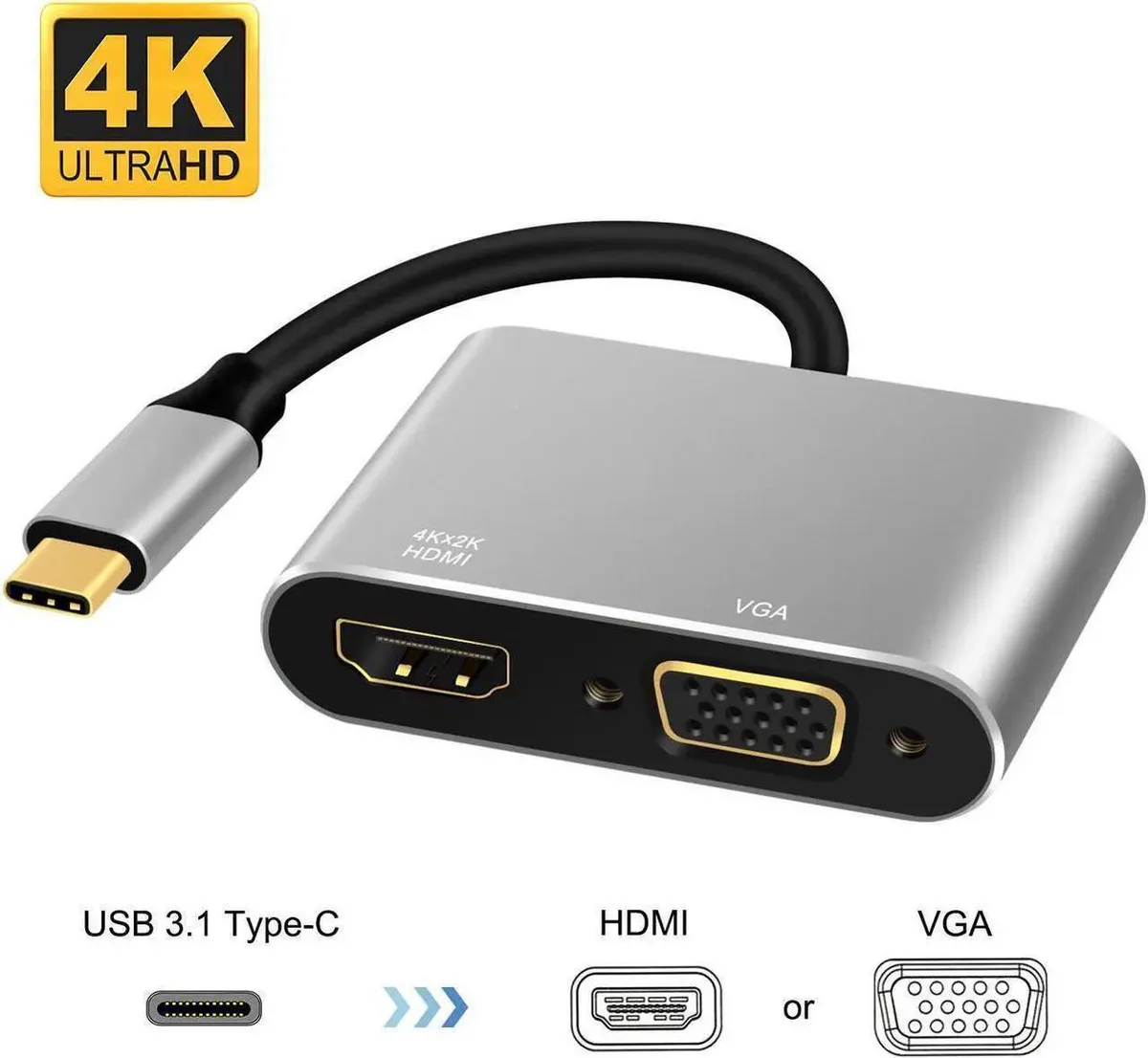


Vszerda
A USB 3.1 Type-C adapter that drives one HDMI display at 3840 x 2160 @ 30 Hz or one VGA display at 1920 x 1200 @ 30 Hz, and extends two screens at 1080P simultaneously
The Vszerda adapter connects a USB 3.1 Type-C port to both an HDMI and a VGA display at the same time. It extends the desktop across up to two external screens without any driver installation. Office workers, presenters and home-theatre users can add a projector, TV or monitor instantly.
Older single-output dongles force a choice between HDMI or VGA; this unit supplies both connectors in one housing. The upgrade is worth it when a laptop has only one USB-C video-capable port but the user needs two different display types simultaneously. It removes the need to carry separate converters for meeting rooms and desk setups.
Under continuous use the adapter maintains 3840 x 2160 at 30 Hz on HDMI and 1920 x 1200 at 30 Hz on VGA when each output runs alone. When both screens are active together, each side settles at 1080 resolution. No thermal throttling or driver overhead is reported during extended sessions.
No published specifications for this item yet.
No, the Vszerda adapter draws power directly from the USB 3.1 Type-C port and requires no separate power adapter.
Plug the USB-C end into the host first, then attach the HDMI and VGA cables; the host must support video over USB-C Alt Mode for the dual 1080P extended output to appear.
The connectors are passive and rated for standard mating cycles; inspect them only if you notice signal drop-outs or physical damage, otherwise no scheduled replacement is needed.
New to this? Which coin should you pay with — what to check, what it costs to pay, and what is never asked for.
Also in this aisle
Same shelf, same checkout — eight coins and a 30-minute rate lock.
What you pay in, and what you read prices in.
Sent from your wallet at checkout
Display only — the catalogue is priced in USD
No currency matches that.
Pick the language the site speaks to you in.
No language matches that.
New here?
Already have one?
There is no automatic reset: this shop sends no mail, so there is no one-time link to ask for. Leave the address on the account and it gets picked up by hand.
Request noted
Nothing is on its way to your inbox — this shop sends no mail at all. Someone picks these up by hand.
Remembered it?


