


Vszerda
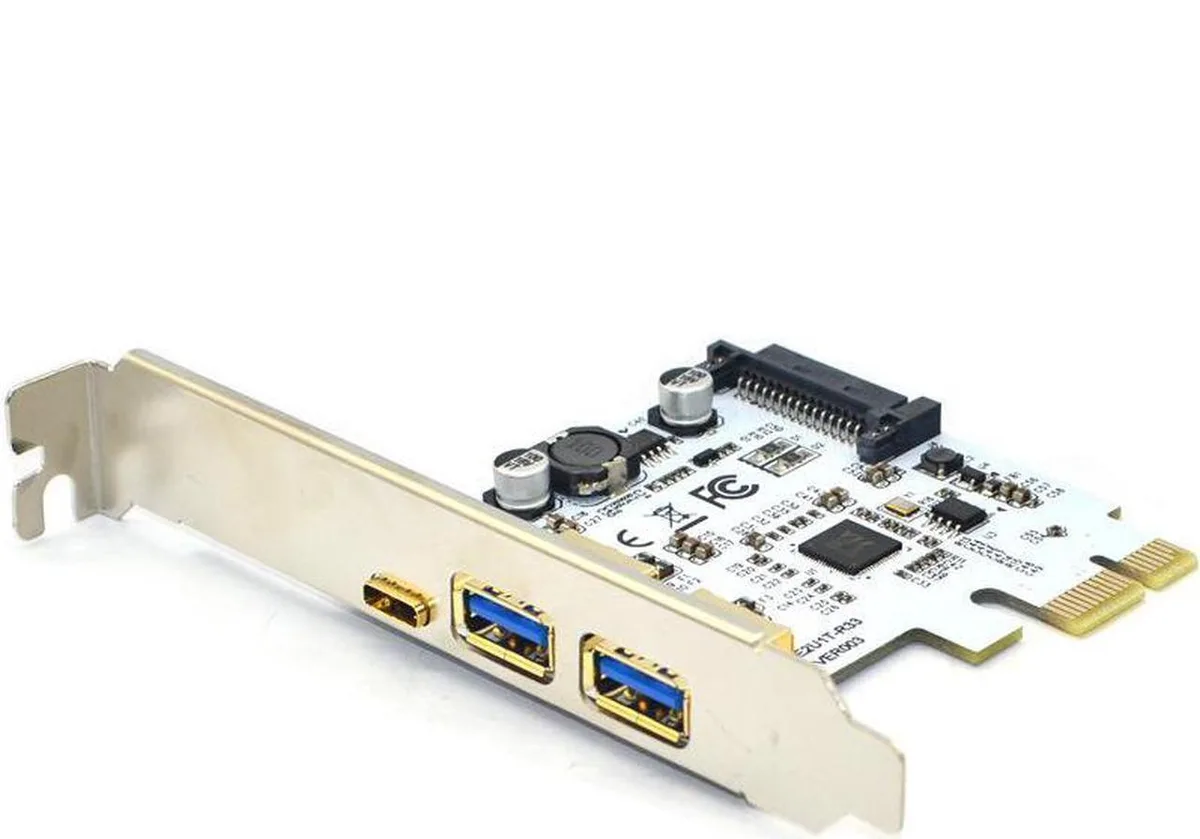
Vszerda PCIe 1x to 2 USB-A & USB-C 3.1 5Gbps Adapter
Adds one USB-C and two USB-A ports at 5 Gbit/s via a PCIe 1x slot with SATA power
- Adds two USB-A and one USB-C 3.1 Gen 1 ports via a PCIe 1x slot
- Delivers up to 5 Gbit/s transfer speed with backward compatibility to USB 2.0 and 1.1
- Includes SATA 15-pin power connector for stable operation of high-draw devices
- Fits full-profile desktop cases using the supplied PCI slot cover
- Works in PCIe 1x, 4x, 8x and 16x slots with VIA VL805 chipset
USB 3.1 PCIe expansion card
This Vszerda adapter adds one USB Type-C and two USB Type-A ports to a desktop through a single PCI Express 1x slot. It uses the VIA VL805 chipset and complies with the USB 3.1 Gen 1 standard for 5Gbps throughput. A SATA 15-pin power connector supplies extra current for demanding peripherals. The full-profile bracket fits standard desktop cases.
Upgrade from onboard headers
The card replaces limited front-panel headers or older USB 2.0 brackets by delivering three SuperSpeed ports at 5Gbps. The jump is worthwhile when the motherboard lacks a native Type-C port or when existing ports share bandwidth with other devices. Backward compatibility with USB 2.0 and 1.1 preserves support for legacy accessories.
Build integration notes
Installation requires a free PCIe 1x, 4x, 8x or 16x slot and a spare SATA power lead from the supply. The adapter works with Windows XP, 2003, Vista, 7, 8 and Linux without extra drivers. It adds external connectivity without occupying drive bays or internal USB headers.
Highlights
- Adds two USB-A and one USB-C 3.1 Gen 1 ports via a PCIe 1x slot
- Delivers up to 5 Gbit/s transfer speed with backward compatibility to USB 2.0 and 1.1
- Includes SATA 15-pin power connector for stable operation of high-draw devices
- Fits full-profile desktop cases using the supplied PCI slot cover
- Works in PCIe 1x, 4x, 8x and 16x slots with VIA VL805 chipset
Specifications
No published specifications for this item yet.
Questions about this item
What PCIe slot size and bracket does the card require for mounting?
It fits any PCIe x1, x4, x8 or x16 slot and uses a full-profile PCI slot cover for rear-panel mounting.
How is the card powered and which step is often missed during installation?
Connect the onboard SATA 15-pin power connector to the PSU; the card will not supply 5 Gbps to high-draw devices without it.
Which component will need attention if USB ports stop delivering full 5 Gbps speeds over time?
The VIA VL805 chipset and SATA power connection should be checked first; dust or a loose power lead can throttle throughput.
New to this? Which coin should you pay with — what to check, what it costs to pay, and what is never asked for.
Also in this aisle
People compared these
Same shelf, same checkout — eight coins and a 30-minute rate lock.



Black Box Corporation
Black Box Corporation CAT6 EZ-RJ45 Modular Plugs 100-Pack
$95.99
0.00115165BTC
In stock
