

Innovation First, Inc.
Innovation First, Inc. 1UCMA-137 1U Cable Management Arm 19" 28.5"-33" computer accessory
- Product Type:Cable…
- Panel Width:19" Rac…
$72.99
0.00086372BTC
In stockWe take cryptocurrency — so the coins you hold can buy real hardware.Pay in crypto, spend it on real hardware. Free insured shipping worldwide over $399. Plain, unbranded boxes, sent from Germany.Free insured shipping over $399. Your rate is locked for 30 minutes once checkout opens.Rate locked 30 minutes. Every item sealed, serial-checked and covered by a 24-month warranty.Sealed, 24-month warranty.


Vszerda
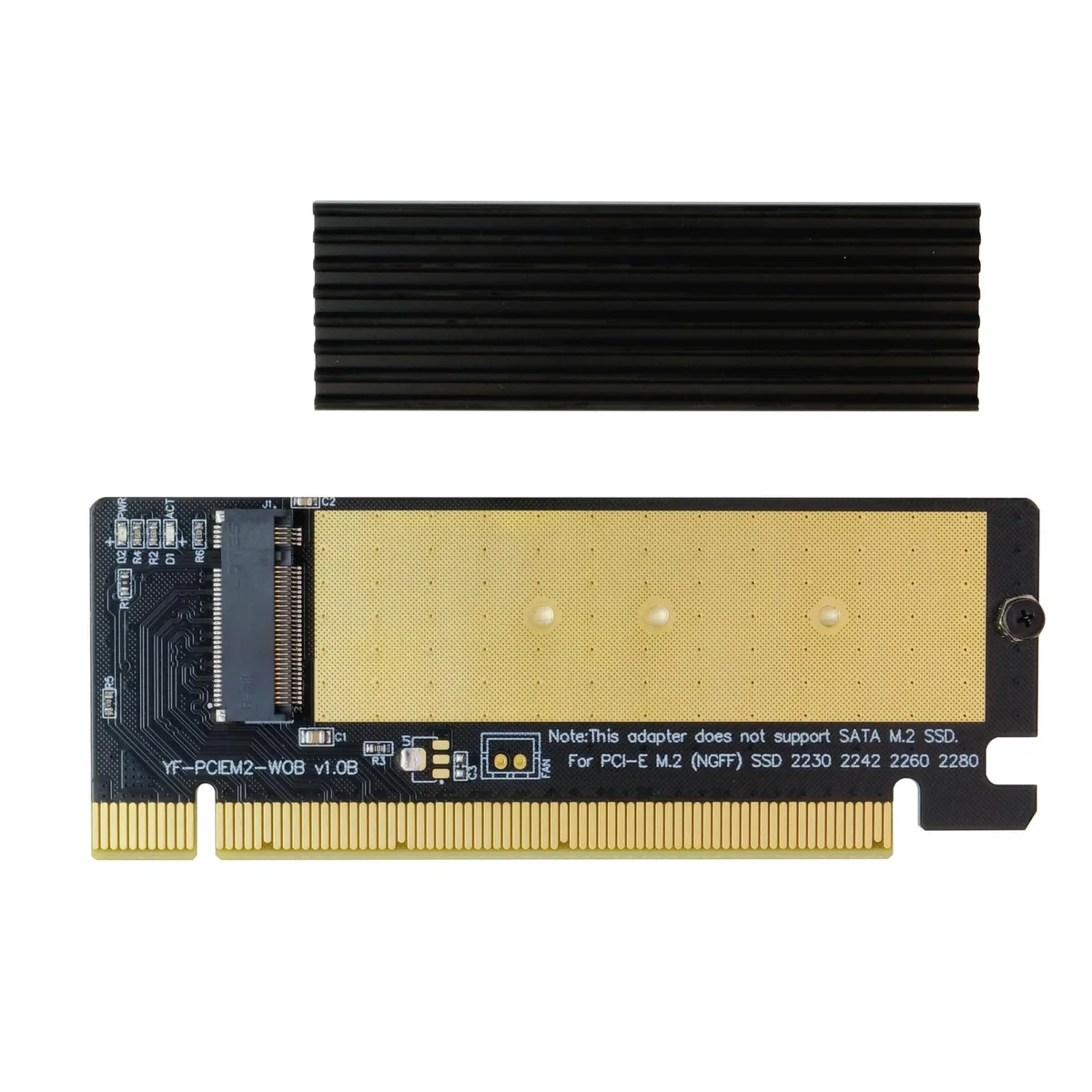
Adds an M.2 NVMe SSD to a PCIe x16 slot with a heatsink and thermal pad for Gen4 speeds
This adapter lets you install an M.2 NVME SSD into a PCIe x16 slot when your motherboard lacks a native M.2 connector. It supports PCIe 4.0, 3.0 and 2.0 drives in 2230, 2242, 2260 and 2280 lengths. An aluminium heat sink and thermal pad are included to maintain drive performance.
The card is designed for systems that have a free PCIe x16 slot but no M.2 NVME interface on the motherboard. It will not accept M.2 SATA SSDs with a B key, and it cannot be used in PCIe x1, x4 or x8 slots. Buyers who need SATA support or a different slot size should look at something else.
The adapter only works in a full-size PCIe x16 slot, so the motherboard must provide one that is electrically and physically compatible. If your board lacks a spare x16 slot, this card cannot be installed.
No published specifications for this item yet.
Insert the Key M NVME SSD (2230, 2242, 2260, or 2280) into the M.2 slot, secure it with the screw, attach the thermal pad and heat sink, then plug the adapter into a PCIe x16 slot. The step often missed is confirming the motherboard has CSM enabled in BIOS if you plan to boot from the NVME drive.
The adapter itself has no moving parts and requires no scheduled maintenance. The included thermal pad may dry out after several years; replacing it with a standard M.2 thermal pad restores optimal heat transfer to the heat sink.
The heat sink and thermal pad manage the NVME SSD's temperature. Under sustained heavy writes, the SSD will hit its thermal throttle limit first, reducing speed to protect itself; the adapter's PCIe 4.0 x16 interface does not bottleneck the drive.
New to this? Which coin should you pay with — what to check, what it costs to pay, and what is never asked for.
Also in this aisle
Same shelf, same checkout — eight coins and a 30-minute rate lock.
What you pay in, and what you read prices in.
Sent from your wallet at checkout
Display only — the catalogue is priced in USD
No currency matches that.
Pick the language the site speaks to you in.
No language matches that.
New here?
Already have one?
There is no automatic reset: this shop sends no mail, so there is no one-time link to ask for. Leave the address on the account and it gets picked up by hand.
Request noted
Nothing is on its way to your inbox — this shop sends no mail at all. Someone picks these up by hand.
Remembered it?


