

Sunfounder
Sunfounder Raspberry Pi Ultimate Kit with PiCrawler AI Robot 337 components 131 projects
$174.99
0.00204022BTC
In stockWe take cryptocurrency — so the coins you hold can buy real hardware.Pay in crypto, spend it on real hardware. Free insured shipping worldwide over $399. Plain, unbranded boxes, sent from Germany.Free insured shipping over $399. Your rate is locked for 30 minutes once checkout opens.Rate locked 30 minutes. Every item sealed, serial-checked and covered by a 24-month warranty.Sealed, 24-month warranty.


VERBATIM
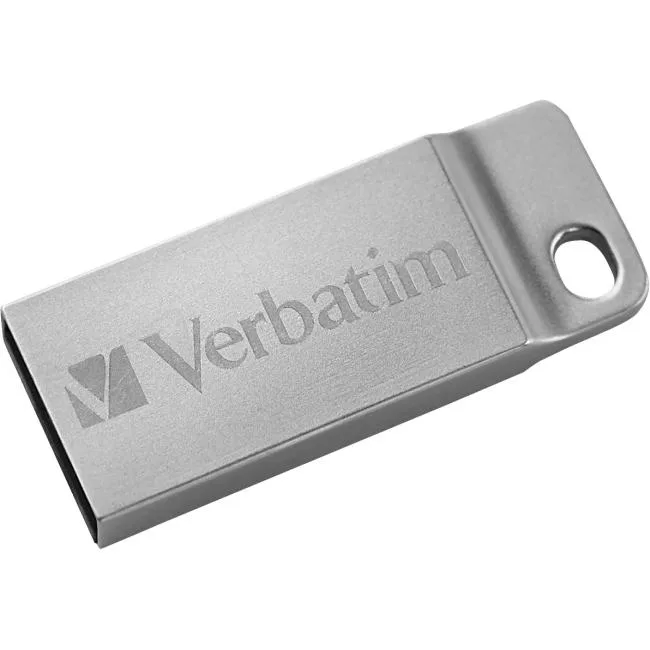
A 16 GB USB 2.0 flash drive with a metal executive housing, model 98748, first listed in 2025
The Verbatim 98748 provides 16 GB of capacity in a metal executive housing. It connects through a USB 2.0 interface for broad compatibility with current and older hosts. The drive suits users who need a simple, durable way to move documents and media between devices. No software installation is required for basic operation.
Upgrading from a lower-capacity stick or an older USB 1.x device gives more room for files and a sturdier build. The jump is worthwhile when you regularly hit space limits on an 8 GB drive or need the metal casing for daily carry. It does not serve buyers who want more storage than 16 GB or who require USB 3.x transfer speeds.
Under sustained write loads the USB 2.0 bus settles at its rated throughput rather than peak burst rates. The metal body helps dissipate heat during extended transfers of large folders. Expect consistent behaviour for sequential file moves without the slowdown seen on some plastic drives that throttle. Heavy multi-gigabyte jobs complete at the interface’s natural pace.
| Brand | Verbatim Corporation |
|---|---|
| Shipping weight | 0.07 kg |
| Package size | 184 × 130 × 32 mm |
The metal executive housing fits standard USB-A ports without extra clearance.
Align the USB 2.0 connector with the port and push straight in until the metal body meets the port face.
Replace the drive if files fail to write, read errors appear, or the device is no longer recognised by the host.
New to this? Buying memory and SSDs with crypto — what to check, what it costs to pay, and what is never asked for.
Also in this aisle
Same shelf, same checkout — eight coins and a 30-minute rate lock.
What you pay in, and what you read prices in.
Sent from your wallet at checkout
Display only — the catalogue is priced in USD
No currency matches that.
Pick the language the site speaks to you in.
No language matches that.
New here?
Already have one?
There is no automatic reset: this shop sends no mail, so there is no one-time link to ask for. Leave the address on the account and it gets picked up by hand.
Request noted
Nothing is on its way to your inbox — this shop sends no mail at all. Someone picks these up by hand.
Remembered it?



