True Image
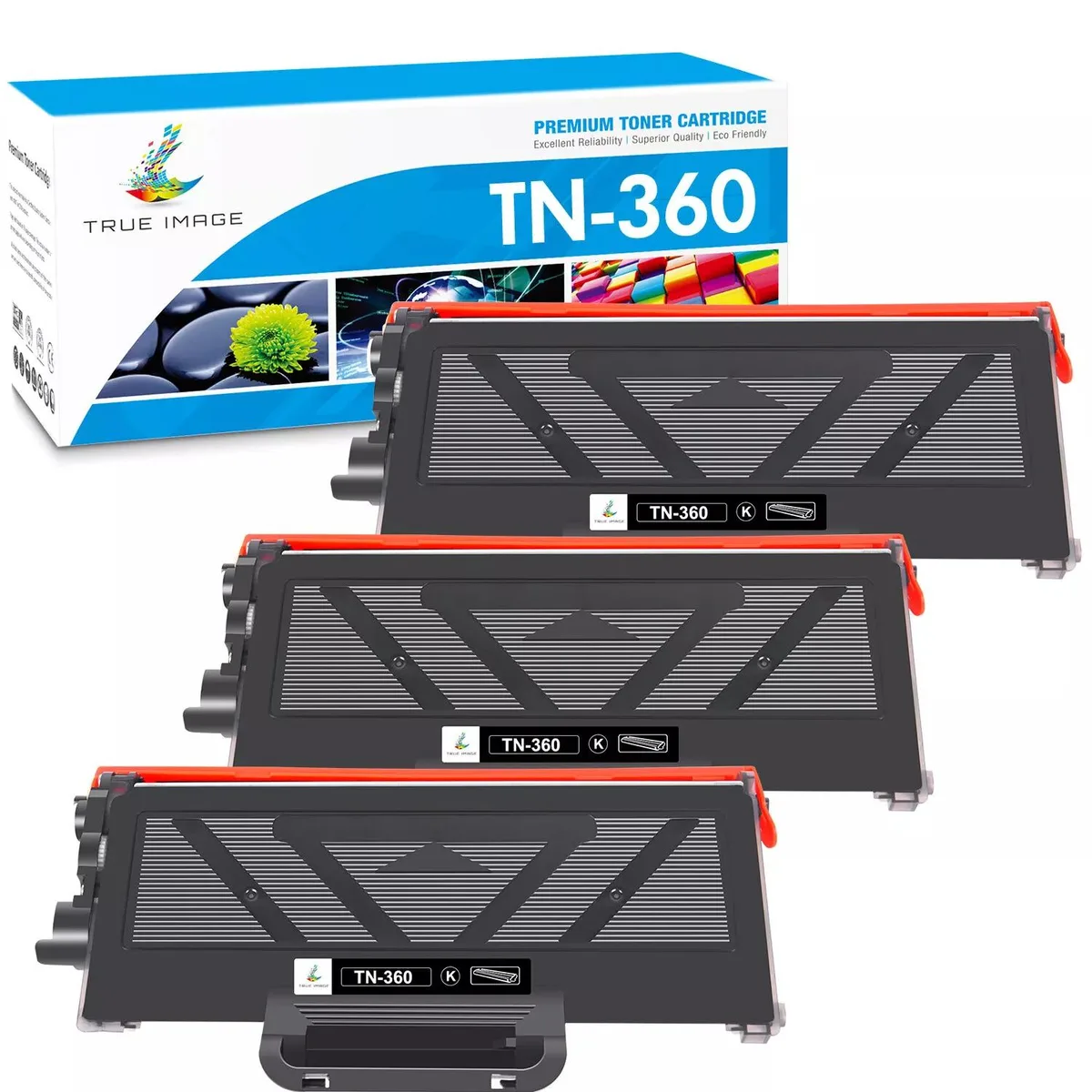
True Image TN360 Black Toner Cartridge 2600 Pages
- Single Pack
- Black
$22.99
0.00027278BTC
In stockWe take cryptocurrency — so the coins you hold can buy real hardware.Pay in crypto, spend it on real hardware. Free insured shipping worldwide over $399. Plain, unbranded boxes, sent from Germany.Free insured shipping over $399. Your rate is locked for 30 minutes once checkout opens.Rate locked 30 minutes. Every item sealed, serial-checked and covered by a 24-month warranty.Sealed, 24-month warranty.


True Image
Two-pack black laser toner cartridges yielding approximately 2600 pages each at 5% coverage, compatible with Brother HL, DCP and MFC series printers
Cartridge Quantity 2 Pack
This twin-pack contains two new black laser toner cartridges manufactured by True Image as aftermarket replacements for the Brother TN-360. Each cartridge delivers an approximate yield of 2600 pages at five percent coverage. The set suits home offices or small businesses that run compatible Brother HL, DCP or MFC mono laser printers and want a ready spare on hand.
The cartridges are moulded to match the original Brother form factor so they slide into the printer’s front-loading bay without force or alignment issues. A sealed toner hopper and integrated chip prevent leaks and allow the printer to track remaining life accurately. Because the units are supplied as a pair, you can keep one sealed until the first empties, avoiding last-minute orders.
Verify that your printer model appears in the supported list, which includes Brother HL-2140, HL-2150, HL-2170 series, DCP-7030, DCP-7040, DCP-7045N, MFC-7320, MFC-7340, MFC-7345N, MFC-7440N, MFC-7450, MFC-7840W and Ricoh Aficio SP 1200 or 1210 series. This product is not for colour printers, high-capacity toner requirements or machines that use a different cartridge series.
| Brand | True Image |
|---|---|
| Series | TN360 |
| Model | TN360 |
| Cartridge Quantity | 2 Pack |
| Cartridge Color | Black |
| Replacement Brand | Brother |
| Replacement Model | Brother |
| Compatible Products | for Brother HL-2140 Toner for Brother HL-2150 Toner for Brother HL-2150N Toner for Brother HL-2170 Toner for Brother HL-2170W Toner for Brother DCP-7030 Toner for Brother DCP-7040 Toner for Brother DCP-7045N Toner for Brother MFC-7320 Toner for Brother MFC-7340 Toner for Brother MFC-7345N Toner for Brother MFC-7345DN Toner for Brother MFC-7440N Toner for Brother MFC-7440N Toner for Brother MFC-7450 Toner for Brother MFC-7840W Toner Ricoh Aficio SP 1200 1210 series |
| Approximate Page Yield | 2600 Pages |
| Coverage | 5% |
| Type | Compatible Toner |
| Features | Print Technology: Laser |
| Option | TN360 |
Other versions of this model
Same family, different memory, cooler or clock — compare before you commit.
The cartridges fit Brother HL-2140, HL-2150, HL-2150N, HL-2170, HL-2170W, DCP-7030, DCP-7040, DCP-7045N, MFC-7320, MFC-7340, MFC-7345N, MFC-7345DN, MFC-7440N, MFC-7450, MFC-7840W and Ricoh Aficio SP 1200 and 1210 series printers.
The cartridge matches the standard Brother TN-360 form factor, so it slides into the same slot as the original cartridge without any adapter or modification.
Open the front cover, pull out the drum unit, press the green lock lever to release the old cartridge, unpack the new TN360, remove its protective cover, slide it into the drum until it clicks, then reinsert the drum and close the cover.
Also in this aisle
Same shelf, same checkout — eight coins and a 30-minute rate lock.
What you pay in, and what you read prices in.
Sent from your wallet at checkout
Display only — the catalogue is priced in USD
No currency matches that.
Pick the language the site speaks to you in.
No language matches that.
New here?
Already have one?
There is no automatic reset: this shop sends no mail, so there is no one-time link to ask for. Leave the address on the account and it gets picked up by hand.
Request noted
Nothing is on its way to your inbox — this shop sends no mail at all. Someone picks these up by hand.
Remembered it?