


TeKit
TeKit USB-C splitter cable 2 m black 480 Mbps
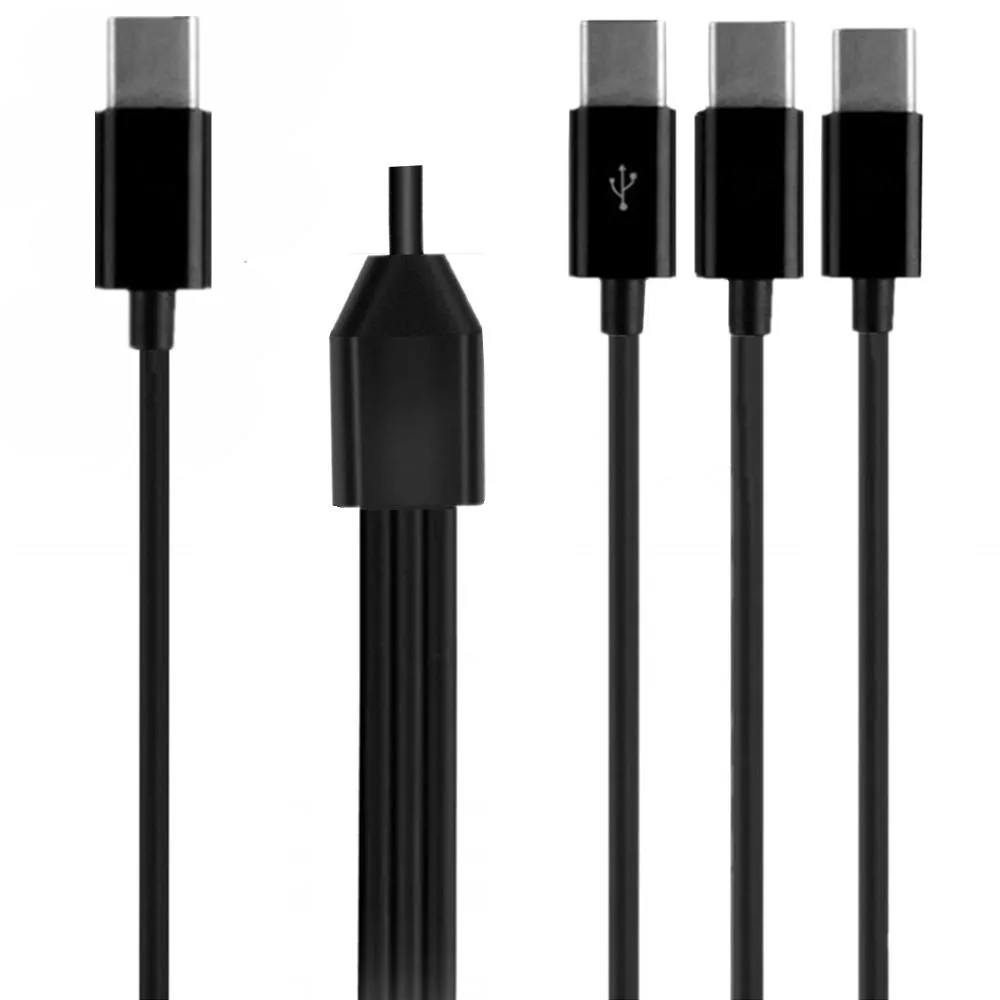
A 2-metre USB-C splitter cable with one data-capable port at 480 Mbps and a second port for charging only, letting you connect two devices to a single host
- Cable Length6ft
- Charges two USB-C devices simultaneously with one cable
- One port handles both charging and data at 480 Mbps
- 2 m total length with 1.5 m main and 0.5 m split sections
- Alloy plugs resist oxidation and PVC jacket prevents tangling
- Works with phones, earbuds, tablets and laptops via USB-C
Splitter cable for dual USB-C devices
This TeKit USB-C splitter cable connects one USB-A source to two USB-C devices at the same time. It is suited for users who want to charge a phone and a tablet, or a laptop and earbuds, from a single port without swapping cables.
480 Mbps data on one branch with 2 m reach
One of the two USB-C connectors carries both charging and data sync at up to 480 Mbps, while the second connector handles charging only. The main cable runs 1.5 m and each split leg adds 0.5 m, giving a total span of 2 m for flexible placement on a desk, in a car or on a nightstand.
Replaces two separate USB-C cables for lighter carry
Instead of packing two full-length cables, this single splitter covers both devices and reduces wear on the host port by avoiding repeated plug cycles. The jump is worth it when you regularly charge two USB-C gadgets from one USB-A charger or hub and want a tidy, tangle-resistant solution.
Highlights
- Charges two USB-C devices simultaneously with one cable
- One port handles both charging and data at 480 Mbps
- 2 m total length with 1.5 m main and 0.5 m split sections
- Alloy plugs resist oxidation and PVC jacket prevents tangling
- Works with phones, earbuds, tablets and laptops via USB-C
Specifications
| Cable Length | 6ft |
|---|
Other versions of this model
5 more in the same range
Same family, different memory, cooler or clock — compare before you commit.


Questions about this item
How do I plug the USB-A end into my laptop and the two USB-C ends into my phone and earbuds, and which split cable handles data?
Insert the single USB-A connector into the host port, then connect each 0.5 m split cable to the devices; only the port marked for data transfer moves files at up to 480 Mbps, the other split is charge-only.
What part of the cable wears out first and how do I replace it?
The PVC jacket on the 1.5 m main lead and the 19.7 in split leads resists abrasion, but the alloy plugs can loosen after repeated insertion; the whole 2 m assembly is replaced as one unit.
At what point does the 480 Mbps link slow down during a long file transfer?
The USB 2.0 data lane is rated for 480 Mbps; sustained throughput will drop when the host controller or the connected device hits its own thermal or protocol limits.
Also in this aisle
People compared these
Same shelf, same checkout — eight coins and a 30-minute rate lock.


ID TECH
ID TECH IDMB-333133B credit card reader
- MagStripe Reader
- Keyboard Wedge
$52.99
0.00061093BTC
In stock
Brother
Brother TZES121 9mm Black on Clear Extra Strength Adhesive Tape pos accessory
- Label Accessories
- Black on Clear Indu…
$10.99
0.00012671BTC
In stock
Intermec
Intermec E23067 DuraTran II Gloss Polyester Thermal Transfer Labels pos accessory
- Thermal Transfer Pr…
- Desktop
$107.99
0.00124504BTC
In stock