


TeKit
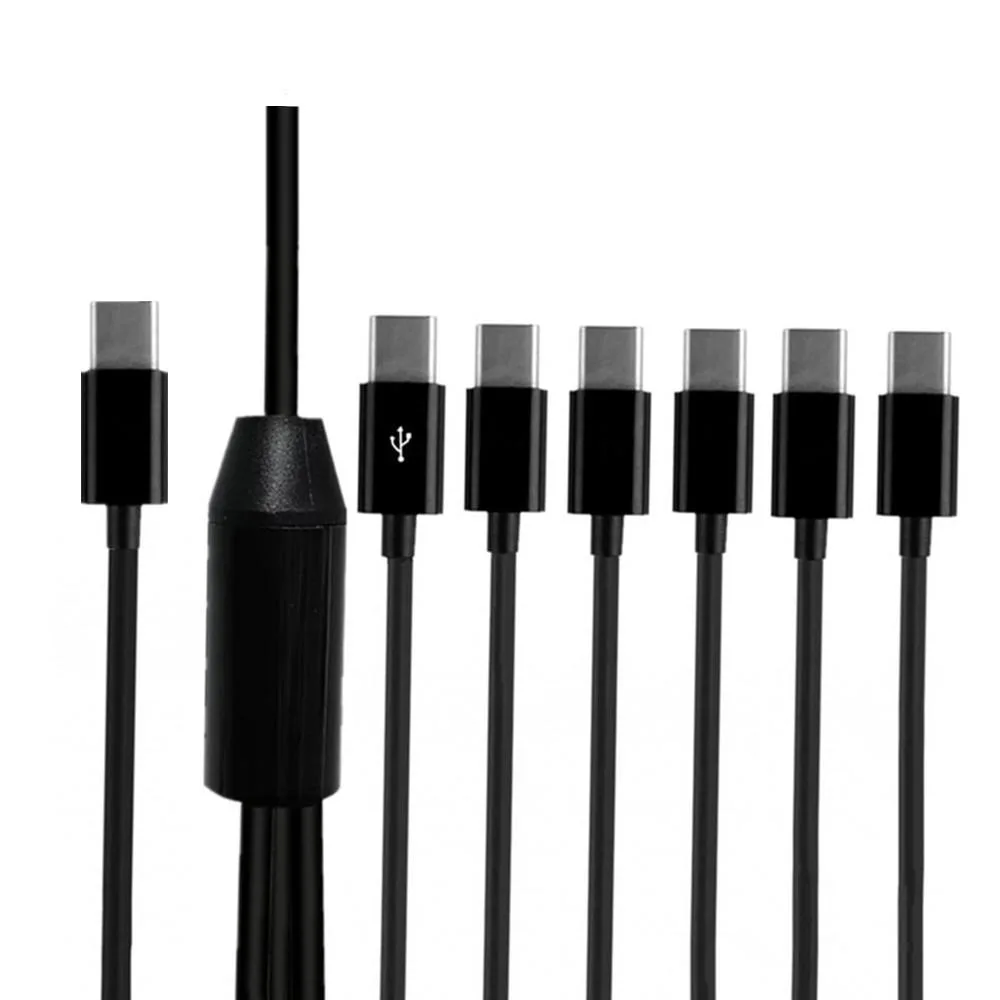
TeKit 4-in-1 USB-C Splitter Cable 6ft
A 6 ft USB-C splitter cable that charges four devices simultaneously and provides data sync on one port at up to 480 Mbps
- Cable Length6ft
- Charges four USB-C devices from one port
- One port handles both charging and data sync
- Transfers data at up to 480 Mbps
- Main cable 59 in with 19.7 in split ends
- Works with phones, earbuds, tablets and laptops
What this cable does
The TeKit 4-in-1 USB-C splitter cable is a 6ft cord that branches one USB-C male plug into four USB-C male connectors. All four ports can charge devices simultaneously, while one port also supports data transfer at up to 480 Mbps. It is built with a PVC jacket and alloy plugs for durability.
Who it suits and who should look elsewhere
This cable suits users who want to charge up to four USB-C devices such as phones, earbuds, tablets or laptops from a single port at home, in the car or at the office. It does not suit buyers who need simultaneous data transfer on more than one port, or who require higher bandwidth than USB 2.0 speeds.
Installation and common issues
Plug the single USB-C end into a host port and connect up to four devices to the split ends; no drivers are needed. The main cable runs about 1.5m with 0.5m split tails, so ensure the host port can supply enough current for all attached devices. The only data-enabled port is marked, so connect the device needing sync to that specific connector.
Highlights
- Charges four USB-C devices from one port
- One port handles both charging and data sync
- Transfers data at up to 480 Mbps
- Main cable 59 in with 19.7 in split ends
- Works with phones, earbuds, tablets and laptops
Specifications
| Cable Length | 6ft |
|---|
Other versions of this model
5 more in the same range
Same family, different memory, cooler or clock — compare before you commit.




Questions about this item
What host port does the cable need to plug into?
The cable has a USB 2.0 Type-A male connector that must go into a USB-A port on the host.
Can I charge older USB-C phones while also syncing data on one port?
All four USB-C connectors supply power, and the marked port handles data at up to 480 Mbps alongside charging.
How do I confirm the data port is active after connecting?
The marked USB-C connector should show a file-transfer prompt or sync indicator on the host when a device is attached.
Also in this aisle
People compared these
Same shelf, same checkout — eight coins and a 30-minute rate lock.

Micro Connectors
Micro Connectors E07-316CMM-1M USB C to USB C cable
- USB
- USB C to USB C
$16.99
0.00019651BTC
In stock
Micro Connectors
Micro Connectors E07-171-OTG USB 2.0 OTG cable
- USB 2.0
- Black
$10.99$17.49−37%
0.00012712BTC
In stock
Micro Connectors
Micro Connectors E07-129 USB 2.0 cable A male to A female 6ft beige
- USB 2.0
- Beige
$9.99$16.74−40%
0.00011555BTC
In stock
SIIG, Inc
SIIG, Inc CB-US0K12-S1 USB cable USB 3.1 Type-C to Type-A male female black
- USB
- USB C to USB A
$18.99$25.74−26%
0.00021965BTC
In stock