STARTECH
STARTECH PM1115UW network print server USB 2.0 10/100 Ethernet 802.11 b/g/n
Share a USB printer wirelessly or via 10/100 Ethernet with 802.11 b/g/n support up to 150 Mbps
- Network ConnectionUSB 2.0 RJ45 (10/100 Ethernet) Wireless Ethernet
- Network Speed10/100Mbps
- Printer Connection1 - USB A (4 pin) Female 1 - RJ-45 Female 1 - Wireless N (IE
- ProtocolsTCP/IP (LDP / LPR Printer Port) IPX NetBEUI AppleTalk SNMP S
- Operating Systems SupportedWindows 8 / 8.1 (32/64bit), 7 (32/64), Vista (32/64), XP (32
- Dimensions1.00" x 2.30" x 2.80" (H x W x L)
- Share a USB printer wirelessly with multiple users simultaneously
- Connect via 802.11 b/g/n wireless at up to 150 Mbps
- Optional 10/100 Mbps Ethernet port for wired network flexibility
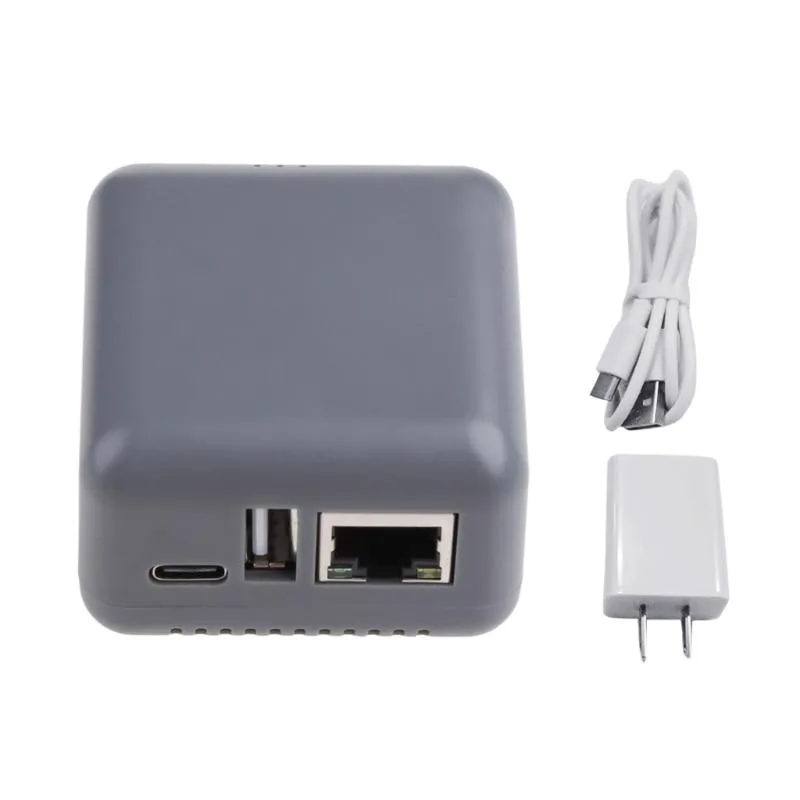
- Compact 1.00 x 2.30 x 2.80 inch design with internal antenna
- Configure easily through web interface or Windows-based setup utility
USB Wireless N Print Server
The StarTech.com PM1115UW connects a single USB printer to a network using 802.11 b/g/n wireless or a 10/100 Mbps Ethernet port. It allows multiple users to share the printer simultaneously without a dedicated host computer. The compact unit includes an internal antenna and supports configuration via web browser or Windows utility.
Wireless N and Fast Ethernet limits
The wireless interface operates at up to 150 Mbps on 802.11n, while the wired port is limited to 10/100 Mbps speeds. Both interfaces use the USB 2.0 printer connection, so print data throughput cannot exceed the USB 2.0 bulk endpoint rate. The device requires a powered USB printer and does not support USB storage or multifunction scanning over the network.
Single USB printer sharing
This print server supports one USB printer at a time and cannot manage multiple printers or USB hubs. Buyers needing to share several printers or requiring Gigabit Ethernet speeds should consider a different solution. The package includes a power adapter, software CD and quick install guide for immediate setup.
Highlights
- Share a USB printer wirelessly with multiple users simultaneously
- Connect via 802.11 b/g/n wireless at up to 150 Mbps
- Optional 10/100 Mbps Ethernet port for wired network flexibility
- Compact 1.00 x 2.30 x 2.80 inch design with internal antenna
- Configure easily through web interface or Windows-based setup utility
Specifications
| Brand | StarTech.com |
|---|---|
| Model | PM1115UW |
| Network Connection | USB 2.0 RJ45 (10/100 Ethernet) Wireless Ethernet |
| Network Speed | 10/100Mbps |
| Printer Connection | 1 - USB A (4 pin) Female 1 - RJ-45 Female 1 - Wireless N (IEEE 802.11n) |
| Protocols | TCP/IP (LDP / LPR Printer Port) IPX NetBEUI AppleTalk SNMP SMB over IP |
| Operating Systems Supported | Windows 8 / 8.1 (32/64bit), 7 (32/64), Vista (32/64), XP (32/64) Windows Server 2012, 2008 R2, 2003 (32/64) Mac OS 10.x, 9.x Linux 2.4.x / 2.6.x / 3.x (Tested up to 3.5) |
| Dimensions | 1.00" x 2.30" x 2.80" (H x W x L) |
| Weight | 1.9 oz |
| Temperature | Operating Temperature: 0 degree C to 50 degree C (32 degree F to 122 degree F) Storage Temperature: -5 degree C to 65 degree C (23 degree F to 149 degree F) |
| Humidity | 0~70% RH (Non-Condensing) |
| Features | Share a standard USB printer with multiple users simultaneously over a wireless network 1 Port USB Wireless N Network Print Server with 10/100 Mbps Ethernet Port 802.11 b/g/n Wireless USB 2.0 Print Server WiFi Network Print Server USB Print Server Adapter Compact design with an internal antenna Web or Windows-based configuration |
| Package Contents | 1 - Wireless Print Server 1 - Power Adapter 1 - Software CD 1 - Quick Install Guide |
| Shipping weight | 0.50 kg |
| Package size | 231 × 152 × 64 mm |
Questions about this item
Should I use the USB 2.0 port, the 10/100 Ethernet port, or the 802.11 b/g/n wireless to connect my printer?
Connect the printer to the USB 2.0 port; the Ethernet and wireless interfaces link the print server to your network so multiple computers can share that one USB printer.
What does the 150 Mbps wireless rate mean when I am printing over Wi-Fi?
The 150 Mbps figure is the maximum 802.11n link speed; actual print throughput will be lower due to overhead, signal quality, and the USB 2.0 printer connection.
How does the 10/100 Ethernet port limit wired performance?
The RJ-45 port caps wired traffic at 100 Mbps full duplex, so large print jobs sent over cable cannot exceed that bandwidth.
Also in this aisle
People compared these
Same shelf, same checkout — eight coins and a 30-minute rate lock.