
STARTECH
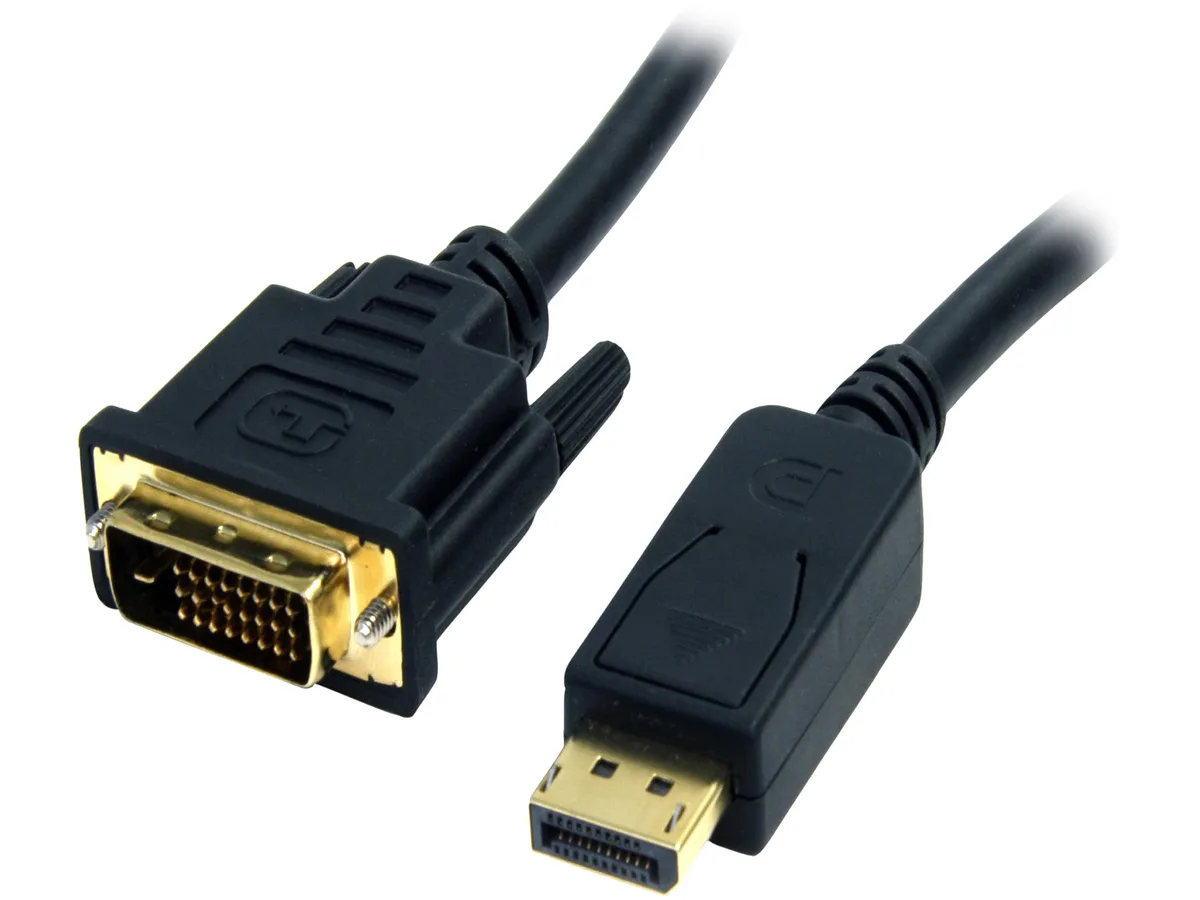
STARTECH DP2DVI2MM6 DisplayPort cable 6.56 ft passive 1920x1200
- DisplayPort to DVI
- Black
$13.99
0.0001625BTC
In stockWe take cryptocurrency — so the coins you hold can buy real hardware.Pay in crypto, spend it on real hardware. Free insured shipping worldwide over $399. Plain, unbranded boxes, sent from Germany.Free insured shipping over $399. Your rate is locked for 30 minutes once checkout opens.Rate locked 30 minutes. Every item sealed, serial-checked and covered by a 24-month warranty.Sealed, 24-month warranty.


STARTECH
A 3 ft passive cable connects a DisplayPort source directly to a DVI-D display, supporting 1920 x 1200 resolution without extra adapters or software
Cable Length 3 ft. - DVI
This three-foot cable links a DisplayPort source directly to a DVI-D display without a separate adapter. It suits users who want a tidy, single-cable link between a compatible computer and a monitor or projector.
The cable uses passive electronics, so the source must provide a DP++ (DisplayPort++) signal to emit the DVI clock. A standard DisplayPort-only port will not drive this cable, limiting use to graphics cards or laptops that explicitly support dual-mode output.
Gold-plated male connectors on both ends seat securely in 20-pin DisplayPort and 25-pin DVI-D sockets, and no driver or software is required. The frequent issue is attempting the cable on a non-DP++ port, which yields no picture despite correct physical fit.
| Brand | StarTech.com |
|---|---|
| Model | DP2DVI2MM3 |
| Type | DisplayPort to DVI |
| Color | Black |
| Length | 3 ft. |
| Cable Length | 3 ft. |
| Connector Number | 2 |
| Connector Detail | Connector A: 1 - DisplayPort (20 pin) Male Input Connector B: 1 - DVI-D (25 pin) Male Output |
| Terminal Gender | Male to Male |
| Specifications | Adapter Style: Cable Adapter Audio: No Cable Jacket Type : PVC - Polyvinyl Chloride Connector Plating: Gold Converter Type: Passive System and Cable Requirements: DP++ (DisplayPort++) port is required on video card or video source for DVI and HDMI pass-through. |
| Conductor | Copper Conductor |
| Features | Eliminate clutter by connecting your PC directly to the monitor using this short adapter cable Compatible with DisplayPort computers like HP EliteBook 840 & HP Zbook 15 and DVI monitors & projectors Supports resolutions up to 1920x1200 DisplayPort to DVI adapter / DisplayPort to DVI cable / DP to DVI converter / DP to DVI adapter Reduce clutter at your workspace with an adapter cable Avoid the hassle of converters using a short cable Easy to use cable, no software required |
| Shipping weight | 0.09 kg |
| Package size | 204 × 196 × 28 mm |
Other versions of this model
Same family, different memory, cooler or clock — compare before you commit.
The cable is 3 ft long, designed to connect a DisplayPort source directly to a DVI display without extra adapters or long runs.
Yes, the passive adapter supports up to 1920 x 1200 resolution when the source has a DP++ port and the monitor accepts DVI-D input.
It requires a DP++ (DisplayPort++) port on the video card or laptop; a standard DisplayPort-only port will not pass the DVI signal.
New to this? Which coin should you pay with — what to check, what it costs to pay, and what is never asked for.
Also in this aisle
Same shelf, same checkout — eight coins and a 30-minute rate lock.
What you pay in, and what you read prices in.
Sent from your wallet at checkout
Display only — the catalogue is priced in USD
No currency matches that.
Pick the language the site speaks to you in.
No language matches that.
New here?
Already have one?
There is no automatic reset: this shop sends no mail, so there is no one-time link to ask for. Leave the address on the account and it gets picked up by hand.
Request noted
Nothing is on its way to your inbox — this shop sends no mail at all. Someone picks these up by hand.
Remembered it?


