

STARTECH
STARTECH CDP2DVIW USB-C to DVI converter white 1920x1200
- USB-C to DVI Adapter
- White
$30.99$33.24−7%
0.00036402BTC
In stockWe take cryptocurrency — so the coins you hold can buy real hardware.Pay in crypto, spend it on real hardware. Free insured shipping worldwide over $399. Plain, unbranded boxes, sent from Germany.Free insured shipping over $399. Your rate is locked for 30 minutes once checkout opens.Rate locked 30 minutes. Every item sealed, serial-checked and covered by a 24-month warranty.Sealed, 24-month warranty.
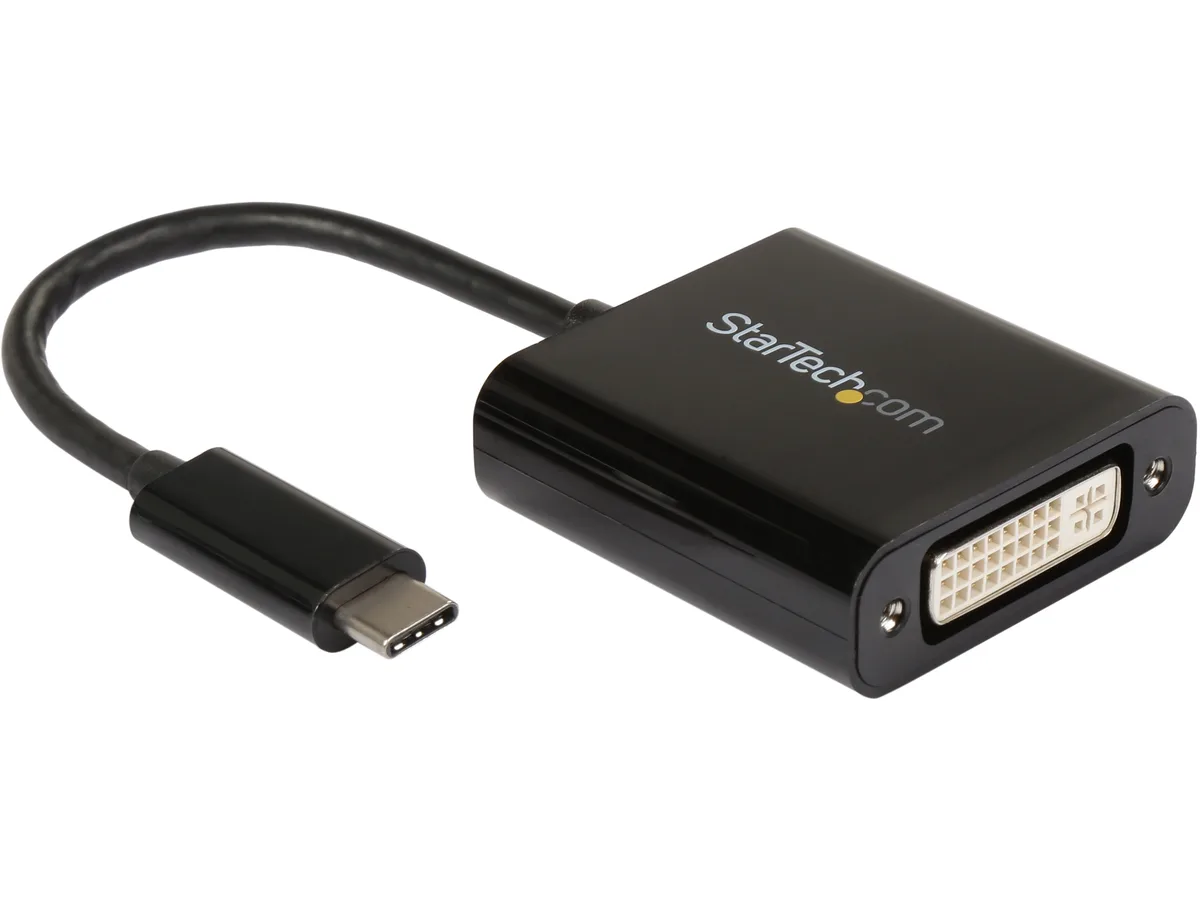


STARTECH
Connects a USB-C laptop or tablet to a DVI display at resolutions up to 1920x1200
Option No Power Delivery
Color Black
The StarTech CDP2DVI converts a USB-C port on a laptop or tablet into a DVI-I output for monitors or projectors. It supports resolutions up to 2560x1600, including 1920x1200 and 1080p. The reversible USB-C connector plugs in either way. It works with MacBook, Chromebook, Dell XPS and other USB-C devices.
The adapter draws power directly from the host USB-C port and has no fan or external supply. It produces no audible noise during operation. Heat output is negligible in normal use. No additional power cable is required.
The package contains only the adapter itself. No cables, drivers or software discs are included. The device relies on the host operating system for display detection and configuration. Setup is plug-and-play on supported systems.
| Brand | StarTech.com |
|---|---|
| Model | CDP2DVI |
| Type | USB-C to DVI Adapter |
| Color | Black |
| Cable Length | No |
| Changer Type | USB to DVI |
| Specifications | Supported Resolutions 1024x768 1280x720 (High-definition 720p) 1920x1080 (High-definition 1080p) 1920x1200 2560x1440 2560x1600 |
| Connector A | 1x USB Type-C male |
| Connector B | 1x DVI-I female |
| Features | Connect your MacBook, Chromebook Dell XPS or other USB-C device to a DVI monitor or projector Compatible with USB Type-C enabled Laptops such as Chromebook Pixel & MacBook and DVI enabled monitors televisions and projectors USB C to DVI adapter / USB Type C to Video Converter / USB 3.1 Type-C to DVI Video Adapter / USB 2.0 Type C to DVI Video Converter / MacBook to DVI / USB C Video Adapter Small footprint and lightweight design Hassle-free connection with the reversible USB-C connector |
| Package Contents | 1 - USB-C to DVI adapter |
| Shipping weight | 0.04 kg |
| Package size | 198 × 122 × 20 mm |
Other versions of this model
Same family, different memory, cooler or clock — compare before you commit.
Insert the USB-C male connector into a USB-C or Thunderbolt 3 port on the laptop, then attach a DVI cable to the DVI-I female port on the adapter; the reversible plug prevents upside-down insertion.
The DVI-I female port uses screw-secured pins that tolerate repeated cable changes better than the friction-fit USB-C male plug, so the USB-C end typically shows wear first.
The specifications list 1920x1200 as the highest guaranteed resolution; higher modes such as 2560x1600 are listed but not rated for sustained operation.
New to this? Which coin should you pay with — what to check, what it costs to pay, and what is never asked for.
Also in this aisle
Same shelf, same checkout — eight coins and a 30-minute rate lock.
What you pay in, and what you read prices in.
Sent from your wallet at checkout
Display only — the catalogue is priced in USD
No currency matches that.
Pick the language the site speaks to you in.
No language matches that.
New here?
Already have one?
There is no automatic reset: this shop sends no mail, so there is no one-time link to ask for. Leave the address on the account and it gets picked up by hand.
Request noted
Nothing is on its way to your inbox — this shop sends no mail at all. Someone picks these up by hand.
Remembered it?


