


SMUGDESK
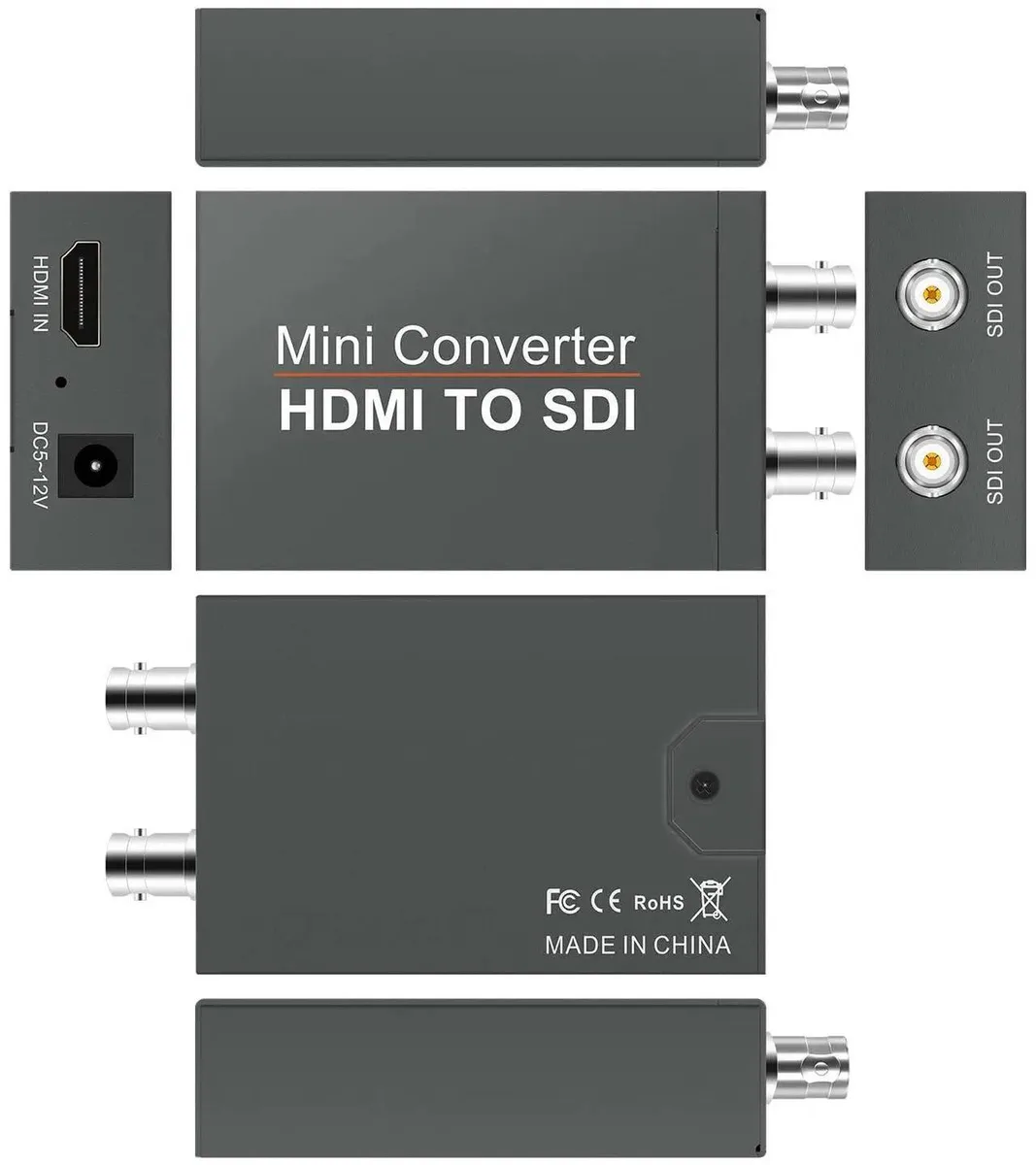
SMUGDESK HDMI to Dual SDI Converter with Audio Embedder 1080P
Converts one HDMI 1.3 input into two synchronised SDI outputs with embedded audio up to 1080P for cameras, CCTV and broadcast
- Converts one HDMI input into two synchronized SDI outputs
- Embeds audio directly into the SDI signal for sync
- Supports HDMI 1.3 and SD/HD/3G-SDI up to 1080P
- Includes a dedicated power adapter for stable operation
- Designed for cameras, CCTV, broadcast and video production
HDMI to Dual SDI Conversion
The SMUGDESK converter takes a single HDMI 1.3 input and produces two synchronized SDI outputs. Audio is embedded into both SDI streams so video and sound stay locked together. It supports SD-SDI, HD-SDI and 3G-SDI formats up to 1080P resolution. A dedicated power adapter is included for stable long-term operation.
Suited For Broadcast And Surveillance
This unit fits camera rigs, CCTV monitoring and live production workflows that need one HDMI source fed to two SDI destinations simultaneously. It is not intended for buyers who require HDMI output, more than two SDI feeds or resolutions beyond 1080P. Setups without a nearby power outlet should also look elsewhere since external power is mandatory.
Dual SDI Outputs From One HDMI Source
The defining specification is the 1-to-2 SDI split with embedded audio at up to 1080P over 3G-SDI. If your installation needs exactly two SDI feeds from a single HDMI 1.3 camera or recorder, this converter matches that requirement. If you need a different output count or higher resolution, another device is required.
Highlights
- Converts one HDMI input into two synchronized SDI outputs
- Embeds audio directly into the SDI signal for sync
- Supports HDMI 1.3 and SD/HD/3G-SDI up to 1080P
- Includes a dedicated power adapter for stable operation
- Designed for cameras, CCTV, broadcast and video production
Specifications
No published specifications for this item yet.
Questions about this item
What power supply comes with the converter for stable operation?
A dedicated power adapter is included in the box to ensure reliable, long-term performance for the unit.
How do I connect the HDMI source and the two SDI displays or recorders?
Plug the HDMI 1.3 source into the single input, then run SDI cables from each of the two outputs to your monitors or recorders; the audio embedder synchronises sound automatically.
Will the embedded audio stay in sync if I swap SDI cables during a live production?
The built-in audio embedder locks sound to the video stream, so synchronisation is maintained across both SDI outputs even when cables are changed.
New to this? Which coin should you pay with — what to check, what it costs to pay, and what is never asked for.
Also in this aisle
People compared these
Same shelf, same checkout — eight coins and a 30-minute rate lock.



Black Box Corporation
Black Box Corporation CAT6 EZ-RJ45 Modular Plugs 100-Pack
$95.99
0.00115115BTC
In stock
