

Innovation First, Inc.
Innovation First, Inc. 1UCMA-137 1U Cable Management Arm 19" 28.5"-33" computer accessory
- Product Type:Cable…
- Panel Width:19" Rac…
$72.99
0.00086892BTC
In stockWe take cryptocurrency — so the coins you hold can buy real hardware.Pay in crypto, spend it on real hardware. Free insured shipping worldwide over $399. Plain, unbranded boxes, sent from Germany.Free insured shipping over $399. Your rate is locked for 30 minutes once checkout opens.Rate locked 30 minutes. Every item sealed, serial-checked and covered by a 24-month warranty.Sealed, 24-month warranty.


SMUGDESK
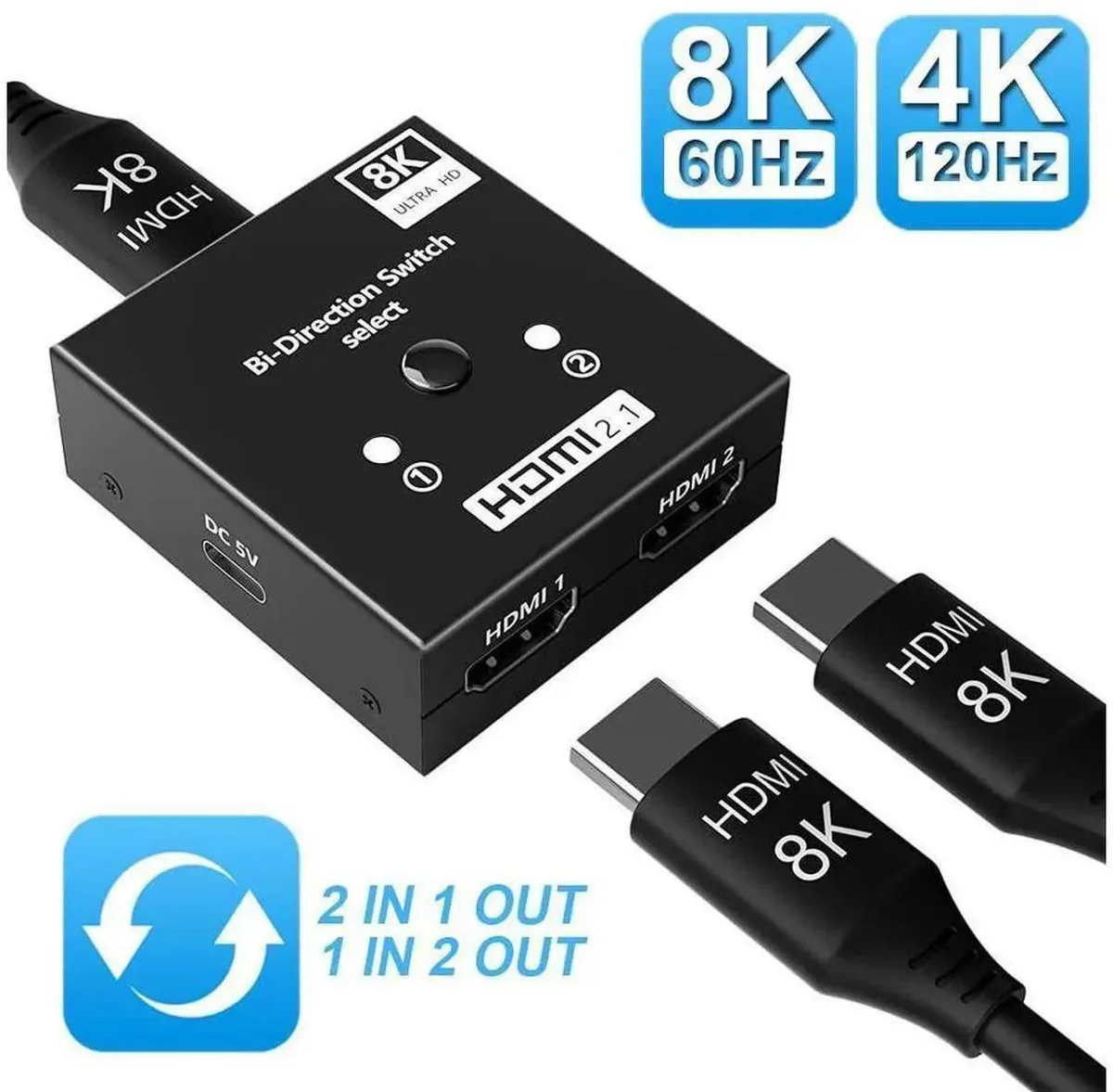
Manual bi-directional HDMI switch handles 4K@120Hz with HDR, 3D and HDCP 2.3 for consoles and streaming devices
This manual HDMI switch offers bi-directional operation with two modes: connect two sources to one display or send one source to two displays. It handles 4K resolution at 120Hz with HDR and 3D support. HDCP 2.3 compliance ensures protected content plays correctly. No external power or drivers are needed for operation.
Gamers switching between a PS5, Xbox or Blu-ray player on a single 4K 120Hz screen will benefit. Streamers sending one signal to two monitors also fit this use case. Buyers who need automatic switching or simultaneous independent outputs on two screens should look elsewhere. The manual button requires physical access to change sources.
The physical button controls all signal routing without software or remote input. HDCP 2.3 support is the key spec for playing copy-protected 4K material from modern consoles and media players. In 1-in-2-out mode both connected displays must share the same resolution capability for a stable image.
No published specifications for this item yet.
Yes, the switch handles 4K@120Hz in either direction. In 1-in-2-out mode both connected displays must share the same resolution for a stable picture.
The unit is a compact manual box with three HDMI sockets — two on one side, one on the other — and a push button on top. It needs only a flat surface near your devices; no screws, brackets or external power brick are involved.
Connect all HDMI cables first, then press the button to select 2-in-1-out or 1-in-2-out. The common mistake is forgetting that in 1-in-2-out mode both screens must be set to the same resolution before switching.
New to this? Which coin should you pay with — what to check, what it costs to pay, and what is never asked for.
Also in this aisle
Same shelf, same checkout — eight coins and a 30-minute rate lock.
What you pay in, and what you read prices in.
Sent from your wallet at checkout
Display only — the catalogue is priced in USD
No currency matches that.
Pick the language the site speaks to you in.
No language matches that.
New here?
Already have one?
There is no automatic reset: this shop sends no mail, so there is no one-time link to ask for. Leave the address on the account and it gets picked up by hand.
Request noted
Nothing is on its way to your inbox — this shop sends no mail at all. Someone picks these up by hand.
Remembered it?


