

Innovation First, Inc.
Innovation First, Inc. 1UCMA-137 1U Cable Management Arm 19" 28.5"-33" computer accessory
- Product Type:Cable…
- Panel Width:19" Rac…
$72.99
0.00086873BTC
In stockWe take cryptocurrency — so the coins you hold can buy real hardware.Pay in crypto, spend it on real hardware. Free insured shipping worldwide over $399. Plain, unbranded boxes, sent from Germany.Free insured shipping over $399. Your rate is locked for 30 minutes once checkout opens.Rate locked 30 minutes. Every item sealed, serial-checked and covered by a 24-month warranty.Sealed, 24-month warranty.


SMUGDESK
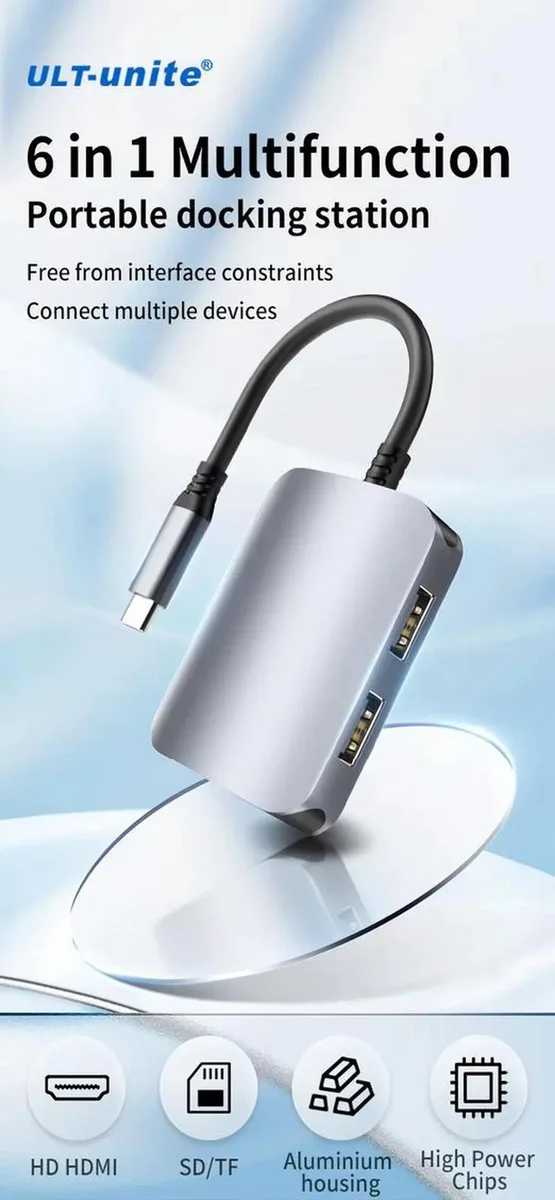
A 6-in-1 hub adds 4K HDMI, 100W PD charging, SD and TF card readers, plus USB 3.0 and USB 2.0 ports to a single USB-C connection
The SMUGDESK 6-in-1 USB-C Multiport Hub adds HDMI video, pass-through charging, card readers and USB ports through a single Type-C connection. It targets laptop, tablet and PC users whose slim devices lack enough built-in interfaces for daily work.
Plug-and-play operation requires no extra drivers across supported operating systems. The solid aluminum alloy shell conducts heat away during long sessions, keeping performance stable when multiple peripherals run together.
Your USB-C port must support video alt mode for the 4K HDMI output to function. The host also needs PD input capability to use the 100W pass-through charging while hub ports are active.
No published specifications for this item yet.
Connect an external display via the HDMI port and verify the desktop extends or mirrors at 4K resolution in your system display settings.
The hub itself is included; you will need to supply your own USB-C host cable, HDMI cable, SD or TF cards, and any USB peripherals you wish to connect.
Use the USB 3.0 port for the external SSD to achieve high-speed data transfer; reserve the USB 2.0 port for a mouse or keyboard.
New to this? Which coin should you pay with — what to check, what it costs to pay, and what is never asked for.
Also in this aisle
Same shelf, same checkout — eight coins and a 30-minute rate lock.
What you pay in, and what you read prices in.
Sent from your wallet at checkout
Display only — the catalogue is priced in USD
No currency matches that.
Pick the language the site speaks to you in.
No language matches that.
New here?
Already have one?
There is no automatic reset: this shop sends no mail, so there is no one-time link to ask for. Leave the address on the account and it gets picked up by hand.
Request noted
Nothing is on its way to your inbox — this shop sends no mail at all. Someone picks these up by hand.
Remembered it?


