

Redragon
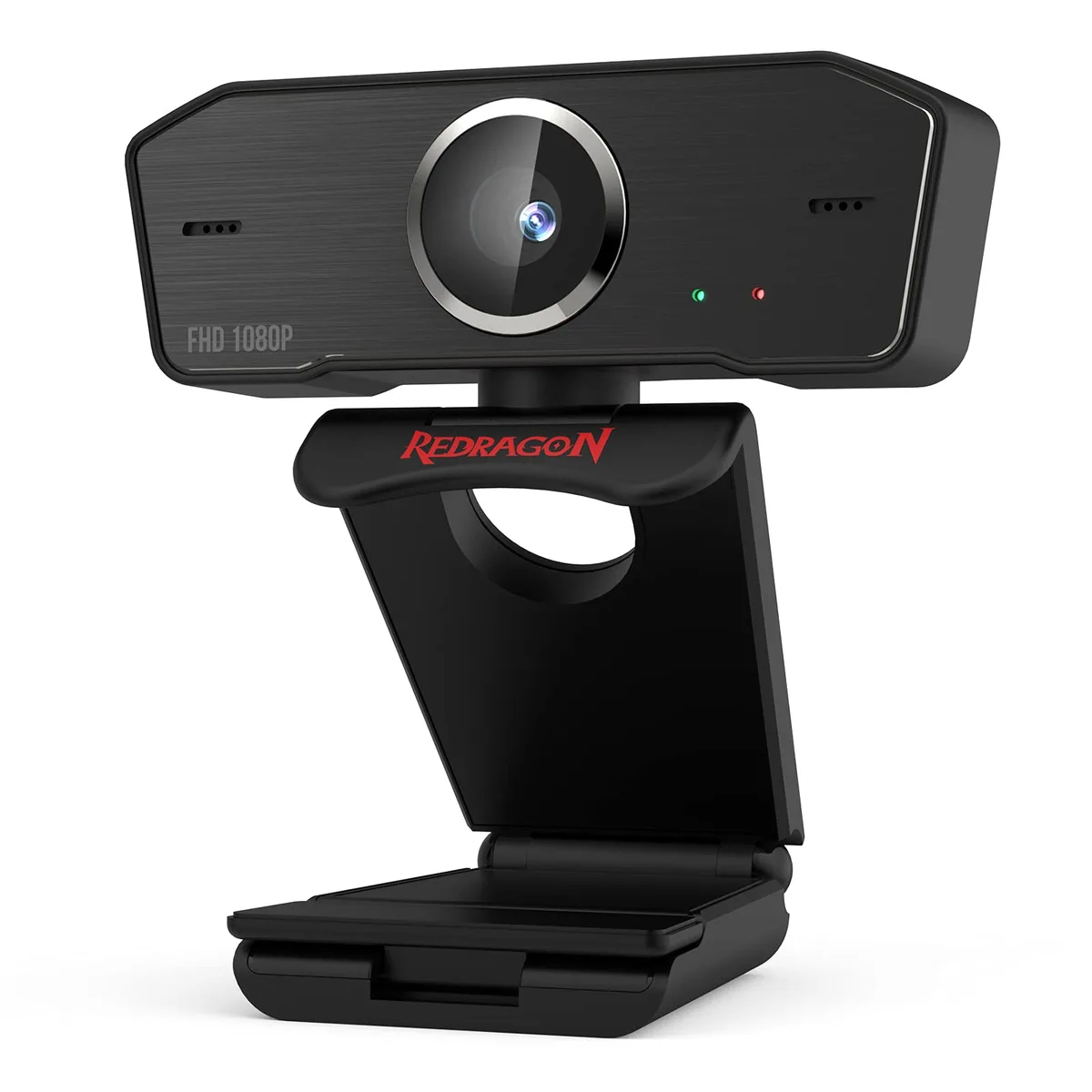
Redragon GW800 1080P Webcam 30 FPS 2.0 USB 360° Dual Mic
A 1080P webcam capturing 30 FPS with dual MEMS microphones, 360-degree rotation and USB 2.0 plug-and-play connectivity
- ColorBlack
- Clear 1080p video with automatic light correction
- Dual MEMS mics deliver crisp stereo sound
- 360° rotation lets you find any angle
- Clip mount fits laptops, monitors or desks
- USB 2.0 plug-and-play works with major OS and apps
What it is and who it's for
The Redragon GW800 is a 1080P webcam built for video calls, online courses and casual streaming. It connects through a 2.0 USB port and works on Windows, macOS and Linux without extra drivers. The fixed-focus lens keeps the picture steady in changing light, so you stay in frame without fiddling with focus rings.
Upgrade path
It replaces a built-in laptop camera that tops out at 720p and struggles in dim rooms. The dual MEMS microphones cut background noise far better than a single onboard mic. If you already own a 1080P external camera with autofocus and a privacy cover, the jump adds little beyond the 360-degree mount.
Capacity and headroom
The sensor delivers 1080P at 30 frames per second, which is smooth enough for conferencing, Skype lessons and Twitch streaming at standard bit-rates. Fixed focus means close-up product shots or macro work will stay soft. The clip mounts on monitors, laptops or flat surfaces, but there is no tripod thread for desktop stands.
Highlights
- Clear 1080p video with automatic light correction
- Dual MEMS mics deliver crisp stereo sound
- 360° rotation lets you find any angle
- Clip mount fits laptops, monitors or desks
- USB 2.0 plug-and-play works with major OS and apps
Specifications
| Brand | Redragon |
|---|---|
| Model | GW800 |
| Color | Black |
Questions about this item
What size monitor or laptop bezel will the universal clip-on fit?
The rotatable clip-on is designed to mount securely on most laptops and external displays, and the 360-degree rotation lets you position the camera at the exact angle you need.
How do I get the webcam working on Windows 10 or macOS without installing drivers?
Connect the 2.0 USB cable to the computer; the operating system recognises the device immediately so you can select it in Skype, OBS, Discord or any other video app.
Does the fix-focus lens ever need cleaning or recalibration after extended use?
The lens has no moving focus mechanism, so it only requires occasional gentle wiping with a microfibre cloth to remove dust or fingerprints.
Also in this aisle
People compared these
Same shelf, same checkout — eight coins and a 30-minute rate lock.