

Tilta Technology Co.,Ltd
Tilta Technology Co.,Ltd Mounting Bar for Boulder Camera Cart, Black
$114.99
0.0013848BTC
In stockWe take cryptocurrency — so the coins you hold can buy real hardware.Pay in crypto, spend it on real hardware. Free insured shipping worldwide over $399. Plain, unbranded boxes, sent from Germany.Free insured shipping over $399. Your rate is locked for 30 minutes once checkout opens.Rate locked 30 minutes. Every item sealed, serial-checked and covered by a 24-month warranty.Sealed, 24-month warranty.


PISKEKAT
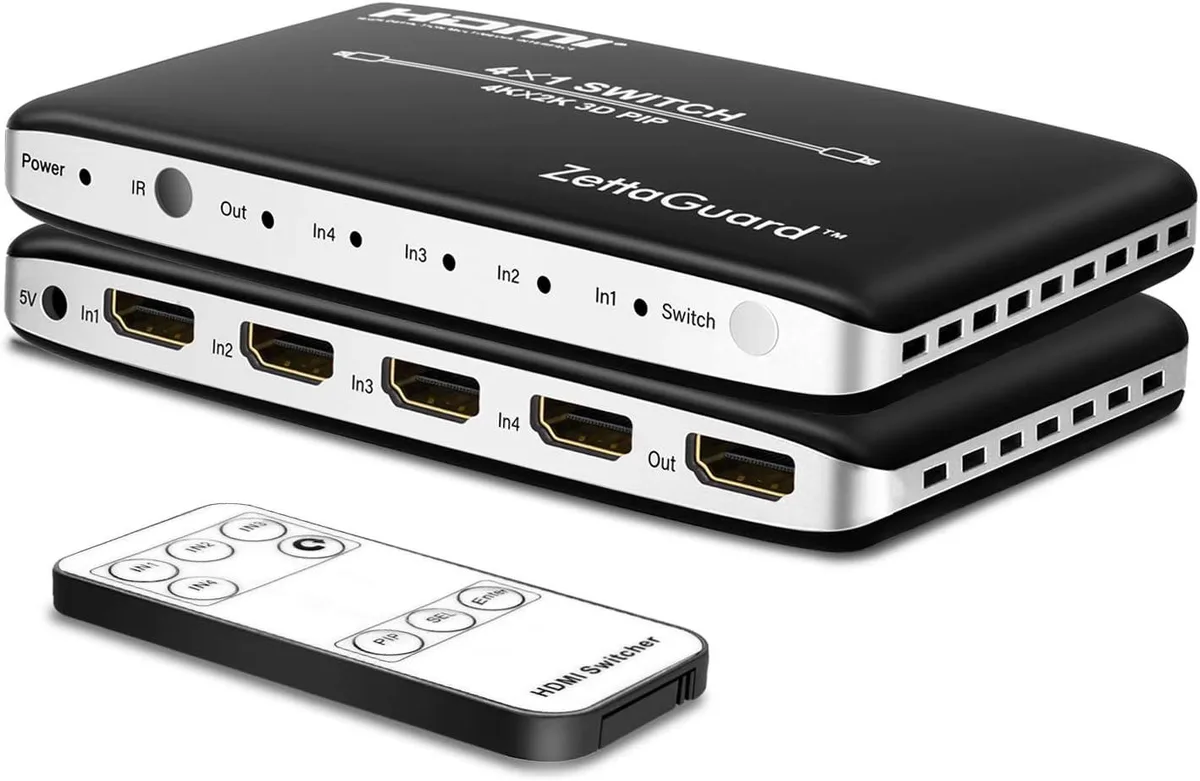
Connects four HDMI sources to one display with picture-in-picture switching and IR remote, supporting 4K at 30 Hz, 24-bit colour, 7.1-channel audio and HDCP 1.4
This PISKEKAT ZW410 unit connects four HDMI sources to one display input, letting owners of consoles, streamers and disc players share a single screen. The integrated picture-in-picture mode helps users preview a secondary source before committing to a full switch. It suits home-theatre enthusiasts who want fewer cable swaps without adding a full AV receiver.
The switch draws power from the connected HDMI lines, so it adds no audible fan noise or measurable heat to a media cabinet. HDCP 1.4 compliance ensures protected content passes through without interruption. Because the device has no external power brick, total system power draw stays exactly as it was before installation.
The bundled infrared remote lets viewers change sources from the sofa without reaching behind the TV. Picture-in-picture lets a gamer watch a walkthrough video while keeping the game visible in a corner window. Audio support covers LPCM 7.1CH, Dolby TrueHD and DTS-HD Master Audio, so surround sound follows the active video automatically.
| Type | Other |
|---|
Connect each source to the four HDMI inputs and the display to the single output, then power the unit; the step often missed is selecting the correct input with the IR remote after powering on.
The IR remote runs on a standard button cell that will need replacing when the range drops or buttons stop responding.
The 4k2k@30Hz and HDCP 1.4 ceiling means higher refresh rates or newer copy-protection handshakes will fail before the switch itself overheats.
Also in this aisle
Same shelf, same checkout — eight coins and a 30-minute rate lock.
What you pay in, and what you read prices in.
Sent from your wallet at checkout
Display only — the catalogue is priced in USD
No currency matches that.
Pick the language the site speaks to you in.
No language matches that.
New here?
Already have one?
There is no automatic reset: this shop sends no mail, so there is no one-time link to ask for. Leave the address on the account and it gets picked up by hand.
Request noted
Nothing is on its way to your inbox — this shop sends no mail at all. Someone picks these up by hand.
Remembered it?


