

Innovation First, Inc.
Innovation First, Inc. 1UCMA-137 1U Cable Management Arm 19" 28.5"-33" computer accessory
- Product Type:Cable…
- Panel Width:19" Rac…
$72.99
0.00084965BTC
In stockWe take cryptocurrency — so the coins you hold can buy real hardware.Pay in crypto, spend it on real hardware. Free insured shipping worldwide over $399. Plain, unbranded boxes, sent from Germany.Free insured shipping over $399. Your rate is locked for 30 minutes once checkout opens.Rate locked 30 minutes. Every item sealed, serial-checked and covered by a 24-month warranty.Sealed, 24-month warranty.


OWC
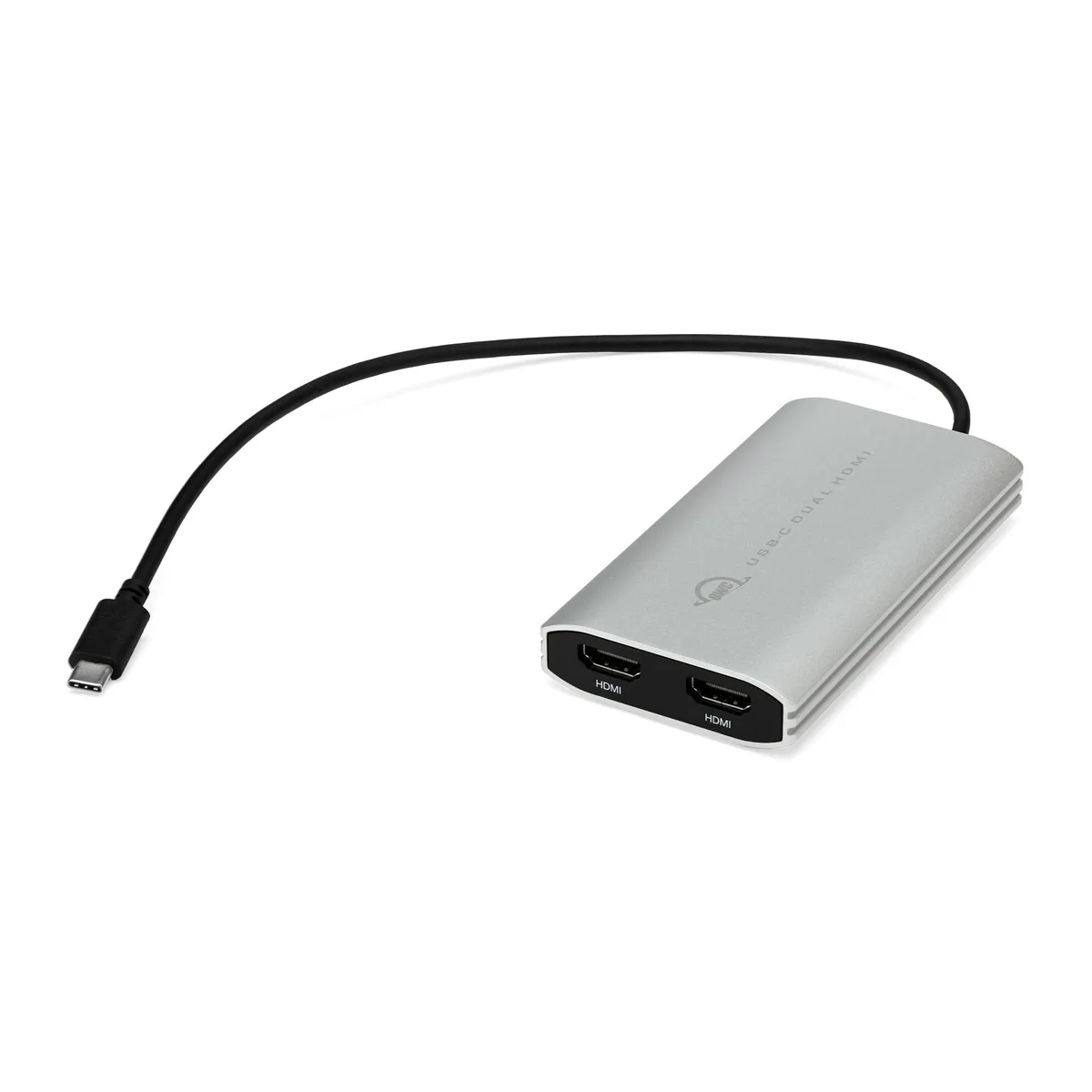
Adds two 4K 60 Hz HDMI displays to a single USB-C or Thunderbolt port on M1 Macs and PCs, bus-powered via a 13-inch cable
The OWC USB-C Dual HDMI Adapter uses DisplayLink technology to drive two 4K monitors at 60 Hz from a single Thunderbolt or USB-C port. It is built for MacBook Air, MacBook Pro 13", Mac mini and 24" iMac models based on Apple M1 silicon that natively support only one external display. Windows and ChromeOS laptops with limited video outputs also benefit. The adapter is bus-powered through its integrated 13-inch USB-C cable.
Instead of chaining multiple adapters and cables to reach two screens, this one unit delivers dual 3840 x 2160 output at 60 Hz. The jump is worth it when you need Extended or Mirror modes on an M1 Mac without buying a dock or a Thunderbolt hub. It also suits any USB-C laptop that lacks native multi-stream transport support for dual 4K. No external power supply is required.
Setup requires installing the DisplayLink driver on macOS and Windows before the displays appear. The 13-inch tethered cable keeps the adapter close to the port and reduces strain. Common issues are forgetting the driver install, using a charge-only USB-C cable on the host side, or expecting more than two displays. The compact, smartphone-sized housing travels easily in a laptop sleeve.
| Changer Type | USB to HDMI |
|---|
The integrated 13-inch cable connects to a Thunderbolt or USB-C port on the host computer.
Install the DisplayLink driver on the Mac or Windows system, then connect the adapter.
Keep the DisplayLink driver updated on the host system and ensure the USB-C cable and both HDMI connections remain secure.
New to this? Which coin should you pay with — what to check, what it costs to pay, and what is never asked for.
Also in this aisle
Same shelf, same checkout — eight coins and a 30-minute rate lock.
What you pay in, and what you read prices in.
Sent from your wallet at checkout
Display only — the catalogue is priced in USD
No currency matches that.
Pick the language the site speaks to you in.
No language matches that.
New here?
Already have one?
There is no automatic reset: this shop sends no mail, so there is no one-time link to ask for. Leave the address on the account and it gets picked up by hand.
Request noted
Nothing is on its way to your inbox — this shop sends no mail at all. Someone picks these up by hand.
Remembered it?


