


Orico
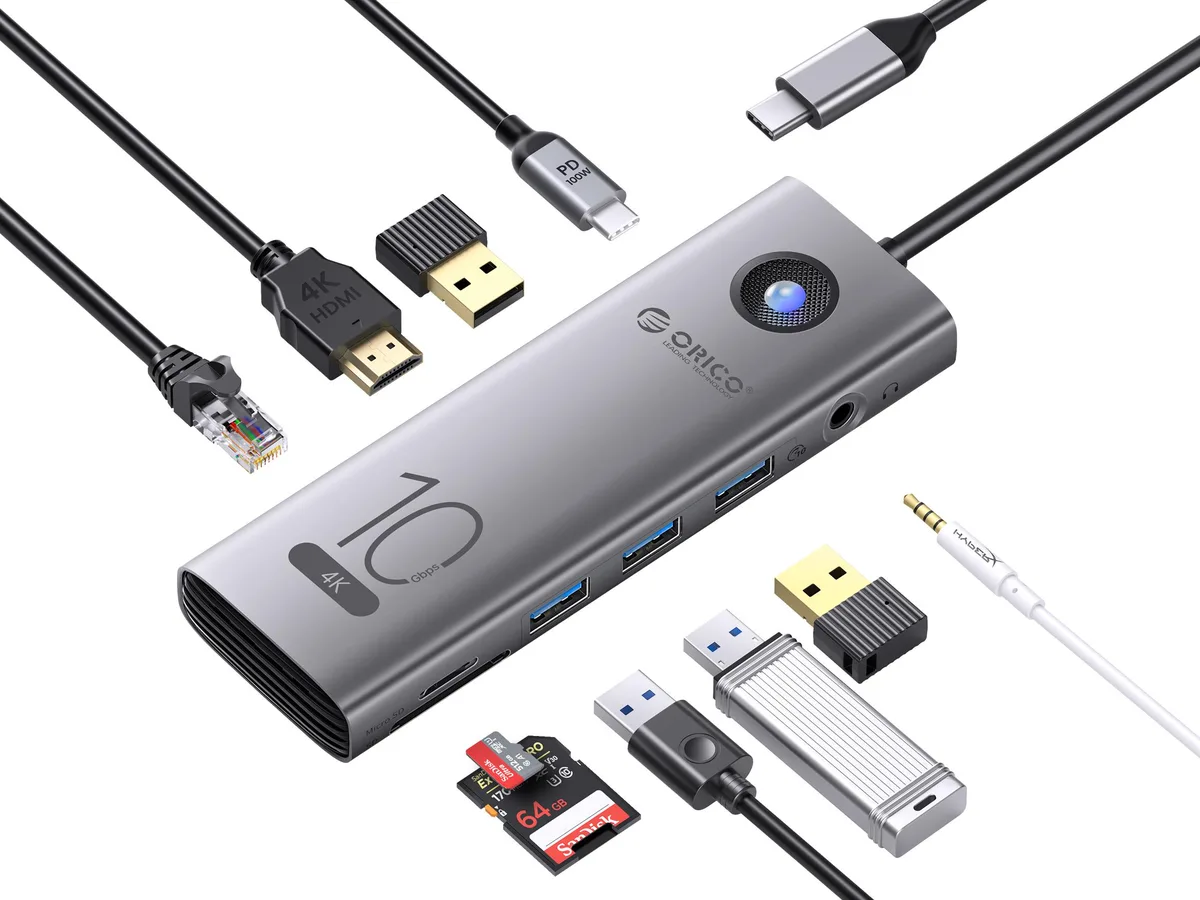
Orico CX10-8P 10Gbps 5-in-1 docking station
A 10 Gbps USB-C hub adds two USB-A ports, one USB-C port, HDMI 4K at 60 Hz, gigabit Ethernet and SD/TF card slots with 100 W power delivery
- ColorGray
Option 5-in-1
- 6-in-1
- 8-in-1
- 5-in-1
- 11-in-1
- 10-in-1 PD USB-C RJ45
- Aluminum alloy shell adds durability and a premium feel
- 10Gbps USB-A and USB-C ports move large files quickly
- 100W Power Delivery keeps laptops charged while you work
- HDMI 2.0 output drives 4K at 60Hz or 1080p at 120Hz
- Gigabit Ethernet plus SD 3.0 card slots expand connectivity in one hub
Five-in-one USB-C dock
The Orico CX10-8P adds two USB-A ports, one USB-C port, an HDMI output, a Gigabit Ethernet jack and a combined SD/TF card reader through a single USB-C connection. The aluminium alloy shell houses a short .2 metre tether. Blue LED indicators show power and activity status.
Upgrade from basic adapters
This dock replaces single-function dongles that only offer video or data. The jump is worth it when you need simultaneous 10Gbps data transfer on three ports, 4K@60Hz or 1080P@120Hz video, 1000Mbps wired networking and SD 3.0 card access without swapping cables.
Build integration
The unit draws up to 100W Power Delivery to charge the host laptop while driving peripherals. It works with Windows, Linux, Mac, Android and iPad OS devices that support USB 3.1 or later video and data modes. The compact form factor leaves desk space free for other gear.
Highlights
- Aluminum alloy shell adds durability and a premium feel
- 10Gbps USB-A and USB-C ports move large files quickly
- 100W Power Delivery keeps laptops charged while you work
- HDMI 2.0 output drives 4K at 60Hz or 1080p at 120Hz
- Gigabit Ethernet plus SD 3.0 card slots expand connectivity in one hub
Specifications
| Color | Gray |
|---|
Other versions of this model
4 more in the same range
Same family, different memory, cooler or clock — compare before you commit.


Questions about this item
What host port does the CX10-8P need on my laptop?
The dock connects through a single USB-C port that carries 10 Gbps data, 100 W power delivery and video.
What is the step users often miss when setting up the HDMI output?
Connect a PD charger to the dock's USB-C PD port first; without external power the HDMI 2.0 output may not drive a 4K 60 Hz display.
How do I keep the card slots working reliably over time?
Blow dust from the combined SD 3.0 and TF slot with compressed air and avoid inserting bent cards; the slot reads both formats simultaneously.
Also in this aisle
People compared these
Same shelf, same checkout — eight coins and a 30-minute rate lock.


Kensington
Kensington Desk Mount Cable Anchor K64613WW accessory
- Black
- Provides a secure a…
$19.99
0.00023262BTC
In stock
Panasonic
Panasonic CF-VDR291U laptop cooling pad
- Optical Drive
- Buffer Size: 2 MB B…
$213.99
0.00249017BTC
In stock
eReplacements
eReplacements PB992A-ER laptop battery 14.4V
- Battery
- Lithium-Ion
$65.99
0.00076791BTC
In stock