


Orico
Orico CX10-8P 6-in-1 Docking Station 10Gbps PD 100W 4K@60Hz
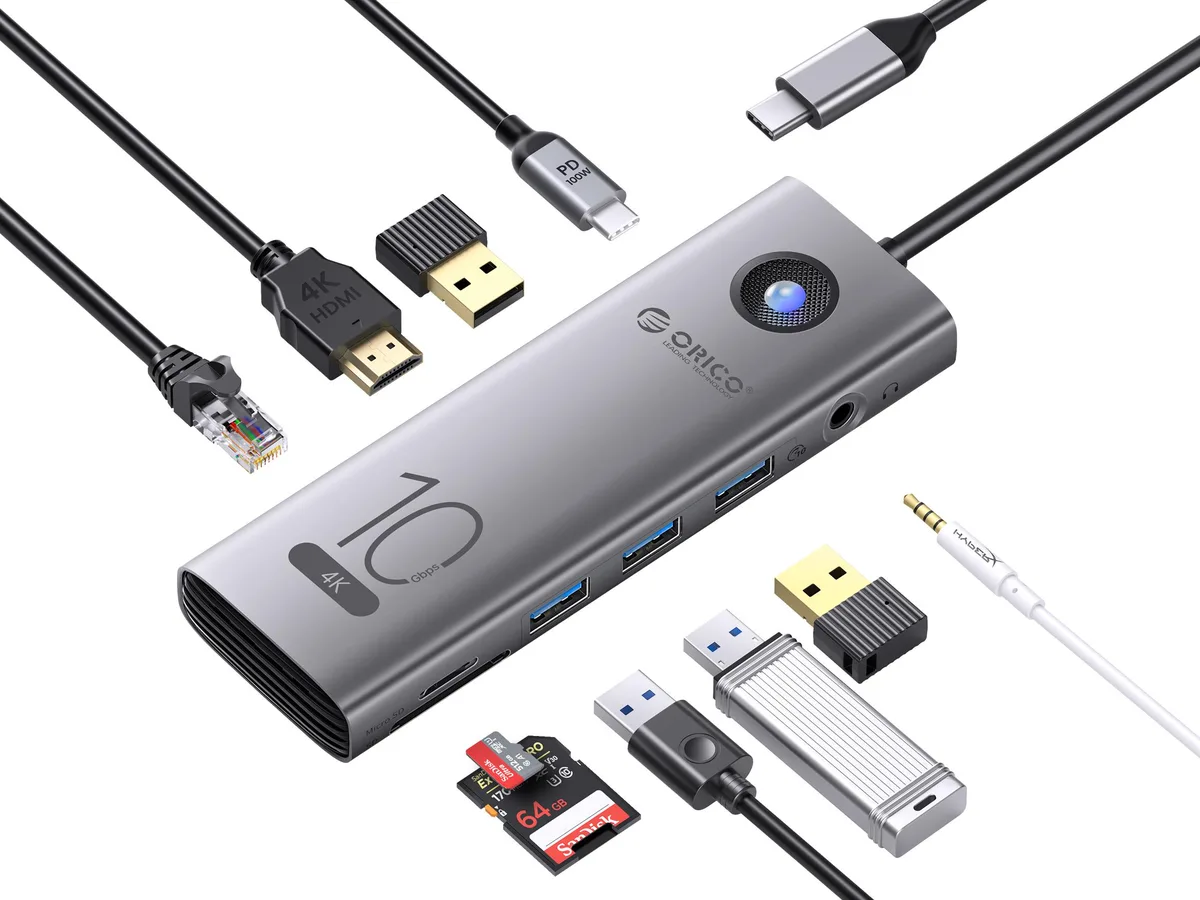
A 10 Gbps docking station with two USB-A ports, one USB-C port, HDMI 4K at 60 Hz, gigabit Ethernet, SD and TF card readers and 100 W power delivery
- ColorGray
Option 6-in-1
- 6-in-1
- 8-in-1
- 5-in-1
- 11-in-1
- 10-in-1 PD USB-C RJ45
- 10 Gbps data speed through two USB-A and one USB-C port
- 100 W Power Delivery keeps a laptop charged while working
- 4K at 60 Hz or 1080p at 120 Hz via HDMI 2.0
- Gigabit Ethernet adds reliable wired networking
- SD 3.0 and TF cards read together for fast media access
Compact 10Gbps docking station for USB-C laptops
The Orico CX10-8P adds six ports through a single USB-C connection. It suits professionals who need extra USB ports, wired networking, card readers and external display output while keeping the laptop charged.
10Gbps USB-C upstream with 100W power delivery
The host link runs at 10Gbps and accepts up to 100W PD charging so the laptop stays powered during heavy workloads. Two USB-A ports and one USB-C port each operate at 10Gbps for fast peripheral transfers.
HDMI 2.0, gigabit Ethernet and dual card slots
HDMI 2.0 drives a 4K display at 60Hz or 1080p and 2K at 120Hz. The 1000Mbps RJ45 port provides stable wired networking. An SD 3.0 slot reads SD and TF cards simultaneously. The 0.2M tethered cable limits placement flexibility for users who need a longer reach.
Highlights
- 10 Gbps data speed through two USB-A and one USB-C port
- 100 W Power Delivery keeps a laptop charged while working
- 4K at 60 Hz or 1080p at 120 Hz via HDMI 2.0
- Gigabit Ethernet adds reliable wired networking
- SD 3.0 and TF cards read together for fast media access
Specifications
| Color | Gray |
|---|
Other versions of this model
4 more in the same range
Same family, different memory, cooler or clock — compare before you commit.


Questions about this item
What does the 10Gbps rating mean when I plug drives into the two USB-A ports and the USB-C port?
Each of the three ports can transfer data at up to 10Gbps, so fast SSDs will run near their rated speed instead of being limited by the dock.
How does the HDMI 2.0 output cap the resolution and refresh rate I can use?
It supports 4K at 60Hz, 1080p at 120Hz and 2K at 120Hz; higher resolutions or refresh rates are not possible over this port.
How much desk space does the 0.2M cable need for a tidy setup?
The 0.2M tether is very short, so the dock will sit right next to the laptop; allow a few centimetres of slack for strain relief.
Also in this aisle
People compared these
Same shelf, same checkout — eight coins and a 30-minute rate lock.


Case Logic
Case Logic 3203990 briefcase for 15.6 in laptop with 10.1 in tablet pocket
$30.99
0.000371BTC
In stock