

Monoprice Inc.
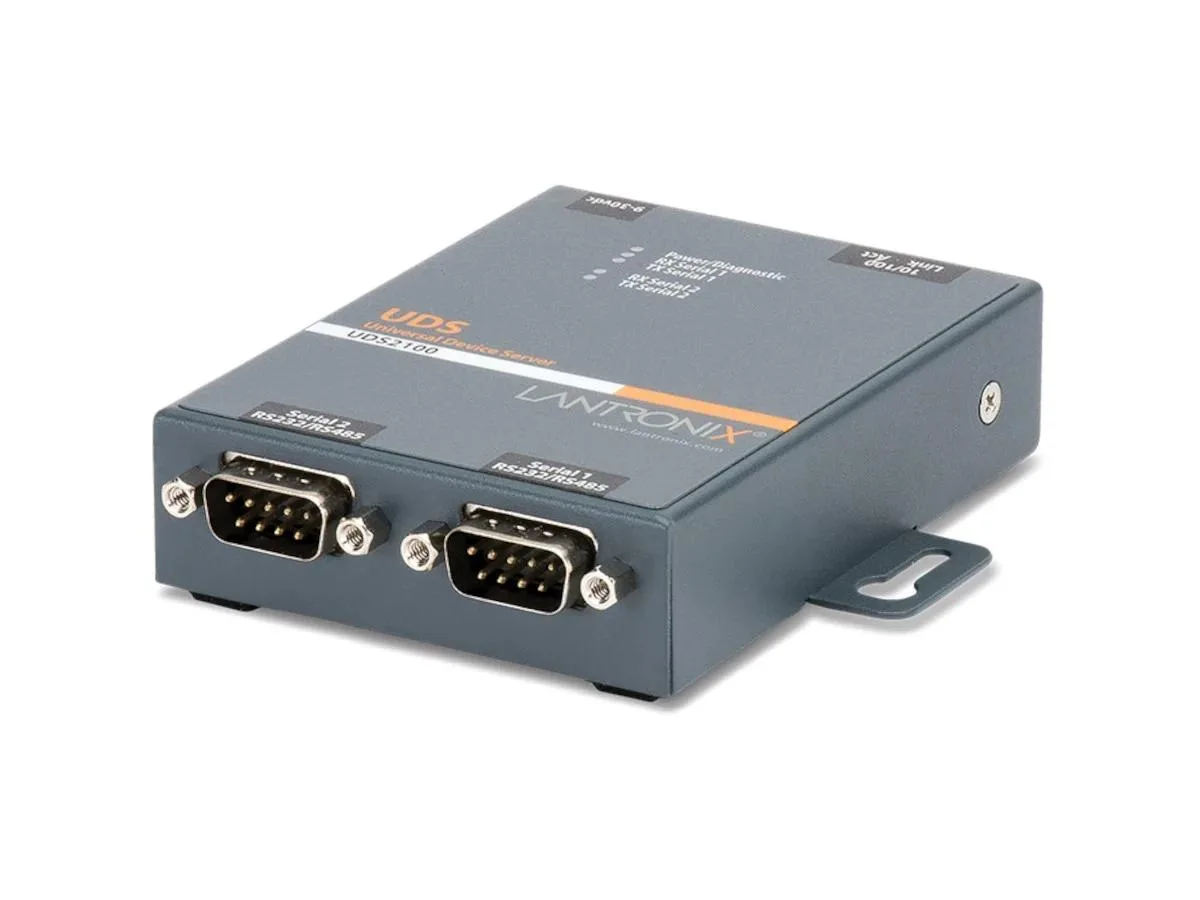
Monoprice Inc. UDS2100 2-Port Device Server
Connects two serial devices to Ethernet for remote management with software-selectable RS232, RS422 or RS485 interfaces
- Connect two serial devices to Ethernet via dual-port design
- Configure hardware quickly using included DeviceInstaller software
- Redirect COM ports over IP with bundled Com Port Redirector utility
- Mount on a wall for space-saving installation
- Select RS232 RS422 or RS485 modes per port via software
Two Serial Ports for Remote Access
The UDS2100 device server adds two serial devices to an Ethernet network, letting operators manage industrial equipment, point-of-sale hardware or legacy instruments from any location. Software-selectable RS232, RS422 or RS485 modes cover a wide range of legacy interfaces without rewiring. The unit mounts on a wall and ships with an international power supply and configuration utilities.
Silent Passive Cooling and Low Draw
No fan is present so operation is completely silent in office or cabinet environments. Fast Ethernet connectivity keeps power consumption modest while providing reliable 10/100 Mbps throughput for serial tunnelling tasks. The compact 0.9 by 2.8 by 3.7 inch enclosure fits tight DIN-rail or panel spaces without adding heat load.
Replaces Direct Serial Cabling
This server removes the distance limit of physical RS232 or RS485 cables, allowing centralised monitoring across a building or campus. It is not suited for applications that require more than two concurrent serial connections or gigabit backbone speeds. Buyers needing additional ports or fibre uplinks should consider a higher-density appliance.
Highlights
- Connect two serial devices to Ethernet via dual-port design
- Configure hardware quickly using included DeviceInstaller software
- Redirect COM ports over IP with bundled Com Port Redirector utility
- Mount on a wall for space-saving installation
- Select RS232 RS422 or RS485 modes per port via software
Specifications
No published specifications for this item yet.
Questions about this item
How do I install the UDS2100 and what step is often missed?
Mount the unit using the wall-mountable form factor, connect one RJ-45 cable to your Fast Ethernet network, attach up to two serial devices, then run the included DeviceInstaller software to assign an IP address — the step many skip.
What maintenance will the UDS2100 need later?
No moving parts or user-replaceable components exist; keep the international power supply and its regional adapters ventilated and dust-free, and re-run DeviceInstaller only if network settings change.
What limit appears first under sustained use?
The single 10/100 Fast Ethernet uplink caps total throughput for both serial ports, so heavy simultaneous traffic on the two ports will saturate that 100 Mbps link before the serial interfaces reach their own bounds.
Also in this aisle
People compared these
Same shelf, same checkout — eight coins and a 30-minute rate lock.