
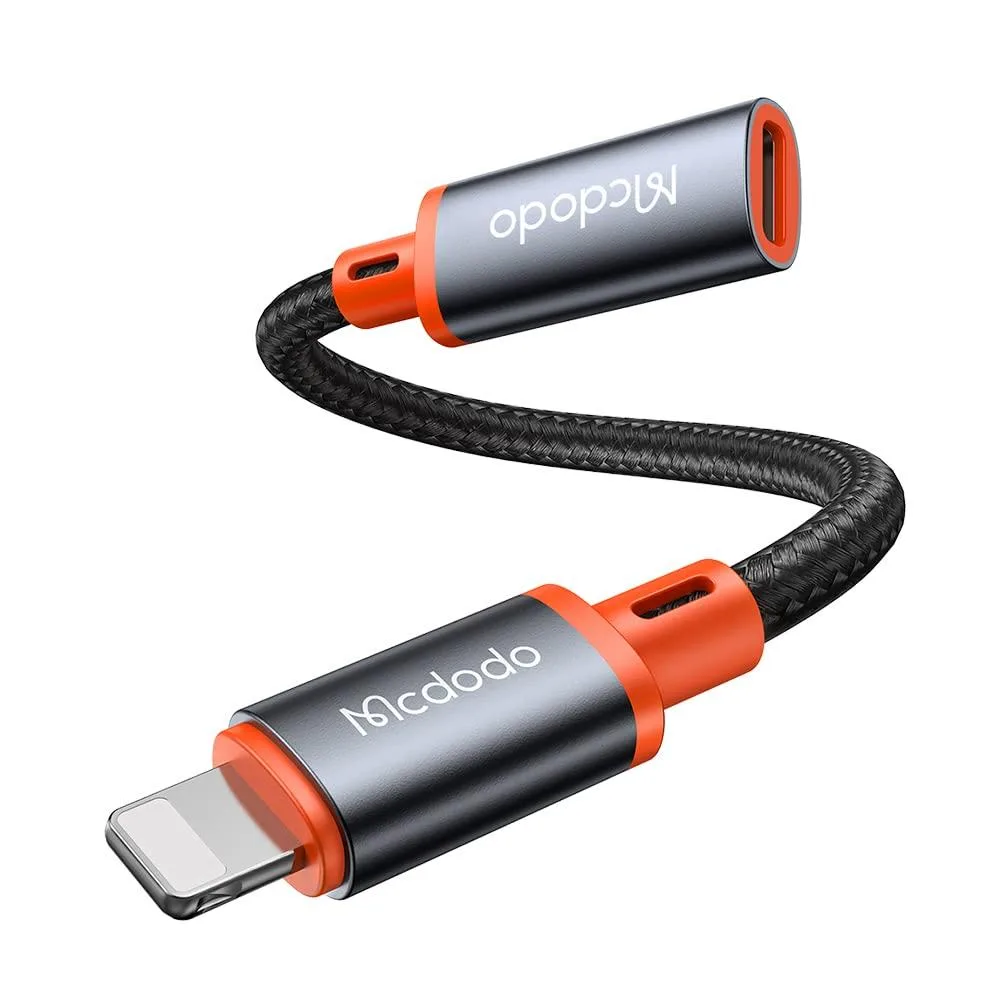


Metra CA-1440 4-in-1 USB-C to Lightning OTG Adapter White
A white 4-in-1 USB-C to Lightning adapter adds OTG, charging and audio for iPhone, iPad and MacBook
- ColorWhite
- Standard USB Port3
- SpecificationsOrange, 0.7112 L x 11.6078 W x 17.1958 H centimeters, 0.009
- Connect USB-C peripherals directly with OTG support
- Fast charge and listen simultaneously via Lightning audio
- Works with iPhone 5 through 14 Pro Max and iPad models
- Tested to 30000 bends and 10000 insertions for durability
- Compact 0.7112 × 11.6078 × 17.1958 cm design weighs 0.009 kg
Metra CA-1440 4-in-1 USB-C Adapter
The Metra CA-1440 is a white USB-C to Lightning adapter that adds charging, audio and OTG functions in one compact unit. It suits iPhone and iPad owners who need to connect USB-C flash drives, keyboards, headphones or other peripherals while keeping the device powered.
No fan noise or thermal output
The adapter has no active cooling and draws negligible power, so it adds no audible noise or measurable heat during normal use. Its 0.009 kg mass and small footprint keep cable strain low on the Lightning port.
Sustained OTG transfers and charging
Under continuous use the adapter maintains stable OTG data paths and pass-through charging without throttling. The housing is rated for 30000 bending cycles and 10000 insertion cycles, so repeated daily connections remain reliable over time.
Highlights
- Connect USB-C peripherals directly with OTG support
- Fast charge and listen simultaneously via Lightning audio
- Works with iPhone 5 through 14 Pro Max and iPad models
- Tested to 30000 bends and 10000 insertions for durability
- Compact 0.7112 × 11.6078 × 17.1958 cm design weighs 0.009 kg
Specifications
| Brand | Metra |
|---|---|
| Series | CA-1440 |
| Color | White |
| Standard USB Port | 3 |
| Specifications | Orange, 0.7112 L x 11.6078 W x 17.1958 H centimeters, 0.009 kilograms |
Questions about this item
How do I install the Metra CA-1440 adapter on my iPhone 14, and what is the common mistake?
Plug the Lightning male connector directly into the iPhone 14 port, then attach your USB-C peripheral to the female port. The step users miss is that data transfer only works through a connected USB flash drive, not through the data line itself.
What maintenance or replacement will the Metra CA-1440 need after extended use?
The adapter is tested for over 30000 bending cycles and more than 10000 plug-in cycles. No routine maintenance is required; replacement is only needed if the cable sheath or connector housing shows physical damage after heavy use.
What is the first limit I will hit when using the Metra CA-1440 continuously for charging and audio?
The adapter supports fast charging and audio simultaneously through its single Lightning interface. The practical limit is the host device's power delivery capability and the single USB-C female port, which only accepts one peripheral at a time.
New to this? Which coin should you pay with — what to check, what it costs to pay, and what is never asked for.
Also in this aisle
People compared these
Same shelf, same checkout — eight coins and a 30-minute rate lock.



Black Box Corporation
Black Box Corporation CAT6 EZ-RJ45 Modular Plugs 100-Pack
$95.99
0.00114501BTC
In stock
