


LUOM
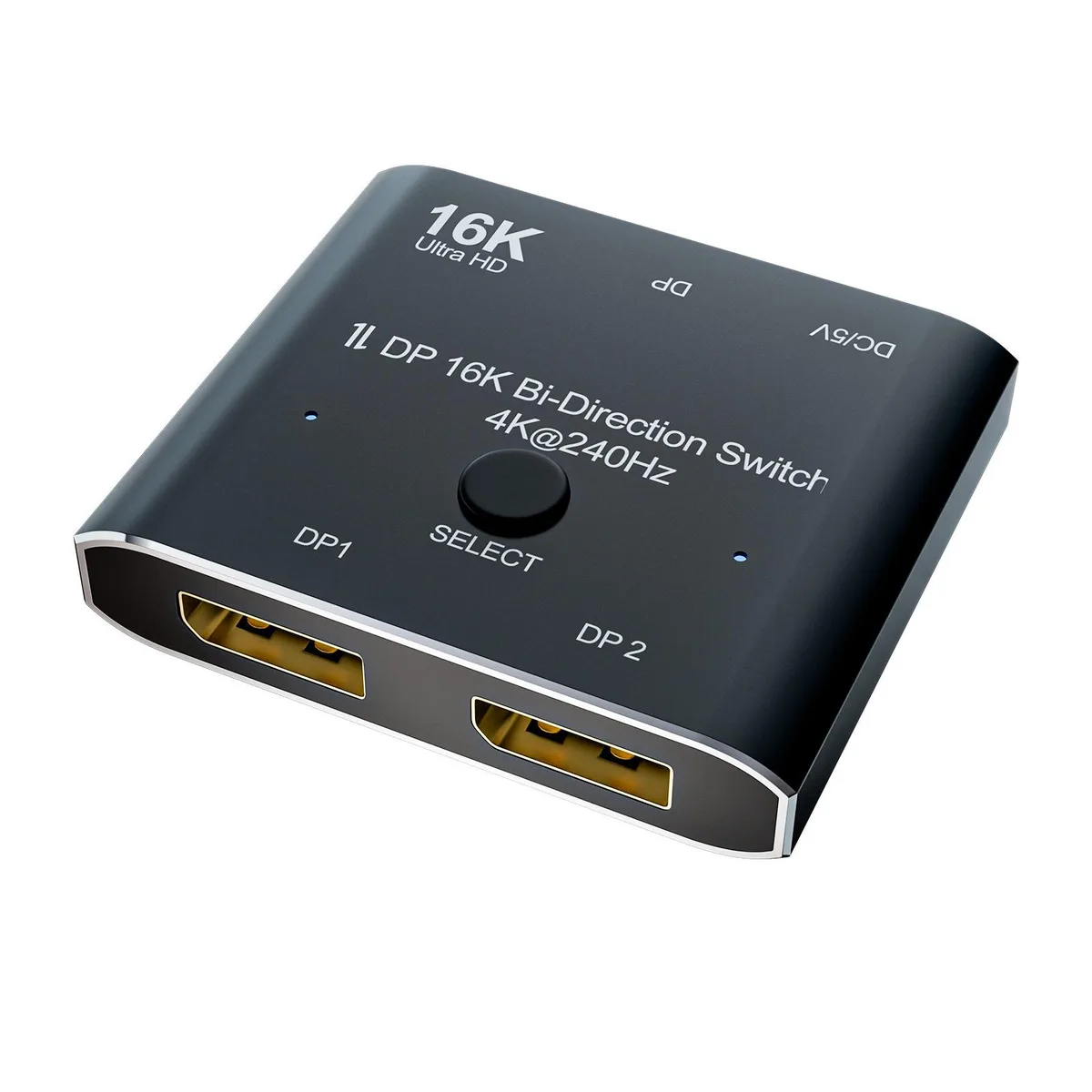
LUOM A0201 bi-directional DP 2.0 video splitter 16K@60Hz 4K@240Hz
Bi-directional DisplayPort 2.0 switch routes one source to two displays or two sources to one display at up to 16K 60 Hz, 4K 240 Hz and 40 Gbps bandwidth
- TypeDisplayPort Splitters
- Changer TypeDisplay Extenders
- Ports2
- AudioYes
- ColorBlack
- Specifications1. 16K DP 2.0 Switch: Support 16K@60Hz,8K@60Hz,4K@240Hz reso
- Bi-directional switching lets one source drive two displays or two sources share one display
- Supports 16K at 60 Hz, 8K at 60 Hz and 4K at 240 Hz
- 40 Gbps bandwidth handles ultra-high resolutions and high refresh rates
- Backward compatible with earlier DisplayPort standards for broad device support
- Manual select button with LED indicators shows active port at a glance
Bi-Directional DP 2.0 Switch for 16K@60Hz
This LUOM A0201 bi-directional DisplayPort switch routes one source to two displays or two sources to one display. It supports 16K at 60 Hz, 8K at 60 Hz, 4K at 240 Hz and 1080P at 240 Hz with 40 Gbps bandwidth. The unit is intended for PC, laptop or monitor setups that need manual source or display selection. Two displays cannot show content simultaneously.
Plug-and-Play Installation with External Power
Connect the included USB-A to USB-C power cable, attach up to three standard DisplayPort cables and press the select button to toggle between sources or displays. Indicator LEDs show the active port. The switch requires a DP 2.0 cable no longer than 6.6 feet for full 16K performance. No drivers are needed for basic operation.
Verify Cables, Ports and Power Before Ordering
Ensure your source and display devices have native DisplayPort female ports or use compatible DP-to-mini-DP, USB-C-to-DP or HDMI-to-DP adapters. Confirm you can supply 5 V power from a USB-A port. Remember that only one display is active at a time, so this switch does not suit multi-monitor extended-desktop needs.
Highlights
- Bi-directional switching lets one source drive two displays or two sources share one display
- Supports 16K at 60 Hz, 8K at 60 Hz and 4K at 240 Hz
- 40 Gbps bandwidth handles ultra-high resolutions and high refresh rates
- Backward compatible with earlier DisplayPort standards for broad device support
- Manual select button with LED indicators shows active port at a glance
Specifications
| Brand | LUOM |
|---|---|
| Series | A0201 |
| Model | A0201 |
| Part Number | A0201 |
| Type | DisplayPort Splitters |
| Changer Type | Display Extenders |
| Ports | 2 |
| Audio | Yes |
| Color | Black |
| Specifications | 1. 16K DP 2.0 Switch: Support 16K@60Hz,8K@60Hz,4K@240Hz resolution, provide you with transfer rates up to 40Gbps and backward compatible with all previous DP standards. ? 2: The DisplayPort switcher allow you to connect two DP source to one DP display or connect one DisplayPort source to toggle between two displays. ? 3. External power required, the DP selector box is easy to setup and operate. Note: While using, press "select"Button to switch signal between two sources or displays, the indicator lights show the working status, two displays CANNOT display simultaneously. ? 4. This di |
| Input Connector | 1x DisplayPort female |
| Output Connector | 2x DisplayPort female |
| Connector Style | Female |
| Maximum Resolutions | Support 16K@60Hz,8K@60Hz,4K@240Hz,4K@144Hz,1080P@240Hz resolution, |
| Bandwidth | 40Gbps |
| Features | Bi-Direction ***DP Switch:The DisplayPort Switcher allow you to connect two DP source to one DP display or connect one DisplayPort source to toggle between two displays. (Two displays CANNOT display simultaneously,Press"Select"button to switch between two displays.)(While connecting to Source or Display,you must use the usb cable to power the splitter,or your display can not show anything).Do not use too long cable(total 2m) for connection between the switcher and your devices. 16K DP 1.4 Splitter: Support 8K@120Hz,4K@240Hz,1080P@240Hz resolution, provide you with transfer rates up t |
| Dimensions | 5.31 x 3.11 x 0.87 inches |
| Weight | 2.12 Ounces |
| Package Quantity | 1 |
| Package Contents | 1x Bi-Direction DP Switch, Power Charging Cable x1, User Manual x1. |
Questions about this item
How can I confirm the LUOM A0201 is switching correctly after connecting my PC and monitors?
Press the select button on the switch; the indicator lights show which port is active and the working status.
What comes in the box with the LUOM A0201 and what extra cables do I need to buy?
The box includes the bi-directional DP switch, a power charging cable and a user manual. You must supply three DisplayPort cables and a USB-A to USB-C 5 V power cable.
Which resolution and refresh-rate combination should I choose for my setup with the LUOM A0201?
The switch supports 16K at 60 Hz, 8K at 60 Hz, 4K at 240 Hz, 4K at 144 Hz and 1080P at 240 Hz; pick the mode your source and display both support and use a standard DP 2.0 cable within 6.6 feet.
New to this? Which coin should you pay with — what to check, what it costs to pay, and what is never asked for.
Also in this aisle
People compared these
Same shelf, same checkout — eight coins and a 30-minute rate lock.



Black Box Corporation
Black Box Corporation CAT6 EZ-RJ45 Modular Plugs 100-Pack
$95.99
0.00114821BTC
In stock
