Jedrek
Jedrek WG26/34 Wiegand to RS485 Bidirectional Converter security
- Keyless Entry System
$44.99
0.00052323BTC
In stockWe take cryptocurrency — so the coins you hold can buy real hardware.Pay in crypto, spend it on real hardware. Free insured shipping worldwide over $399. Plain, unbranded boxes, sent from Germany.Free insured shipping over $399. Your rate is locked for 30 minutes once checkout opens.Rate locked 30 minutes. Every item sealed, serial-checked and covered by a 24-month warranty.Sealed, 24-month warranty.


Lenovo
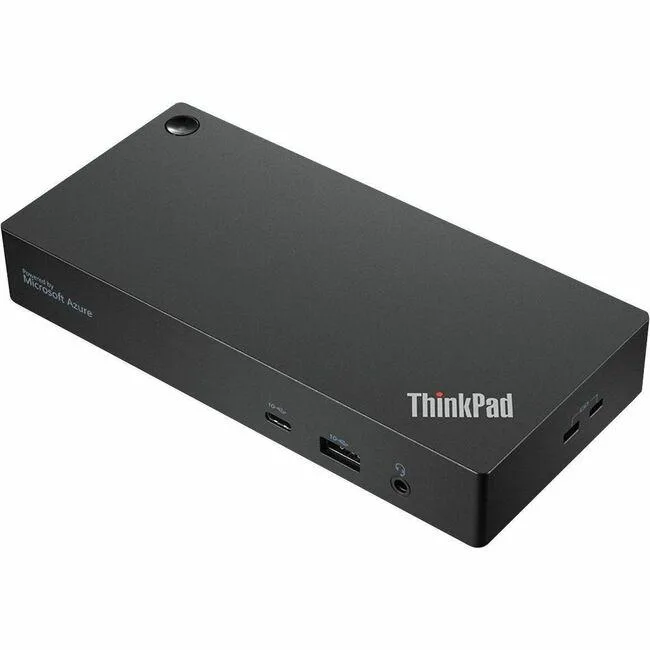
A managed USB-C dock for BYOD rooms with 135 W charging, dual 4K 60 Hz display support, six USB ports and Azure Sphere remote monitoring
The ThinkSmart Edition dock is built for organisations that run bring-your-own-device conference spaces and want IT to monitor room health remotely. It connects a laptop to room displays and AV gear through a single USB-C cable while feeding usage data back to ThinkSmart Manager via Azure Sphere.
The dock delivers up to 135 W of power over its USB-C upstream port, so the attached notebook charges while driving the room system. If a laptop needs more than 135 W or lacks USB-C video output, this dock cannot support it.
Two displays can run at 3840 x 2160 at 60 Hz simultaneously during long meetings. The managed firmware and mounting bracket are designed for all-day operation in booked rooms rather than short desktop sessions.
No published specifications for this item yet.
The dock delivers up to 135 W over the single USB-C cable, so compatible laptops charge at full speed while driving displays and peripherals during conferences.
The USB-C link supports two displays at 3840 x 2160 resolution running at 60 Hz, which is the maximum video throughput the connection provides.
A mounting bracket is supplied, allowing the unit to be secured under a table or on a wall for a tidy BYOD room setup.
Also in this aisle
Same shelf, same checkout — eight coins and a 30-minute rate lock.
What you pay in, and what you read prices in.
Sent from your wallet at checkout
Display only — the catalogue is priced in USD
No currency matches that.
Pick the language the site speaks to you in.
No language matches that.
New here?
Already have one?
There is no automatic reset: this shop sends no mail, so there is no one-time link to ask for. Leave the address on the account and it gets picked up by hand.
Request noted
Nothing is on its way to your inbox — this shop sends no mail at all. Someone picks these up by hand.
Remembered it?