

Innovation First, Inc.
Innovation First, Inc. 1UCMA-137 1U Cable Management Arm 19" 28.5"-33" computer accessory
- Product Type:Cable…
- Panel Width:19" Rac…
$72.99
0.00086782BTC
In stockWe take cryptocurrency — so the coins you hold can buy real hardware.Pay in crypto, spend it on real hardware. Free insured shipping worldwide over $399. Plain, unbranded boxes, sent from Germany.Free insured shipping over $399. Your rate is locked for 30 minutes once checkout opens.Rate locked 30 minutes. Every item sealed, serial-checked and covered by a 24-month warranty.Sealed, 24-month warranty.


Jansicotek
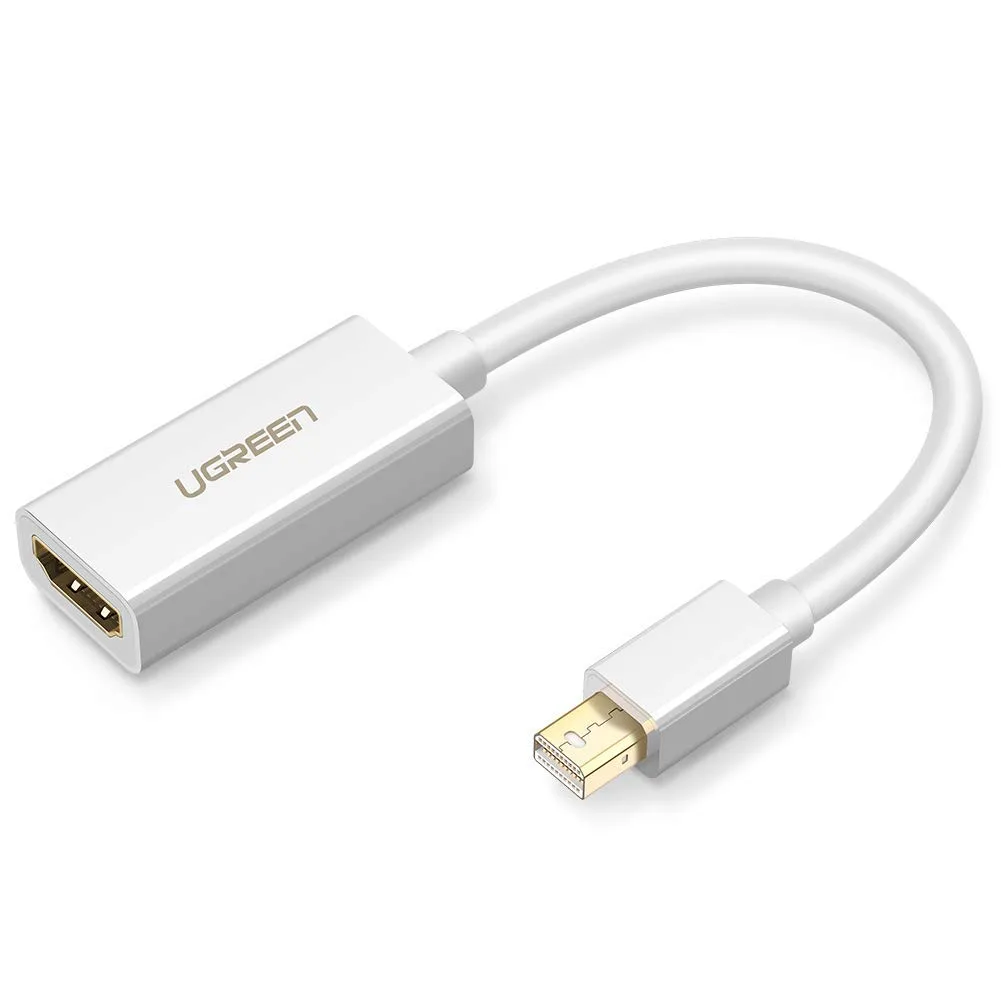
Connects a Mini DisplayPort or Thunderbolt 2.0 device to an HDMI display at up to 1920 x 1200 resolution with audio pass-through
This Jansicotek adapter connects a Mini DisplayPort or Thunderbolt 2.0 port on compatible PCs and graphics cards to an HDMI display. It supports video resolutions up to 1920 x 1200 and 1080p Full HD with audio pass-through for 7.1, 5.1 or 2 channel sound. A separate HDMI cable is required. The unit is not bi-directional and only converts signal from the source device to the monitor.
Macs with Mini DisplayPort made before April 2010 may only transmit video without audio through this adapter. Models from April 2010 onward support both audio and video. The adapter replaces a direct HDMI connection when the source lacks a native HDMI output. The jump is worth it when you need to extend or mirror a legacy laptop to a modern HDTV, monitor or projector.
This adapter suits owners of pre-2016 MacBook Pro, Mac Pro, iMac, Mac mini, MacBook Air and Microsoft Surface Pro 1 through 4, Pro 6, Surface Book, Surface Laptop 2 and Surface Studio. It also fits listed Lenovo ThinkPad, Dell XPS and Alienware models. Buyers with Surface or Surface 2 for Windows RT should look elsewhere, as the adapter does not work with those devices. Users needing bi-directional conversion or higher resolutions must choose a different solution.
| Cable Length | 0.8 ft. |
|---|
The adapter uses a standard Mini DisplayPort plug that fits the Thunderbolt 2.0 ports on MacBook Air, MacBook Pro, iMac, Mac mini, Mac Pro, Surface Pro models, ThinkPad X1 Carbon, X230, X240s, Dell XPS 13, 14, 15, 17 and compatible laptops.
Plug the Mini DisplayPort end into the computer, then connect a separate HDMI cable from the adapter's HDMI port to the monitor or projector; the separate HDMI cable is required and not included.
Gold-plated contacts resist corrosion and do not require routine cleaning; the adapter has no moving parts or active components that wear out, so no scheduled replacement is needed.
New to this? Which coin should you pay with — what to check, what it costs to pay, and what is never asked for.
Also in this aisle
Same shelf, same checkout — eight coins and a 30-minute rate lock.
What you pay in, and what you read prices in.
Sent from your wallet at checkout
Display only — the catalogue is priced in USD
No currency matches that.
Pick the language the site speaks to you in.
No language matches that.
New here?
Already have one?
There is no automatic reset: this shop sends no mail, so there is no one-time link to ask for. Leave the address on the account and it gets picked up by hand.
Request noted
Nothing is on its way to your inbox — this shop sends no mail at all. Someone picks these up by hand.
Remembered it?


