


Jansicotek
Jansicotek DP28 DisplayPort cable 1.4 Grey 10ft
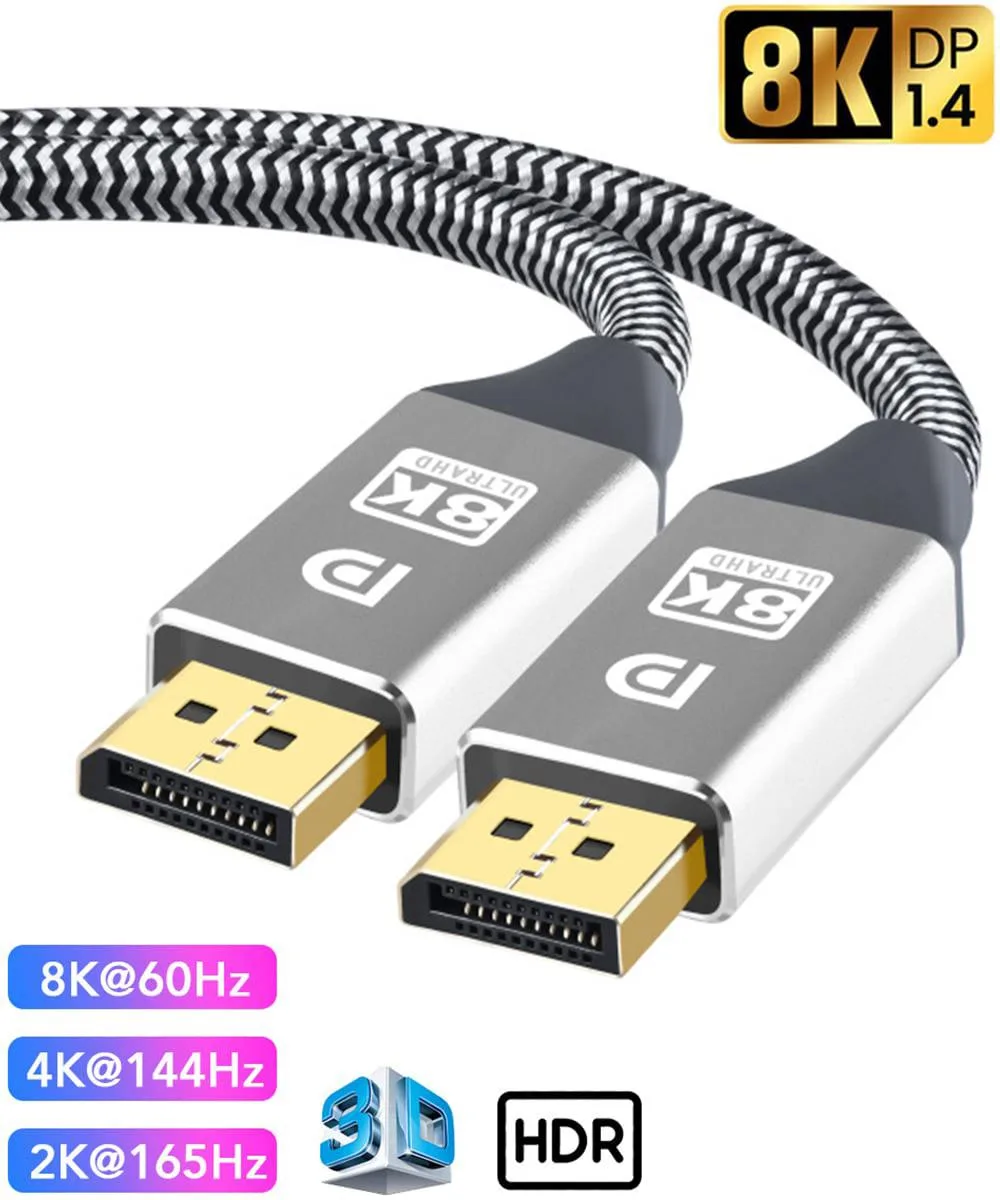
VESA certified DisplayPort 1.4 cable supports 8K at 60Hz, 4K at 144Hz and 2K at 240Hz over 10ft with 32.4Gbps bandwidth
- TypeDisplayPort
- ColorGrey
- Connector Number1
- Connect From1 x DisplayPort 1.4
- Connect To1 x DisplayPort 1.4
- Connector DetailDisplayPort to DisplayPort( Male to Male)
- VESA certified cable guarantees reliable 8K 60 Hz output
- 4 Gbps HBR3 bandwidth drives 4K 144 Hz and 2K 240 Hz gaming
- Triple shielded 30 AWG tinned copper resists interference for stable signal
- 24 K gold male-to-male connectors with nylon braid extend durability
- Backward compatible with DisplayPort 1.1 1.2 1.3 for wide device support
What this cable is
The Jansicotek DP28 is a VESA-certified DisplayPort 1.4 cable with male-to-male connectors in grey. It carries up to 32.4 Gbps bandwidth and supports resolutions including 8K at 60 Hz, 5K at 60 Hz, 4K at 144 Hz, 2K at 240 Hz and 1080p at 240 Hz with Dynamic HDR and HDCP 2.2. The 10 ft length suits desktop setups where the source and display sit further apart.
Who should use it and who should not
Gamers and creators driving high-refresh 4K or 1440p monitors, or 8K displays at 60 Hz, will get the full link capability. Builders who need a longer run than 10 ft, an angled connector for tight backs, or a DisplayPort-to-HDMI adapter cable should look at a different product.
The specification that decides fit
The cable is rated for HBR3 at 32.4 Gbps, which is the single figure that determines whether your graphics card and monitor can negotiate their highest supported resolution and refresh rate over this link.
Highlights
- VESA certified cable guarantees reliable 8K 60 Hz output
- 4 Gbps HBR3 bandwidth drives 4K 144 Hz and 2K 240 Hz gaming
- Triple shielded 30 AWG tinned copper resists interference for stable signal
- 24 K gold male-to-male connectors with nylon braid extend durability
- Backward compatible with DisplayPort 1.1 1.2 1.3 for wide device support
Specifications
| Brand | Jansicotek |
|---|---|
| Model | DP28 |
| Type | DisplayPort |
| Color | Grey |
| Connector Number | 1 |
| Connect From | 1 x DisplayPort 1.4 |
| Connect To | 1 x DisplayPort 1.4 |
| Connector Detail | DisplayPort to DisplayPort( Male to Male) |
| Terminal Gender | Male to Male |
| Speed | Supports up to 32.4Gbps bandwidth. |
| Specifications | Bandwidth: 32.4Gbps Refresh Rate: 8K@60Hz, 5K@60Hz, 4K@144Hz, 4K@60Hz, 2K@240Hz, 2K@165Hz HDCP 2.2, HDCP 1.4, HDR.. Backward compatible with DisplayPort 1.3/1.2. Dynamic HDR, Multi-Screen Display Conductor Material : 28AWG Tinned Copper Supports BT601, BT709, BT2020, Adobe RGB Color Format |
| Refresh Rate | 8K@60Hz, 5K@60Hz, 4K@144Hz, 4K@60Hz, 2K@240Hz, 2K@165Hz |
| Features | 8K DisplayPort Cable 1.4 4K 144Hz 2K 240Hz About Brand Silkland: [Officially Certified VESA Member] Supports 8K@60Hz, 2K@240Hz, 4K@144Hz, 4K@60Hz, 5K@60Hz, 2K@165Hz, 1080P@240Hz, HDCP 2.2/1.4 and HDR HBR3 Rated, supports transmission speed up to 32.4Gbps Display Stream Compression 1.2(DSC), FEC forward error correction, and 32 audio channels HBR3 rated - Backward compatible with DisplayPort 1.3/1.2/1.1 |
Other versions of this model
5 more in the same range
Same family, different memory, cooler or clock — compare before you commit.


Jansicotek
Jansicotek DP28 DisplayPort 1.4 Cable 10ft 32.4Gbps 8K@60Hz 4K@144Hz 2K@240Hz HBR3 Black
- DisplayPort
- Black
$16.99
0.00019771BTC
In stock
Jansicotek
Jansicotek DP28 DisplayPort 1.4 cable 10ft black
- DisplayPort
- Black
$16.99
0.00019771BTC
In stock
Jansicotek
Jansicotek DP28 DisplayPort 1.4 cable grey 16.4ft
- DisplayPort
- Grey
$16.99
0.00019771BTC
In stock
Jansicotek
Jansicotek DisplayPort cable 16.4 ft 8K 60Hz 4K 144Hz
- Black
- 16.4 ft.
$16.99
0.00019771BTC
In stockQuestions about this item
Do I need a graphics card and monitor that both have DisplayPort 1.4 ports to use this cable?
Yes, the cable connects a DisplayPort 1.4 source to a DisplayPort 1.4 display using male-to-male connectors.
Will this cable work with my older DisplayPort 1.2 monitor if I keep it?
The cable is backward compatible with DisplayPort 1.3, 1.2 and 1.1, so it will function with your older monitor.
How can I confirm the cable is delivering 8K at 60 Hz after I connect it?
Check your display settings to verify the active resolution shows 7680x4320 at 60 Hz and that HDR is enabled.
New to this? Which coin should you pay with — what to check, what it costs to pay, and what is never asked for.
Also in this aisle
People compared these
Same shelf, same checkout — eight coins and a 30-minute rate lock.

Innovation First, Inc.
Innovation First, Inc. 1UCMA-137 1U Cable Management Arm 19" 28.5"-33" computer accessory
- Product Type:Cable…
- Panel Width:19" Rac…
$72.99
0.00084937BTC
In stock
Vertiv
Vertiv 4UTELECOMRKIT 19 in rack mount bracket accessory
- GXT4U Wall Mount Br…
- Mounting Bracket
$70.99
0.0008261BTC
In stock
