

Innovation First, Inc.
Innovation First, Inc. 1UCMA-137 1U Cable Management Arm 19" 28.5"-33" computer accessory
- Product Type:Cable…
- Panel Width:19" Rac…
$72.99
0.0008627BTC
In stockWe take cryptocurrency — so the coins you hold can buy real hardware.Pay in crypto, spend it on real hardware. Free insured shipping worldwide over $399. Plain, unbranded boxes, sent from Germany.Free insured shipping over $399. Your rate is locked for 30 minutes once checkout opens.Rate locked 30 minutes. Every item sealed, serial-checked and covered by a 24-month warranty.Sealed, 24-month warranty.


j5create
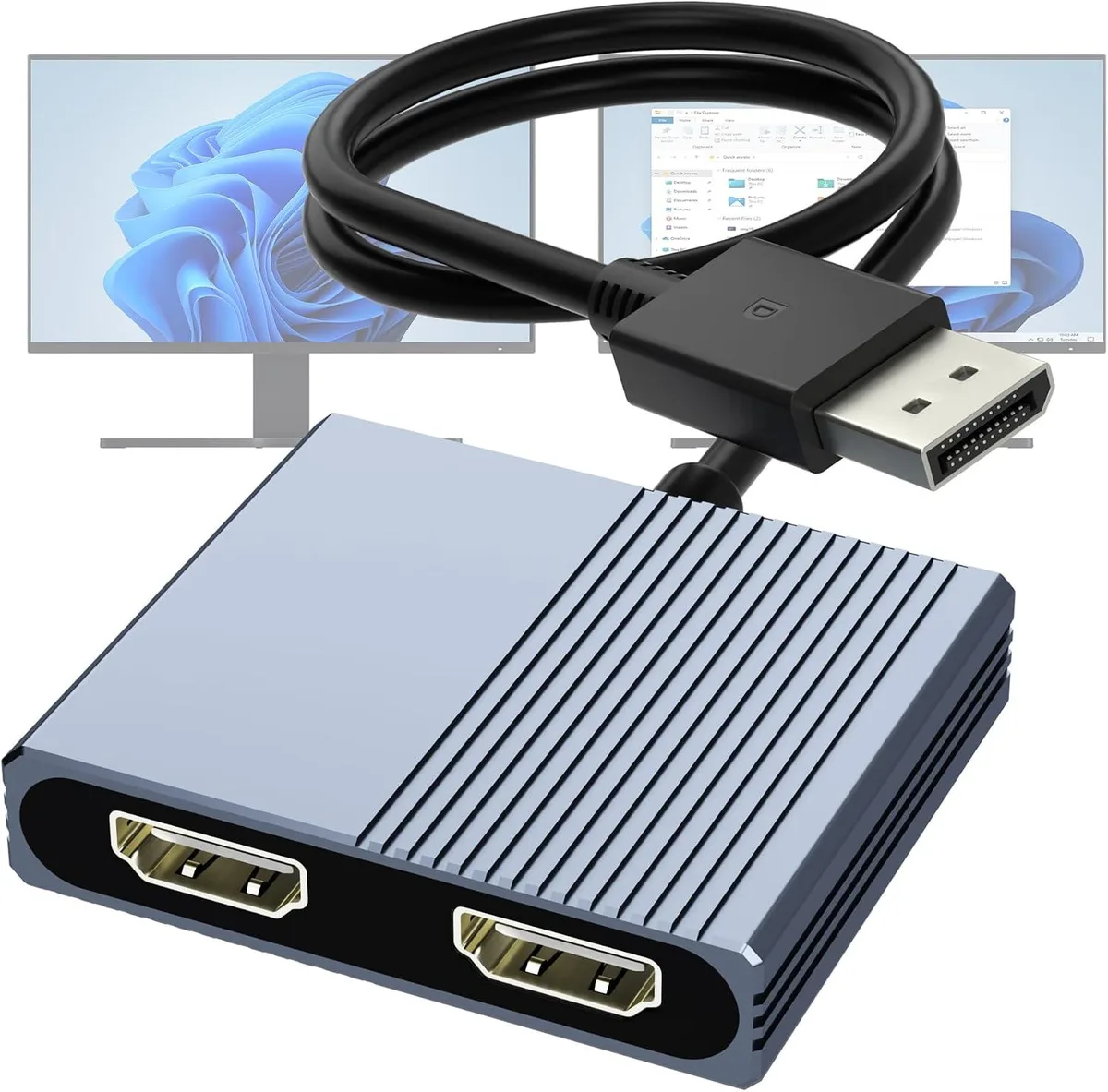
Connects one DisplayPort source to two HDMI displays with 4K at 60 Hz extended or mirrored output
This DisplayPort to dual HDMI adapter lets a single DisplayPort source drive two HDMI displays in extended or mirrored mode. It synchronises audio and video across both outputs and is built for desktops and laptops with a native DisplayPort connector. The hub uses Multi-Stream Transport to deliver independent streams to each screen.
Users whose graphics output supports DisplayPort 1.4 can run both screens at 4K 60 Hz. Systems limited to DP 1.2 are restricted to a single 4K 60 Hz stream or dual 4K 30 Hz operation. The adapter will not function when plugged into a docking station, USB hub or KVM switch, so buyers who rely on those intermediates should look elsewhere.
Reliable 4K 60 Hz transmission requires each HDMI cable to stay at or below 6.5 ft. Longer cables or displays and cables that do not support 4K 60 Hz will force a lower resolution or refresh rate. The host must also provide a DisplayPort 1.4 signal to unlock dual 4K 60 Hz; otherwise the hardware falls back to the DP 1.2 limits described above.
| Type | HDMI Extender Adapter |
|---|
Connect the DisplayPort plug to a DP 1.4 source on the computer, then attach two HDMI cables no longer than 6.5 ft to monitors that also support 4K@60Hz. The step often missed is confirming the host port is DP 1.4; a DP 1.2 port only drives one 4K@60Hz or two 4K@30Hz displays.
No scheduled maintenance is required. If a monitor stops syncing, replace the HDMI cable first — cables longer than 6.5 ft or rated below 4K@60Hz are the usual cause. The adapter itself has no moving parts or firmware to update.
The host graphics card must sustain DP 1.4 bandwidth for two 4K@60Hz streams. If the GPU or its driver throttles under sustained load, one or both displays will drop to 4K@30Hz or 1080p@60Hz before the adapter overheats.
New to this? Which coin should you pay with — what to check, what it costs to pay, and what is never asked for.
Also in this aisle
Same shelf, same checkout — eight coins and a 30-minute rate lock.
What you pay in, and what you read prices in.
Sent from your wallet at checkout
Display only — the catalogue is priced in USD
No currency matches that.
Pick the language the site speaks to you in.
No language matches that.
New here?
Already have one?
There is no automatic reset: this shop sends no mail, so there is no one-time link to ask for. Leave the address on the account and it gets picked up by hand.
Request noted
Nothing is on its way to your inbox — this shop sends no mail at all. Someone picks these up by hand.
Remembered it?


