


J-Tech Digital Inc.
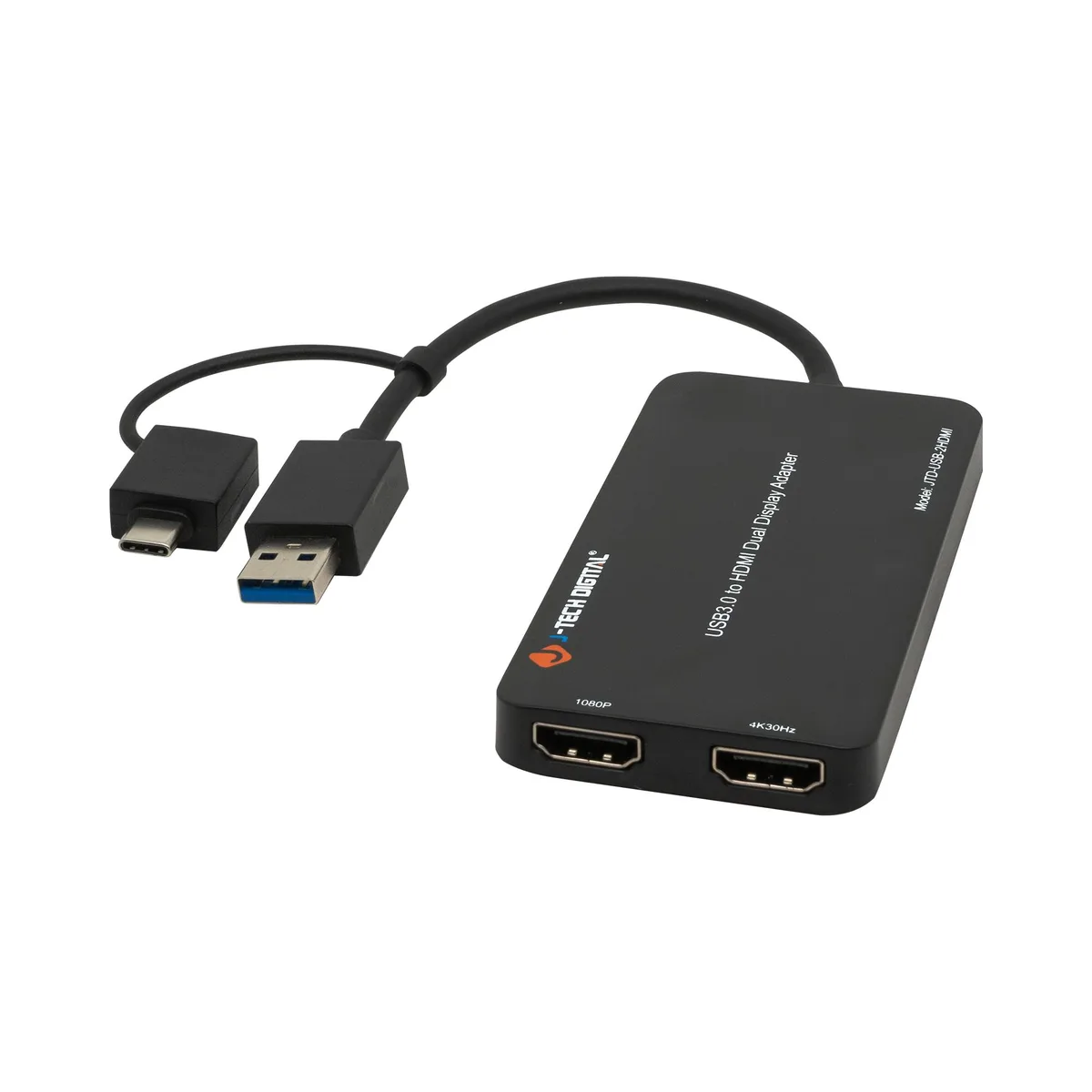
J-Tech Digital Inc. JTD-USB-2HDMI USB 3.0 Type A/C to Dual HDMI 4K 30Hz 1080P 60Hz Display Adapter
USB 3.0 Type A or C adapter adds two HDMI displays at 4K 30Hz and 1080P 60Hz, bus-powered with mirror, extend and rotation modes
- ColorBlack
- Thunderbolt 3Yes
- Flexible connectivity via USB 3.0 Type A or C inputs
- Dual HDMI outputs with 4K 30Hz and 1080P 60Hz resolution support
- USB powered design eliminates external power adapter requirement
- Supports mirror, extend, rotation and clamshell display modes
- Compatible with Thunderbolt 3/4 and USB 4 standard ports
Dual HDMI adapter for USB-A and USB-C
The JTD-USB-2HDMI connects two HDMI displays to a single USB 3.0 Type A or C port. One output reaches 4K at 30Hz while the second delivers 1080P at 60Hz. Windows systems can extend up to 8 displays and Mac OS up to 6 displays. Thunderbolt 3 compatibility is included.
USB powered with no external adapter
The unit draws power directly from the host USB-A or USB-C connection, removing the need for a separate power supply. Plug-and-play operation means the adapter is ready within minutes. No active cooling or fan is present, so acoustic output is negligible.
Mirror, extend, rotation and clamshell modes
The adapter supports mirror, extend, rotation and clamshell display configurations. Mac devices do not support rotation mode, while M1 and M2 Macs support clamshell mode but Intel Macs do not. HDCP-protected content playback is not supported. Free lifetime technical support is provided.
Highlights
- Flexible connectivity via USB 3.0 Type A or C inputs
- Dual HDMI outputs with 4K 30Hz and 1080P 60Hz resolution support
- USB powered design eliminates external power adapter requirement
- Supports mirror, extend, rotation and clamshell display modes
- Compatible with Thunderbolt 3/4 and USB 4 standard ports
Specifications
| Color | Black |
|---|---|
| Thunderbolt 3 | Yes |
Questions about this item
How do I connect the JTD-USB-2HDMI using a USB-C port, and what step is often missed?
Plug the adapter into a USB-C port that supports video output, then install the DisplayLink driver before connecting monitors; skipping the driver install is the common mistake.
What ongoing maintenance does the JTD-USB-2HDMI require?
Keep the DisplayLink driver updated through Windows Update or the vendor site; the adapter has no moving parts, fans or user-replaceable components.
What resolution limit appears first when driving both HDMI outputs continuously?
The second HDMI output caps at 1080 60Hz, so sustained dual-display use is limited to 4K 30Hz on the first port and 1080 60Hz on the second.
New to this? Which coin should you pay with — what to check, what it costs to pay, and what is never asked for.
Also in this aisle
People compared these
Same shelf, same checkout — eight coins and a 30-minute rate lock.



Black Box Corporation
Black Box Corporation CAT6 EZ-RJ45 Modular Plugs 100-Pack
$95.99
0.00114708BTC
In stock
