


iTekiro
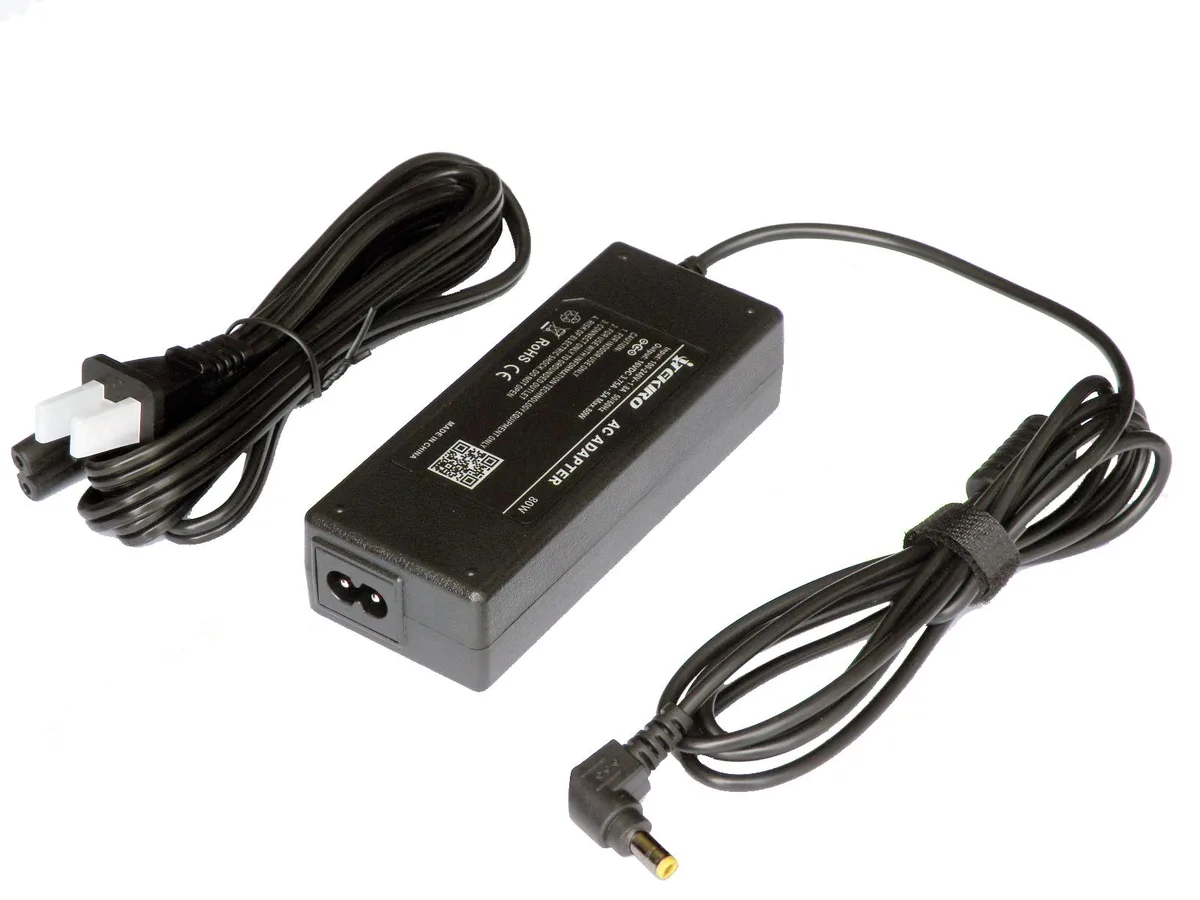
iTekiro PAN.TAC080WM2.N4 16 V 5 A 80 W power inverter
Replaces Panasonic 60W, 65W, 72W and 80W chargers with 16 V 5 A output, 6 ft AC and DC cords, and UL-listed safety
- 12 ft total cable reach eliminates extension cords
- 100–240 V input works worldwide without a converter
- 80 W output replaces Panasonic 60 W, 65 W, 72 W chargers
- UL listed AC cord and internal surge protection guard against electrical hazards
- Rugged sealed case withstands moisture and high humidity
Compatible Panasonic Toughbook models
This 80 W replacement adapter works with CF-08, CF-18, CF-19, CF-28 and CF-29 rugged laptops. It supplies 16 V at up to 5 A and replaces original 60 W, 65 W and 72 W chargers. Field technicians and mobile workers who use these legacy Toughbooks get a direct power alternative.
Replaces lower-wattage Panasonic chargers only
The unit covers 60 W, 65 W, 72 W and 80 W Panasonic adapters; it does not replace 110 W or 120 W models. Switching is worthwhile when your original brick fails or you need a spare for the same voltage class. Do not use it on systems that require the higher-wattage units.
Simple plug-in installation with long cables
A 6 ft AC cord and 6 ft DC cord give ample reach without extension leads. The ruggedised case resists moisture and rough handling. Verify the laptop’s required wattage before connecting; mismatched power will not charge correctly.
Highlights
- 12 ft total cable reach eliminates extension cords
- 100–240 V input works worldwide without a converter
- 80 W output replaces Panasonic 60 W, 65 W, 72 W chargers
- UL listed AC cord and internal surge protection guard against electrical hazards
- Rugged sealed case withstands moisture and high humidity
Specifications
| Brand | iTekiro |
|---|---|
| Model | PAN.TAC080WM2.N4 |
Questions about this item
What Panasonic Toughbook models does this 16 V 5 A 80 W adapter replace?
It replaces 60 W, 65 W, 72 W and 80 W chargers for CF-08, CF-18, CF-19, CF-28 and CF-29 series; it does not replace 110 W or 120 W adapters.
How do I connect the adapter safely and what step is often missed?
Plug the 2-prong AC cord into a 100-240 V outlet, then connect the DC plug to the laptop; the often-missed step is verifying the laptop requires 16 VDC at up to 5 A before powering on.
What maintenance will the cords and case need over time?
Inspect the 6 ft AC and 6 ft DC cords for fraying or kinks; wipe the ruggedised case with a dry cloth to keep the moisture-resistant seal effective.
New to this? Which coin should you pay with — what to check, what it costs to pay, and what is never asked for.
Also in this aisle
People compared these
Same shelf, same checkout — eight coins and a 30-minute rate lock.



Black Box Corporation
Black Box Corporation CAT6 EZ-RJ45 Modular Plugs 100-Pack
$95.99
0.00115115BTC
In stock
