


iTekiro
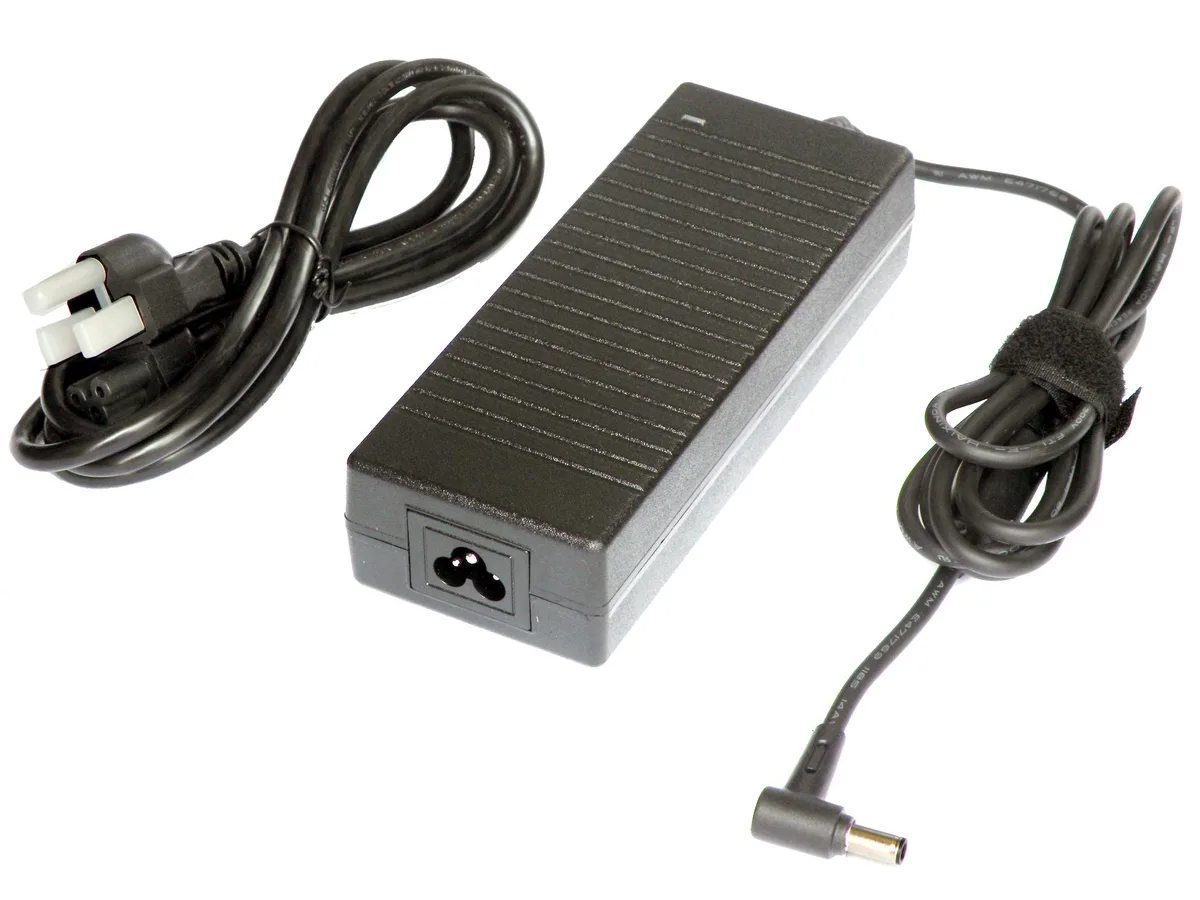
iTekiro 150W AC Adapter 20V 7.5A for MSI Katana GF66 GF76 Pulse GL66
150 W AC adapter delivering 20 V at 7.5 A with 4.5 mm centre-pin tip for MSI Katana and Pulse laptops
- TypeAC Adapter
- Battery TypeLithium-Ion
- AC Adapter Voltage20V
- AC Adapter Current7.5A
- AC Adapter Output Power150W
- 150 W output powers demanding MSI laptops
- 20 V 7.5 A matches original charger specifications
- 5 mm tip with centre pin ensures secure fit
- 6 ft AC plus 6 ft DC cords give extra reach
- Replaces 120 W and 150 W units not 180 W or higher
Replacement 150 W AC adapter for MSI Katana
This 150 W AC adapter delivers 20 V at 7.5 A and is built for MSI Katana GF66, GF76 and Pulse GL66 models. It ships new with a 4.5 mm barrel plug that includes a centre pin. The unit accepts worldwide mains input from 100 to 240 V at 50 to 60 Hz.
Replaces 120 W and 150 W MSI chargers.
The adapter substitutes MSI 120 W and 150 W power bricks for the listed Katana and Pulse configurations. It does not replace 180 W, 230 W or 240 W adapters, so buyers needing those higher ratings must look elsewhere.
Plug-and-play with two 6 ft cords
A UL-listed 3-prong AC cord and a 6 ft DC cord combine for extra reach. Built-in overload, short-circuit, over-voltage, over-current and over-temperature protections guard the laptop. The rugged case resists water and humidity for durable daily use.
Highlights
- 150 W output powers demanding MSI laptops
- 20 V 7.5 A matches original charger specifications
- 5 mm tip with centre pin ensures secure fit
- 6 ft AC plus 6 ft DC cords give extra reach
- Replaces 120 W and 150 W units not 180 W or higher
Specifications
| Type | AC Adapter |
|---|---|
| Battery Type | Lithium-Ion |
| AC Adapter Voltage | 20V |
| AC Adapter Current | 7.5A |
| AC Adapter Output Power | 150W |
Questions about this item
What is the diameter of the DC plug tip and does it have a center pin?
The adapter uses a 4.5 mm diameter plug tip with a center pin inside for compatible MSI laptops.
How do I connect the AC and DC cables to the power brick, and what step is often missed?
Plug the 6 ft UL-listed 3-prong AC cord into the brick, then connect the 6 ft DC cord to the laptop; ensure both cords seat fully into the brick before powering on.
When should the AC power cord be replaced?
Replace the 6 ft 3-prong AC cord if the plug blades are bent, the insulation is cracked, or the cord becomes intermittent after extended use.
New to this? Which coin should you pay with — what to check, what it costs to pay, and what is never asked for.
Also in this aisle
People compared these
Same shelf, same checkout — eight coins and a 30-minute rate lock.



Black Box Corporation
Black Box Corporation CAT6 EZ-RJ45 Modular Plugs 100-Pack
$95.99
0.00114323BTC
In stock
