


Interex By Tripp-Lite
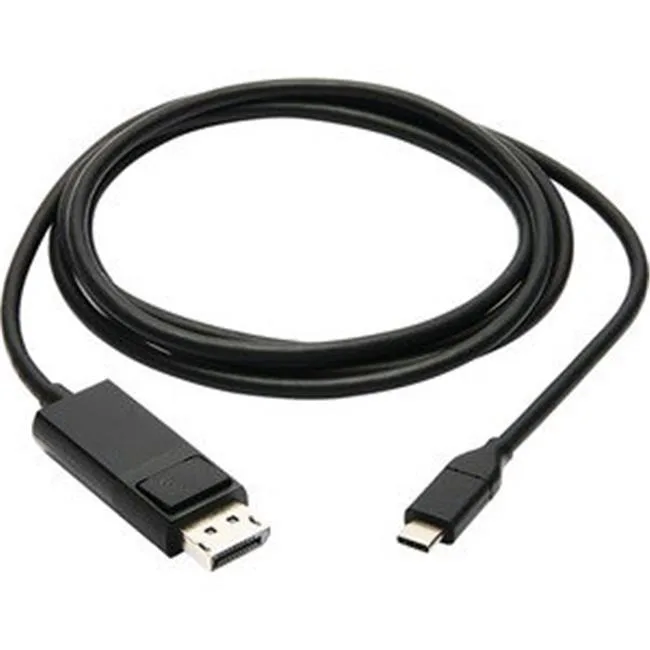
Interex By Tripp-Lite U444-006-DP-BE USB-C to DisplayPort adapter 5.9 ft
Connects a DisplayPort monitor to a USB-C or Thunderbolt 3 port for 4K video and audio over a 5.9 ft cable
- Connect 4K displays directly via USB-C with DisplayPort Alt Mode
- 9 ft cable reaches monitors without extra adapters or cables
- Gold-plated contacts ensure reliable 4K video and digital audio transmission
- Nickel-plated connectors resist corrosion for lasting signal quality
- Works with laptops, tablets, smartphones and desktop computers
USB-C to DisplayPort 4K adapter
This USB-C to DisplayPort male-to-male adapter connects a DisplayPort monitor, projector or television to a USB-C or Thunderbolt 3 port on a desktop, laptop, tablet, smartphone, MacBook or Chromebook. It delivers 4K video and digital audio without installing special software drivers. The single-cable design removes the need for a separate adapter or cable.
5.9 ft cable with nickel and gold plating
The 5.9 ft cable uses nickel-plated connectors and gold-plated contacts for durable signal integrity. It supports DisplayPort 1.2 output when the host device provides USB DisplayPort Alt Mode. Power draw and thermals are negligible for a passive video adapter in normal use.
Plug-and-play across laptops, phones and projectors
No driver installation is required on supported hosts, simplifying setup for presentations, multitasking, document editing, gaming or 4K movie playback. The adapter does not add extra USB data lanes or power-delivery negotiation beyond the video and audio stream.
Highlights
- Connect 4K displays directly via USB-C with DisplayPort Alt Mode
- 9 ft cable reaches monitors without extra adapters or cables
- Gold-plated contacts ensure reliable 4K video and digital audio transmission
- Nickel-plated connectors resist corrosion for lasting signal quality
- Works with laptops, tablets, smartphones and desktop computers
Specifications
No published specifications for this item yet.
Questions about this item
How do I connect the USB-C male end to my laptop and the DisplayPort male end to my monitor?
Plug the USB Type-C male connector into a USB-C or Thunderbolt 3 port that supports DisplayPort Alt Mode, then insert the DisplayPort 1.2 male connector into the monitor; the adapter needs no software drivers.
Will the gold-plated contacts or nickel-plated connectors need cleaning or replacement over time?
The gold contact plating resists corrosion and the nickel connector plating resists wear; under normal use neither requires scheduled cleaning or replacement.
What resolution limit appears first when I run a 4K display continuously through this 5.9 ft cable?
The adapter supports up to 4K resolution at DisplayPort 1.2 specifications; sustained use is limited by the 640 MB/s data transfer rate and the host device's USB-C Alt Mode implementation.
New to this? Which coin should you pay with — what to check, what it costs to pay, and what is never asked for.
Also in this aisle
People compared these
Same shelf, same checkout — eight coins and a 30-minute rate lock.



Black Box Corporation
Black Box Corporation CAT6 EZ-RJ45 Modular Plugs 100-Pack
$95.99
0.00114323BTC
In stock
