HP
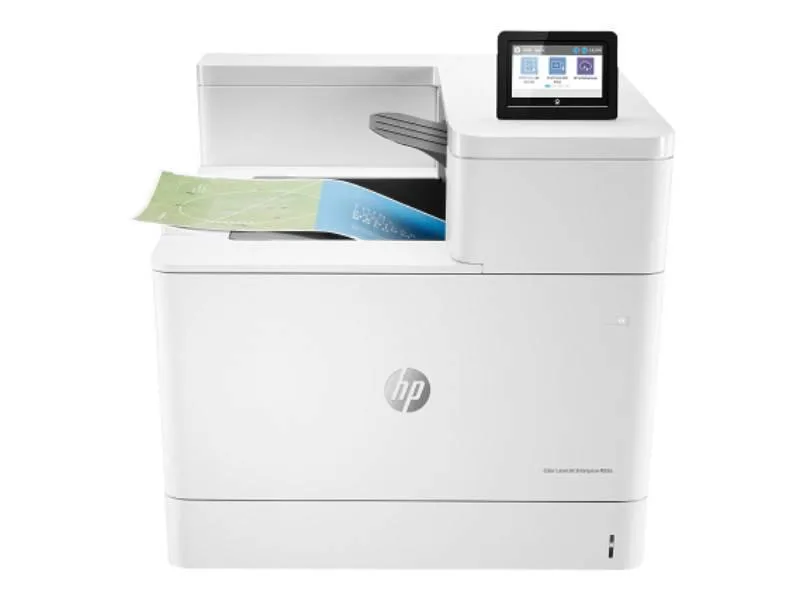
HP Color LaserJet Enterprise M553N 40 ppm laser printer with toner bundle
A network-ready colour laser printer prints up to 40 ppm at 1200 x 1200 dpi and ships with a full set of toner cartridges
- Output TypeColor
- Laser TechnologyLaser
- Black Print SpeedUp to 40 ppm
- Black Print Quality1200 x 1200 dpi
- Output Capacity, max.650 Pages
- Connectivity TechnologyEthernet (RJ-45)
- Fast colour output at 40 pages per minute
- Sharp 1200 x 1200 dpi resolution for crisp documents
- Ethernet RJ-45 network connectivity ready
- 650-sheet paper capacity reduces reloads
- Includes four toner cartridges rated at 5000 pages each
Product identity
The HP Color LaserJet Enterprise M553N is a network colour laser printer rated at 40 ppm for both black and colour output. It ships with a generic toner bundle covering black, cyan, magenta and yellow cartridges each rated at 5000 pages. The device connects via Ethernet and USB 2.0 and handles media up to 8.5 x 14 in with a 650-sheet input capacity.
Who this suits and who it does not
Offices that need fast colour documents on a wired network will find the 40 ppm speed and 1200 x 1200 dpi resolution a good match. Buyers who require wireless or mobile printing, or who need a larger paper capacity than 650 sheets, should look at other models.
Deciding specification
The single figure that decides fit is the 40 ppm colour print speed combined with Ethernet-only connectivity; if your workflow demands Wi-Fi or higher monthly volume, this unit will not meet the requirement.
Highlights
- Fast colour output at 40 pages per minute
- Sharp 1200 x 1200 dpi resolution for crisp documents
- Ethernet RJ-45 network connectivity ready
- 650-sheet paper capacity reduces reloads
- Includes four toner cartridges rated at 5000 pages each
Specifications
| Brand | HP |
|---|---|
| Series | Color LaserJet Enterprise |
| Part Number | B5L24A#BGJ_TONERVB |
| Output Type | Color |
| Laser Technology | Laser |
| Black Print Speed | Up to 40 ppm |
| Black Print Quality | 1200 x 1200 dpi |
| Output Capacity, max. | 650 Pages |
| Connectivity Technology | Ethernet (RJ-45) |
| Features | Network-Ready |
Questions about this item
How do I connect the M553N to my office network using the Ethernet port?
Plug an RJ-45 cable into the Ethernet port on the rear of the printer, ensure the network assigns an IP address, then use the 4-line dimmable LCD menu to confirm connectivity before sending print jobs.
Which consumables will need replacing after the included toner and maintenance kit are depleted?
The bundle includes CF360A black, CF361A cyan, CF362A yellow and CF363A magenta cartridges rated at 5000 pages each; once empty, replace with the same part numbers. The maintenance kit fuser, rollers and pads will also require renewal after their rated life.
What is the maximum paper size the M553N can handle for continuous printing?
The printer supports up to 8.5 x 14 inch media; anything larger will cause a jam or be rejected by the paper path.
Also in this aisle
People compared these
Same shelf, same checkout — eight coins and a 30-minute rate lock.