


Hitoor
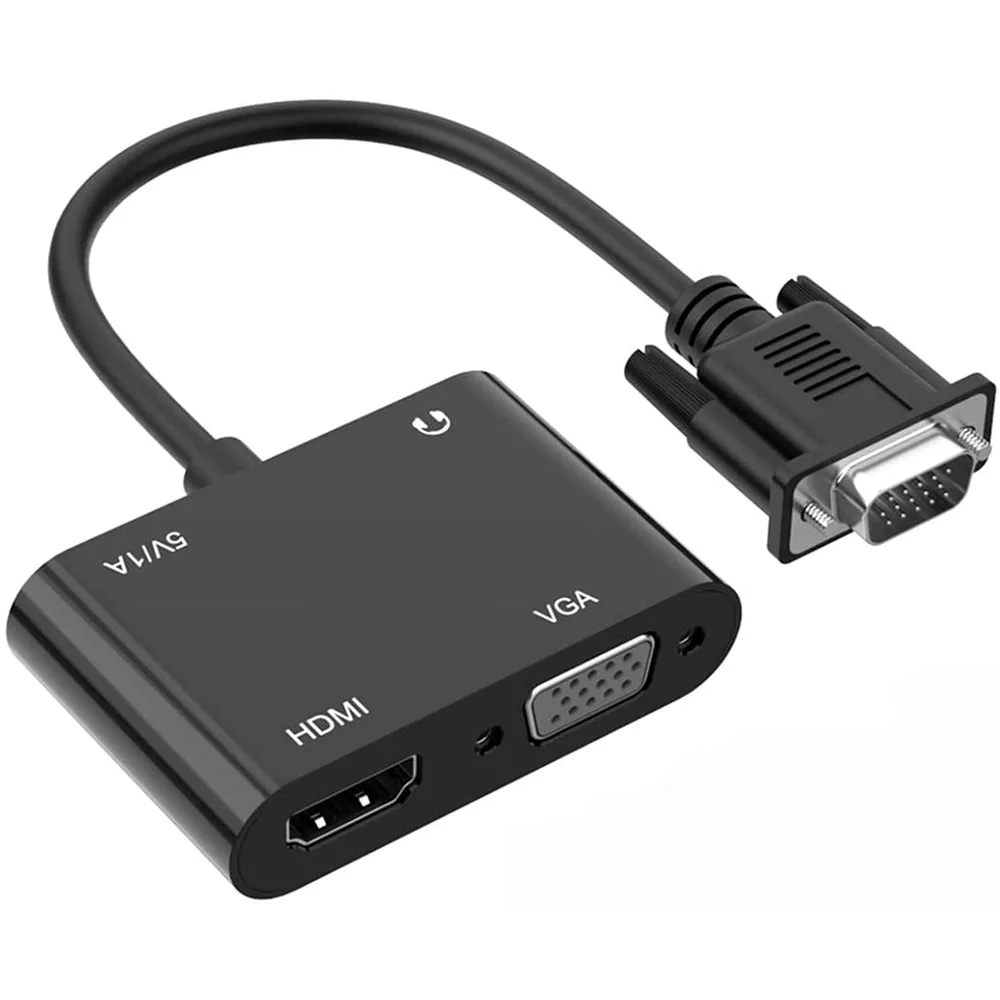
Hitoor VGA to HDMI VGA Adapter 1 in 2 Out Black
Converts one VGA source to simultaneous HDMI and VGA outputs at up to 1080p resolution
- TypeVGA to HDMI VGA Adapter
- ColorBlack
- Connector Number3
- Connect From1 x VGA
- Connect To1 x HDMI, 1 x VGA
- Simultaneous HDMI and VGA output from one VGA source
- Supports input resolutions from 800×600 up to 1920×1080
- HDMI output up to 720P, 1080i and 1080P
- Plug-and-play with no driver installation required
- Gold-plated HDMI connector resists wear and corrosion
VGA Splitter for Dual Displays
This adapter takes a single VGA source and sends the signal to one HDMI display and one VGA display at the same time. It is built for users with legacy laptops or desktops that only offer a VGA output but need to connect modern HDMI monitors or projectors alongside an existing VGA screen. A USB power connection is required for operation.
Passive Cooling and Low Power Draw
The unit has no fan and runs silently because it draws only the small current supplied by the USB port. No external power brick is needed, so there is no additional heat load on a desk or in a rack. Power consumption stays negligible during typical office or presentation use.
USB Power and Audio Embedding
The included USB cable powers the conversion chip and also carries the computer's audio into the HDMI stream, letting speakers on the HDMI screen play sound without a separate audio cable. Gold-plated HDMI contacts resist corrosion for reliable contact over repeated plug cycles. No driver installation is needed on Windows 7, 8 or 10.
Highlights
- Simultaneous HDMI and VGA output from one VGA source
- Supports input resolutions from 800×600 up to 1920×1080
- HDMI output up to 720P, 1080i and 1080P
- Plug-and-play with no driver installation required
- Gold-plated HDMI connector resists wear and corrosion
Specifications
| Type | VGA to HDMI VGA Adapter |
|---|---|
| Color | Black |
| Connector Number | 3 |
| Connect From | 1 x VGA |
| Connect To | 1 x HDMI, 1 x VGA |
Questions about this item
How do I set up the VGA-to-HDMI-and-VGA adapter so both displays work together?
Plug the VGA male connector into the computer's VGA output, connect the USB power lead to a USB port, attach the audio cable if needed, then link the HDMI and VGA cables to their respective displays; the converter automatically detects and scales to each screen's native resolution.
What ongoing upkeep or part replacement should I expect with this adapter?
No routine maintenance is required; the gold-plated HDMI port resists corrosion, and the solid-state conversion chipset has no moving parts or user-serviceable components that wear out.
What resolution ceiling will I hit first when driving both outputs continuously?
The HDMI output is limited to 1080P while the VGA pass-through can accept up to 1920x1080 input, so the HDMI path determines the maximum shared resolution under sustained use.
New to this? Which coin should you pay with — what to check, what it costs to pay, and what is never asked for.
Also in this aisle
People compared these
Same shelf, same checkout — eight coins and a 30-minute rate lock.



Black Box Corporation
Black Box Corporation CAT6 EZ-RJ45 Modular Plugs 100-Pack
$95.99
0.00115115BTC
In stock
