


Glodfo
Glodfo USB 3.0 Male to Female 90 Degree Adapter 2-Pack Black
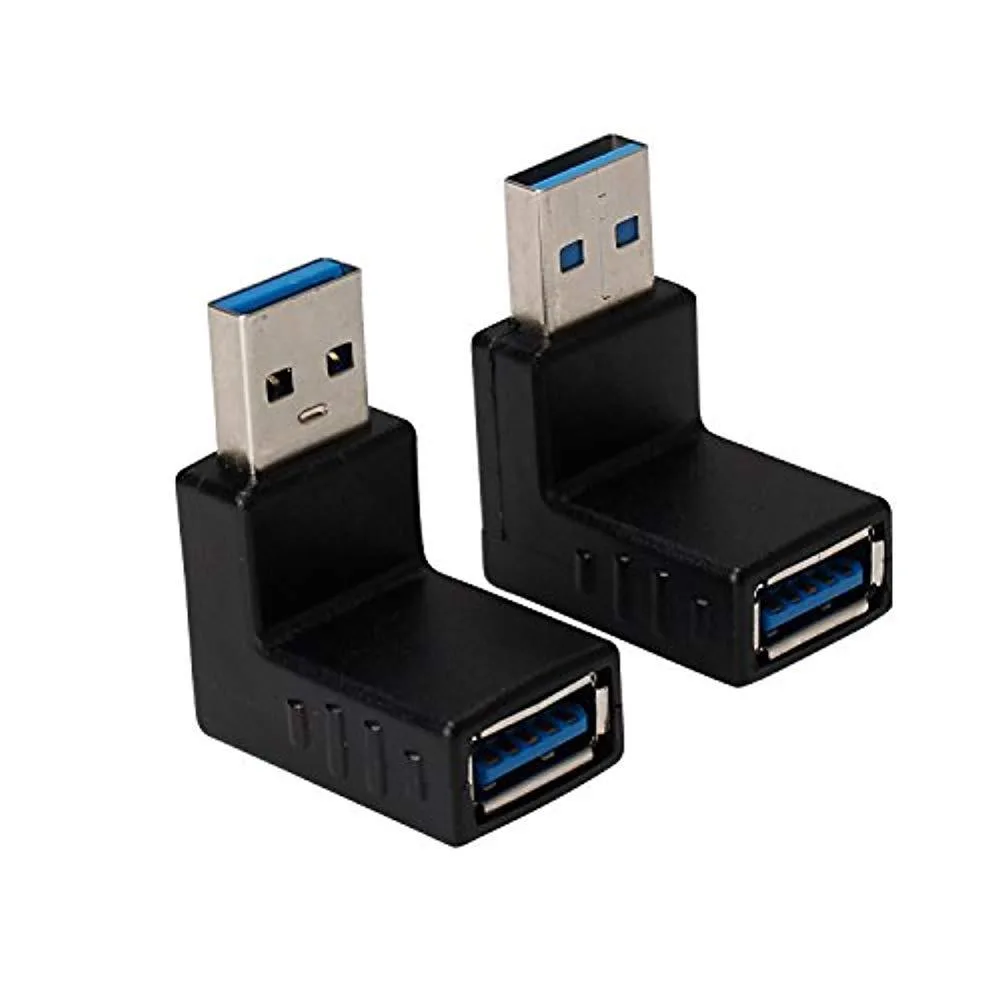
Two 90-degree USB 3.0 male-to-female adapters, one upward and one downward, for tight spaces
- FeaturesColor:90 degree black
- Two adapters included for spare or dual-device setups
- 90 degree angle reduces cable strain in tight spaces
- USB 3.0 supports up to 5 Gbps transfer speed
- Works with USB 2.0 and 1.x cables and ports
- Compact design fits in laptop bag or toolkit
Two-Pack USB 3.0 90° Adapters
This two-pack provides one upward and one downward 90-degree USB 3.0 Type-A male-to-female adapter. They let you route cables tight against a laptop or desktop chassis when rear or side ports are recessed or blocked by other connectors. The compact couplers suit mobile users and IT technicians who need a quick way to change cable direction without strain.
Replaces Straight Type-A Plugs
These adapters replace a straight Type-A plug when the port faces a wall, a monitor stand or another device and a straight cable would bend sharply. The upgrade is worth it whenever a straight cable risks damage to the port or the cable itself, or when adjacent ports would be blocked by a bulky plug. They also extend the reach of an existing cable by a short margin.
Limited to USB 3.0 Type-A Speeds
The adapters pass USB 3.0 signals at up to 5 Gbps and remain backward compatible with USB 2.0 and 1.x devices. They cannot carry USB 3.1 Gen 2, USB 3.2 or USB4 throughput because the Type-A interface and internal wiring are limited to the 3.0 specification. They also do not support alternate modes such as video output or power delivery beyond the standard USB 3.0 current.
Highlights
- Two adapters included for spare or dual-device setups
- 90 degree angle reduces cable strain in tight spaces
- USB 3.0 supports up to 5 Gbps transfer speed
- Works with USB 2.0 and 1.x cables and ports
- Compact design fits in laptop bag or toolkit
Specifications
| Features | Color:90 degree black |
|---|
Questions about this item
How much clearance does the 90-degree USB 3.0 connector need behind the port?
The adapter measures about 1 inch in length, so allow at least that much space behind the USB Type-A port for the right-angle bend.
Which way do I orient the upward or downward adapter when plugging it in?
Match the adapter direction to the cable routing you need — upward routes the cable toward the top of the device, downward routes it toward the bottom — then insert the male Type-A plug fully until it clicks.
Will the brass contacts wear out if I repeatedly connect and disconnect cables?
The brass contacts are rated for standard USB mating cycles; normal plugging and unplugging will not degrade the 5 Gbps SuperSpeed performance.
New to this? Which coin should you pay with — what to check, what it costs to pay, and what is never asked for.
Also in this aisle
People compared these
Same shelf, same checkout — eight coins and a 30-minute rate lock.



Black Box Corporation
Black Box Corporation CAT6 EZ-RJ45 Modular Plugs 100-Pack
$95.99
0.00114365BTC
In stock
