


Fervit
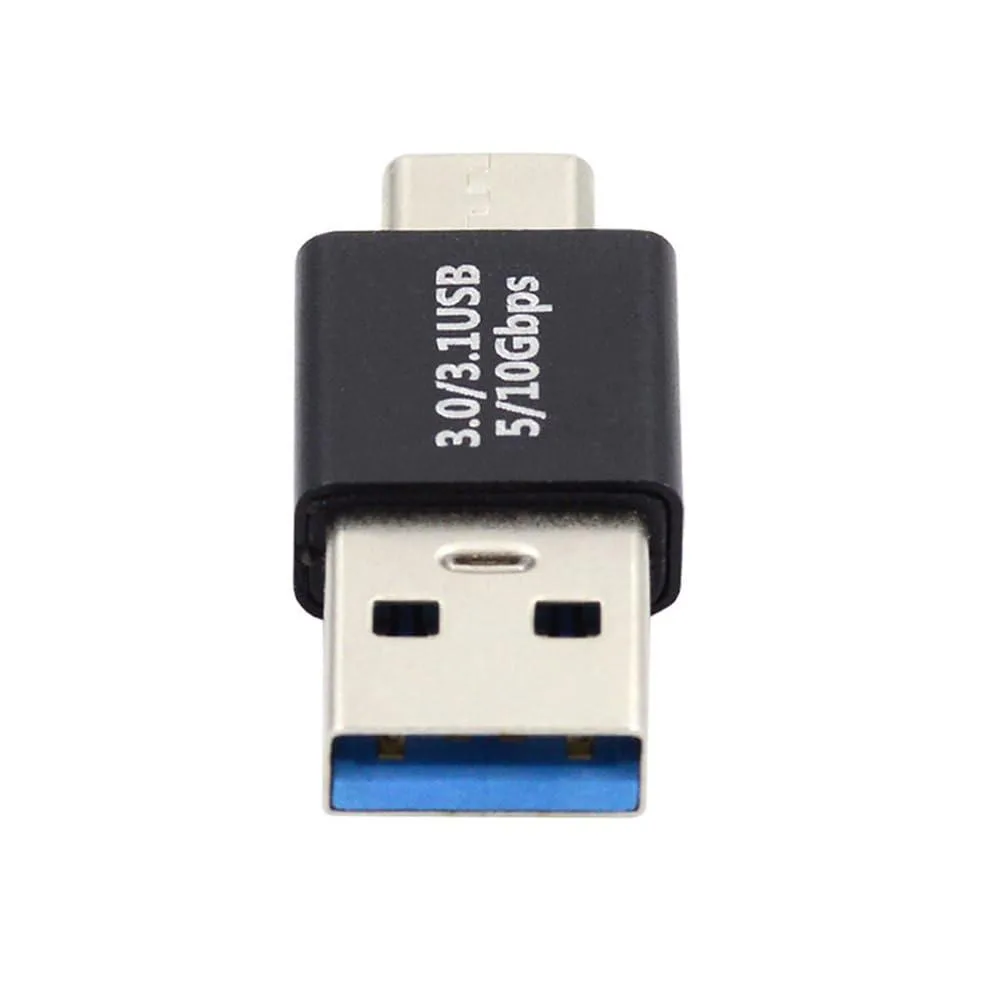
Fervit USB 3.0 Type-A Male to USB 3.1 Type-C Male 10Gbps Data Adapter
Connects USB-C devices to USB 3.0 Type-A hosts at up to 10Gbps for data and power
- 10 Gbps data transfer speed for fast file moves
- Reversible USB-C plug inserts either way up
- Connects USB-C devices to USB-A host ports
- Supplies power alongside data for external drives
- USB 3.1 Type-C to USB 3.0 Type-A gender change
Fervit USB 3.0 to USB 3.1 Type-C Adapter
This Fervit adapter connects a USB 3.1 Type-C device to a USB 3.0 Type-A host port. It supports a 10Gbps data transfer rating for external drives, tablets or phones. The Type-C connector features a reversible plug orientation. The unit transfers USB 3.0 data and power only.
Suits users adding Type-C peripherals to legacy
Buyers who need video or audio output over USB-C cannot use this adapter. It does not support alternate modes or DisplayPort signalling. Builders requiring a reversible host-to-device direction should look elsewhere. The USB-A end must remain the host side at all times.
Reversible Type-C plug simplifies insertion
The reversible Type-C connector removes orientation frustration when plugging in devices. No bundled software or drivers are included with the adapter. The accessory changes only the physical connector gender and direction. It enables data and power transfer for compatible USB 3.0 devices.
Highlights
- 10 Gbps data transfer speed for fast file moves
- Reversible USB-C plug inserts either way up
- Connects USB-C devices to USB-A host ports
- Supplies power alongside data for external drives
- USB 3.1 Type-C to USB 3.0 Type-A gender change
Specifications
| Brand | Fervit |
|---|
Questions about this item
What type of host port does the USB 3.0 Type-A plug require?
The USB-A end must connect to a host port that supplies USB 3.0 data and power; it cannot act as a device port.
Can the adapter pass video or audio signals from a USB-C device to the USB 3.0 host?
No, the adapter only transfers USB 3.0 data and power and cannot carry video or audio through the USB 3.0 connection.
How can I verify the adapter is delivering the rated 10Gbps transfer speed after connecting a drive?
Run a benchmark on the attached drive; sustained read or write speeds approaching the 10Gbps rating confirm the link is operating at full USB 3.1 capability.
New to this? Which coin should you pay with — what to check, what it costs to pay, and what is never asked for.
Also in this aisle
People compared these
Same shelf, same checkout — eight coins and a 30-minute rate lock.



Black Box Corporation
Black Box Corporation CAT6 EZ-RJ45 Modular Plugs 100-Pack
$95.99
0.00113914BTC
In stock
