

Innovation First, Inc.
Innovation First, Inc. 1UCMA-137 1U Cable Management Arm 19" 28.5"-33" computer accessory
- Product Type:Cable…
- Panel Width:19" Rac…
$72.99
0.00086295BTC
In stockWe take cryptocurrency — so the coins you hold can buy real hardware.Pay in crypto, spend it on real hardware. Free insured shipping worldwide over $399. Plain, unbranded boxes, sent from Germany.Free insured shipping over $399. Your rate is locked for 30 minutes once checkout opens.Rate locked 30 minutes. Every item sealed, serial-checked and covered by a 24-month warranty.Sealed, 24-month warranty.


Fans
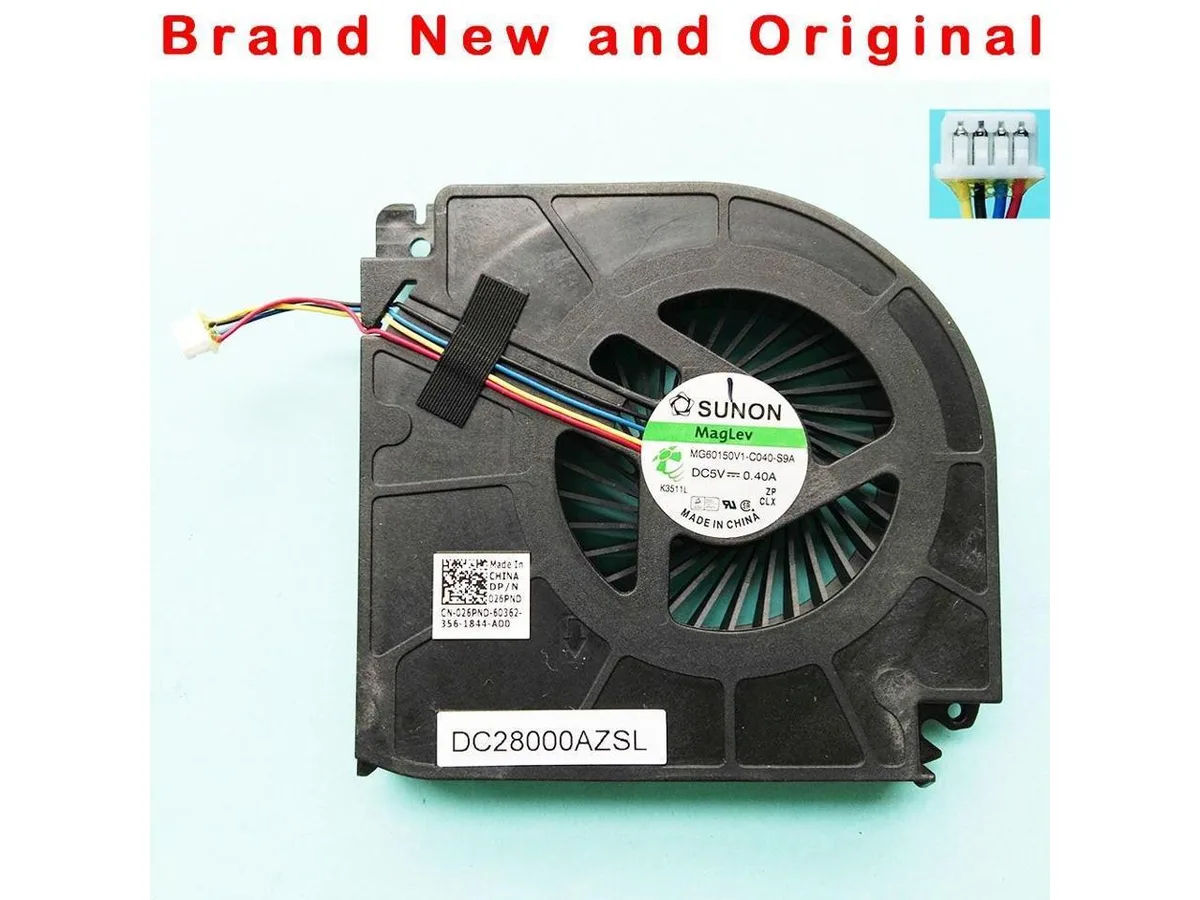
Original CPU cooling fan for Dell Precision M6700 and M5700 laptops
This new original cooling fan fits Dell Precision M6700 and M5700 laptops. It replaces part numbers 026PND, MG60150V1-C040-S9A, BATA0815R5H and P003. The component is designed for direct installation in the existing thermal assembly.
The fan handles CPU cooling for the supported Precision workstations under normal workloads. It may run out of headroom during sustained maximum processor loads or if the heatsink fins are clogged with dust. Buyers needing GPU cooling or a complete thermal module should look elsewhere.
No published specifications for this item yet.
The part numbers 026PND, MG60150V1-C040-S9A, BATA0815R5H and P003 match the original CPU fan for Precision M6700 and M5700, so the mounting holes and power connector align with the factory heatsink.
Enter the BIOS hardware monitor or run Dell diagnostics; the CPU fan RPM should be reported and rise smoothly when the processor load increases.
New to this? Which coin should you pay with — what to check, what it costs to pay, and what is never asked for.
Also in this aisle
Same shelf, same checkout — eight coins and a 30-minute rate lock.
What you pay in, and what you read prices in.
Sent from your wallet at checkout
Display only — the catalogue is priced in USD
No currency matches that.
Pick the language the site speaks to you in.
No language matches that.
New here?
Already have one?
There is no automatic reset: this shop sends no mail, so there is no one-time link to ask for. Leave the address on the account and it gets picked up by hand.
Request noted
Nothing is on its way to your inbox — this shop sends no mail at all. Someone picks these up by hand.
Remembered it?


