

Innovation First, Inc.
Innovation First, Inc. 1UCMA-137 1U Cable Management Arm 19" 28.5"-33" computer accessory
- Product Type:Cable…
- Panel Width:19" Rac…
$72.99
0.00086059BTC
In stockWe take cryptocurrency — so the coins you hold can buy real hardware.Pay in crypto, spend it on real hardware. Free insured shipping worldwide over $399. Plain, unbranded boxes, sent from Germany.Free insured shipping over $399. Your rate is locked for 30 minutes once checkout opens.Rate locked 30 minutes. Every item sealed, serial-checked and covered by a 24-month warranty.Sealed, 24-month warranty.

Fans
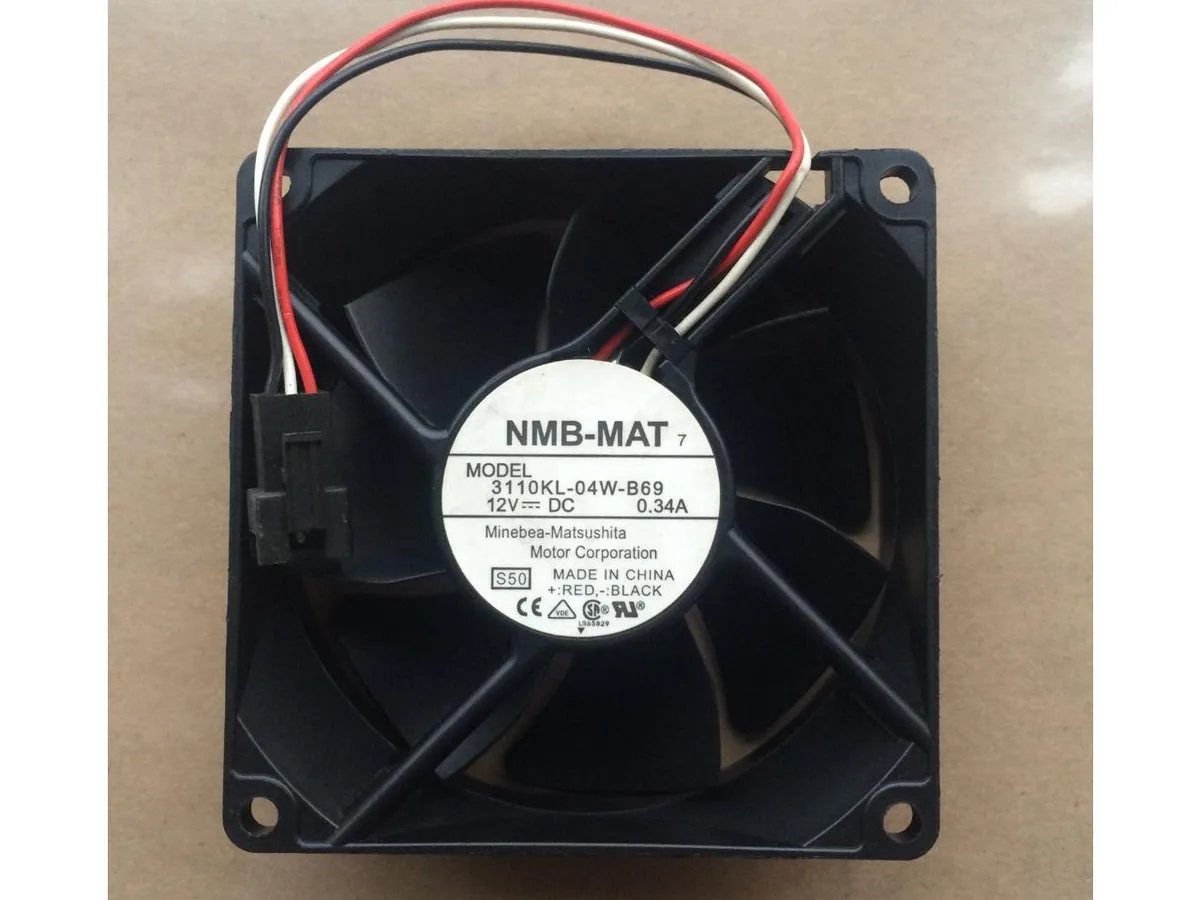
An 80 mm axial fan moves air through a 25 mm frame at 12 V and 0.34 A for server or CPU cooling
This 80 mm square fan measures 25 mm thick and runs on 12 V DC at 0.34 A. The axial blade design moves air through server enclosures, inverter cabinets or tight desktop cases where a slim 8025 profile is required. It is sold as a single unit for direct replacement or custom cooling projects.
Builders with a 12 V three-pin or two-pin header and an 80 mm mounting grid can install this fan without adapters. It is not suited for systems that only provide 5 V power, for mounts spaced for larger diameters, or for setups that demand PWM speed control.
No published specifications for this item yet.
Yes, the fan measures 80×80×25 mm and runs on 12 V DC, matching the standard 8025 mounting pattern and voltage used in many legacy cases.
Check that the fan rotates when the system powers on and verify a current draw near 0.34 A in the BIOS or monitoring software.
New to this? Which coin should you pay with — what to check, what it costs to pay, and what is never asked for.
Also in this aisle
Same shelf, same checkout — eight coins and a 30-minute rate lock.
What you pay in, and what you read prices in.
Sent from your wallet at checkout
Display only — the catalogue is priced in USD
No currency matches that.
Pick the language the site speaks to you in.
No language matches that.
New here?
Already have one?
There is no automatic reset: this shop sends no mail, so there is no one-time link to ask for. Leave the address on the account and it gets picked up by hand.
Request noted
Nothing is on its way to your inbox — this shop sends no mail at all. Someone picks these up by hand.
Remembered it?


