


ESTONE
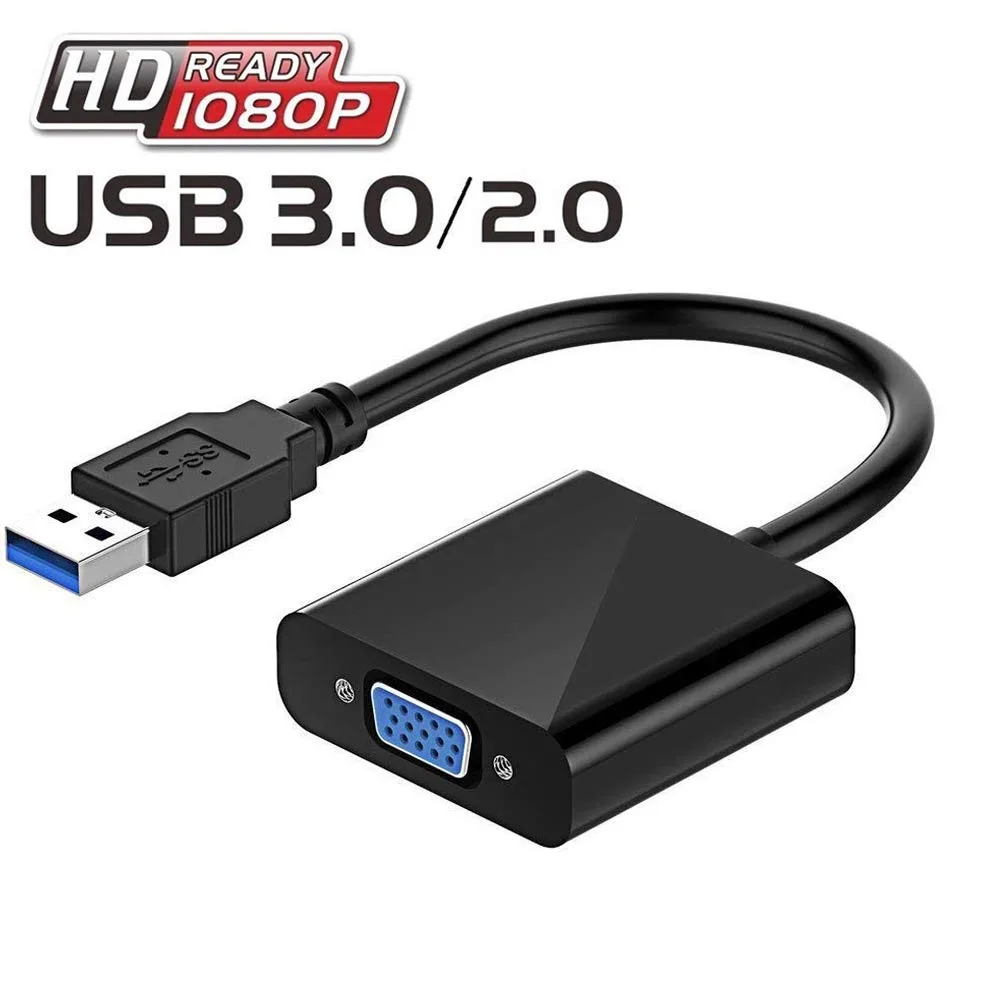
ESTONE USB 3.0 to VGA Adapter Converter Full HD External Video Card Multi-Display Video Converter Win (Black)
Connects a USB 3.0 device to a VGA display at up to 1920 x 1080@60Hz for extended or mirrored desktops, powered from the USB port
- TypeHDMI Converters
- Add a second display for split-screen productivity via USB 3.0
- Mirror or extend your Windows desktop without opening the case
- Drive a VGA monitor at 1920 x 1080 60 Hz over USB 3.0
- Falls back to 800 x 600 60 Hz on USB 2.0 ports
- Draws power from the USB port so no extra adapter is needed
USB 3.0 to VGA Adapter for Multi-Display
This adapter connects a USB 3.0 equipped laptop or desktop to a VGA monitor, projector or TV. It acts as an external video card to add a second display without opening the computer. The device is USB powered, requires no external adapter and fits easily in a laptop bag. It supports Windows 7, 8 and 10 for immediate plug and play use.
Upgrade from USB 2.0 Video Output
On a USB 3.0 port the adapter delivers 1920x1080 at 60 Hz for full high definition clarity. When connected to a USB 2.0 port it falls back to 800x600 at 60 Hz, which is only suitable for basic office tasks. The jump is worth it whenever a 1080p screen is used for detailed work, video playback or multi-window productivity.
1080p Headroom and Limits
The adapter comfortably drives a single 1920x1080 display at 60 Hz for extended or mirrored desktop modes. It runs out of bandwidth for higher resolutions, refresh rates above 60 Hz or multiple additional monitors from one device. Users needing 4K output, high refresh gaming or more than one extra screen should consider a dock or graphics card with native video outputs.
Highlights
- Add a second display for split-screen productivity via USB 3.0
- Mirror or extend your Windows desktop without opening the case
- Drive a VGA monitor at 1920 x 1080 60 Hz over USB 3.0
- Falls back to 800 x 600 60 Hz on USB 2.0 ports
- Draws power from the USB port so no extra adapter is needed
Specifications
| Type | HDMI Converters |
|---|
Questions about this item
Does the adapter need a separate power supply or does it run from the USB port?
It is USB-powered and requires no external power adapter, drawing all power from the USB 3.0 or USB 2.0 port.
Is any driver installation required before the first use on Windows 10?
The supplier highlights state no CD driver is needed; the adapter works with Windows 7, 8 and 10 without manual driver setup.
What maximum resolution can I expect when the adapter is plugged into a USB 3.0 port?
Up to 1920x1080 at 60Hz is supported on USB 3.0, while USB 2.0 limits output to 800x600 at 60Hz.
New to this? Which coin should you pay with — what to check, what it costs to pay, and what is never asked for.
Also in this aisle
People compared these
Same shelf, same checkout — eight coins and a 30-minute rate lock.



Black Box Corporation
Black Box Corporation CAT6 EZ-RJ45 Modular Plugs 100-Pack
$95.99
0.00113914BTC
In stock
