

Innovation First, Inc.
Innovation First, Inc. 1UCMA-137 1U Cable Management Arm 19" 28.5"-33" computer accessory
- Product Type:Cable…
- Panel Width:19" Rac…
$72.99
0.00083792BTC
In stockWe take cryptocurrency — so the coins you hold can buy real hardware.Pay in crypto, spend it on real hardware. Free insured shipping worldwide over $399. Plain, unbranded boxes, sent from Germany.Free insured shipping over $399. Your rate is locked for 30 minutes once checkout opens.Rate locked 30 minutes. Every item sealed, serial-checked and covered by a 24-month warranty.Sealed, 24-month warranty.

DELL
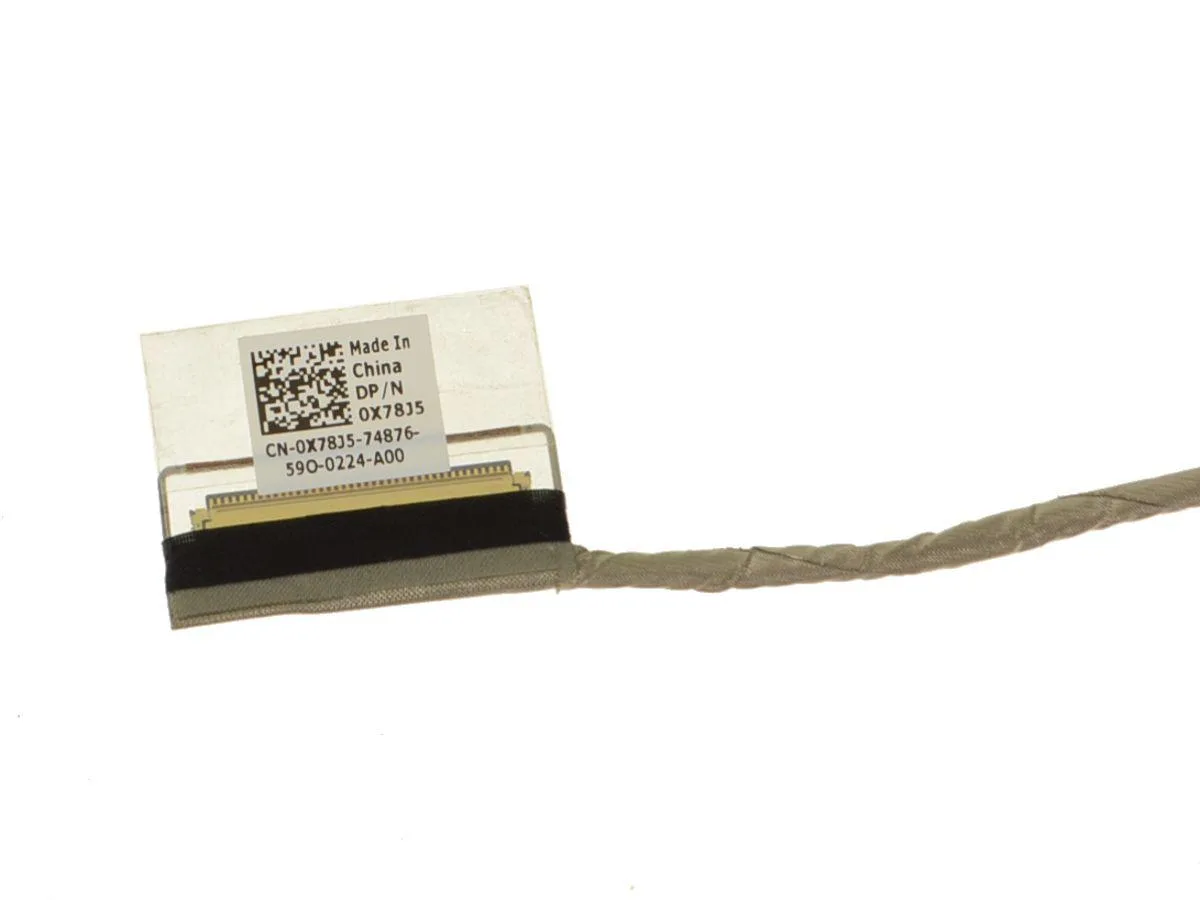
Genuine Dell OEM 14" LCD ribbon video cable for touchscreen Inspiron 3451 and 3452 models, part X78J5
This Dell X78J5 ribbon cable is a genuine OEM part designed to replace the LCD video connection in compatible Inspiron laptops. It restores the link between the motherboard and a 14 inch touchscreen display. The part suits owners of Inspiron 14 3451 or 3452 models who need a direct factory-spec substitute.
The flat flexible cable transmits display data and touchscreen input without active electronics or external power. It draws no measurable current of its own and adds no audible noise to the system. Thermal behaviour is governed entirely by the surrounding laptop chassis and cooling solution.
Installation requires opening the laptop lid and routing the ribbon through the existing hinge channel exactly as the original was fitted. No additional connectors, adapters or tools beyond standard laptop disassembly kit are needed. The repair frees the touchscreen from flicker or signal loss caused by a damaged flex.
| Brand | Dell |
|---|---|
| Type | laptop-computer-replacement-parts |
Feed the flat ribbon through the hinge channel before securing the LCD brackets; keep the cable flat and avoid twisting the 450.03102.0001 connector ends.
Replace the cable when touch input drops or flickers after ruling out driver issues; the ribbon conductors fatigue from repeated hinge cycles.
Intermittent video lines or touch loss appearing at specific lid angles indicates conductor breakage inside the ribbon.
New to this? Which coin should you pay with — what to check, what it costs to pay, and what is never asked for.
Also in this aisle
Same shelf, same checkout — eight coins and a 30-minute rate lock.
What you pay in, and what you read prices in.
Sent from your wallet at checkout
Display only — the catalogue is priced in USD
No currency matches that.
Pick the language the site speaks to you in.
No language matches that.
New here?
Already have one?
There is no automatic reset: this shop sends no mail, so there is no one-time link to ask for. Leave the address on the account and it gets picked up by hand.
Request noted
Nothing is on its way to your inbox — this shop sends no mail at all. Someone picks these up by hand.
Remembered it?


