

Sunfounder
Sunfounder Raspberry Pi Ultimate Kit with PiCrawler AI Robot 337 components 131 projects
$174.99
0.00206646BTC
In stockWe take cryptocurrency — so the coins you hold can buy real hardware.Pay in crypto, spend it on real hardware. Free insured shipping worldwide over $399. Plain, unbranded boxes, sent from Germany.Free insured shipping over $399. Your rate is locked for 30 minutes once checkout opens.Rate locked 30 minutes. Every item sealed, serial-checked and covered by a 24-month warranty.Sealed, 24-month warranty.
DELL
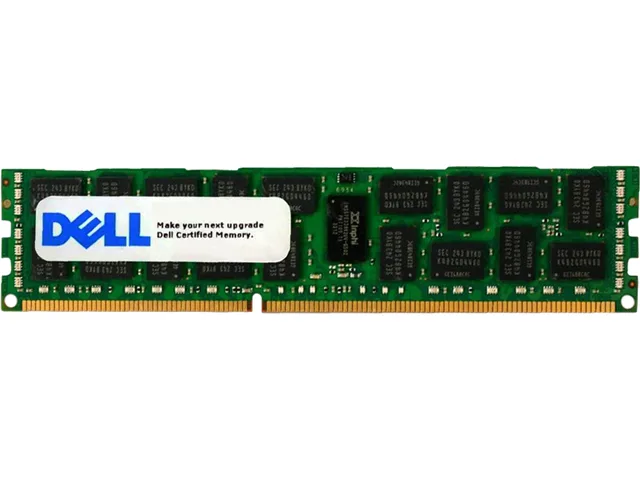
16 GB DDR3 1866 ECC registered DIMM for compatible Dell PowerEdge and Precision systems
This 16GB DDR3 module is engineered for Dell PowerEdge and Precision Workstation systems that require registered ECC memory. It targets administrators expanding capacity in qualified 240-pin platforms.
Error-correcting code and registered signal processing protect data integrity in multi-socket servers. The single 16GB stick installs directly into compatible DDR3 slots without adapters.
Rated at PC3-14900 speed, the module runs at the platform’s default voltage and timing. Registered buffering reduces electrical load on the memory controller during sustained workloads.
| Brand | DELL SERVERS |
|---|---|
| Capacity | 16GB |
| Type | 240-Pin DDR3 SDRAM |
| Speed | DDR3 1866 (PC3 14900) |
| Shipping weight | 1.36 kg |
| Package size | 381 × 381 × 381 mm |
The module runs at 1866 MHz, matching the PC3-14900 rating listed in the specifications.
It fits a standard 240-pin DDR3 DIMM socket on compatible Dell PowerEdge and Precision systems.
Align the notch with the slot key, press firmly until both side clips lock, and verify the system registers the full 16 GB capacity.
New to this? Buying memory and SSDs with crypto — what to check, what it costs to pay, and what is never asked for.
Also in this aisle
Same shelf, same checkout — eight coins and a 30-minute rate lock.
What you pay in, and what you read prices in.
Sent from your wallet at checkout
Display only — the catalogue is priced in USD
No currency matches that.
Pick the language the site speaks to you in.
No language matches that.
New here?
Already have one?
There is no automatic reset: this shop sends no mail, so there is no one-time link to ask for. Leave the address on the account and it gets picked up by hand.
Request noted
Nothing is on its way to your inbox — this shop sends no mail at all. Someone picks these up by hand.
Remembered it?



