


DELL
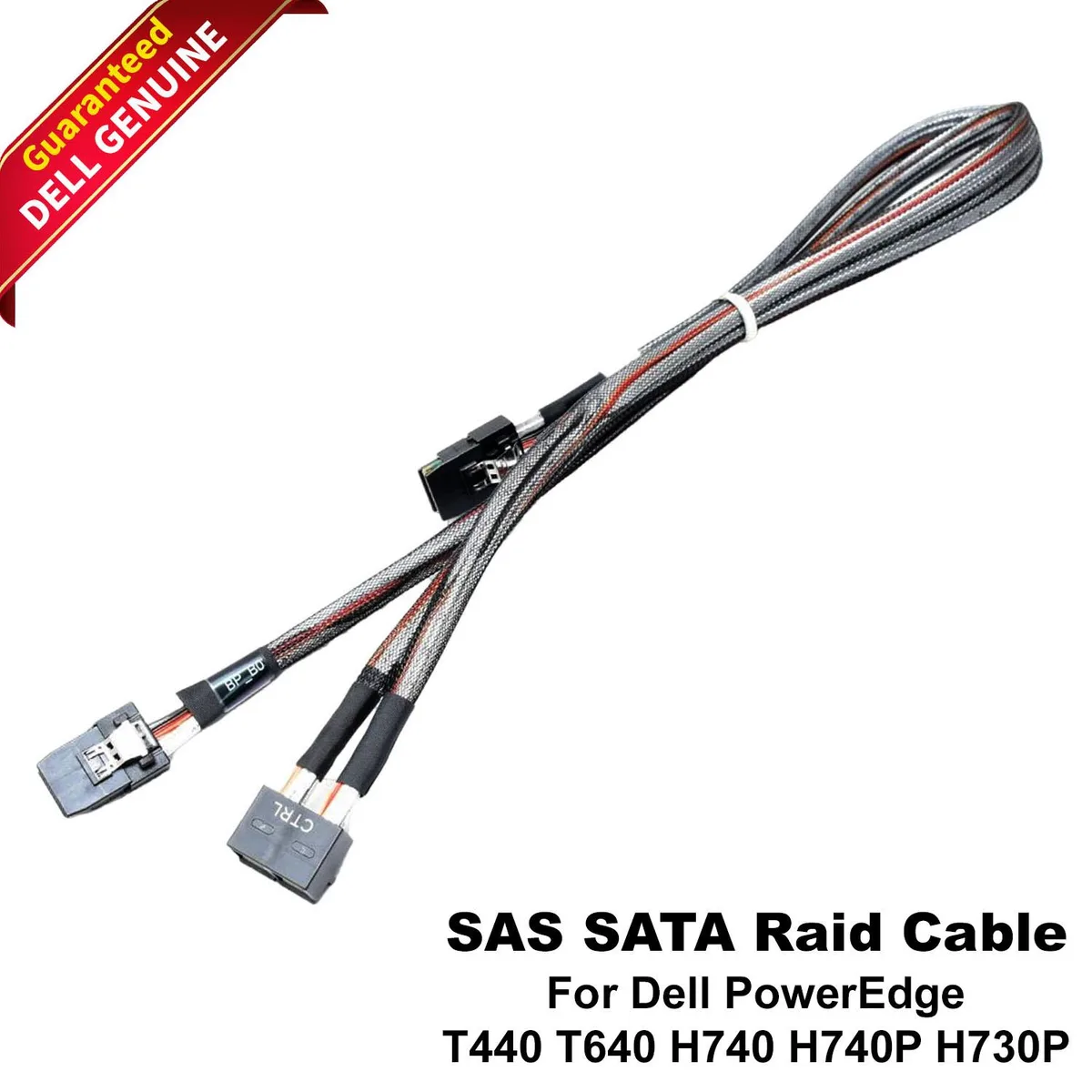
DELL PowerEdge T440 T640 8 Bay PERC H740 H730P RAID Cable XRFV4
Connects PERC H740, H740P or H730P controllers to the 8-bay backplane in PowerEdge T440 and T640 servers for SAS and SATA RAID arrays
- ColorBlack
- Connects PERC H740, H740P or H730P controllers to 8-bay backplane
- Supports both SAS and SATA drives for flexible RAID configurations
- Designed specifically for PowerEdge T440 and T640 servers
- Black cable ensures clean routing inside enterprise chassis
- Genuine Dell part XRFV4 guarantees controller-to-backplane compatibility
Dell PowerEdge T440 T640 RAID Cable
This cable connects a PERC H740, H740P or H730P controller to the 8-bay backplane in Dell PowerEdge T440 and T640 servers. It carries both SAS and SATA signals so the controller can manage RAID arrays on the supported drive types. The part is identified by Dell part numbers XRFV4, 0XRFV4 and CN-0XRFV4 and ships in black.
For T440 and T640 8-bay RAID builds
The cable suits administrators adding or replacing a PERC H740, H740P or H730P card in a Dell PowerEdge T440 or T640 chassis that uses an 8-bay backplane. It does not suit other server models, other RAID controllers, backplanes with a different bay count, or configurations that require a different connector layout.
PERC H740, H740P and H730P controller support
The single specification that decides fit is compatibility with the PERC H740, H740P and H730P RAID controllers. Only systems using one of these controllers and the matching 8-bay backplane can use this cable.
Highlights
- Connects PERC H740, H740P or H730P controllers to 8-bay backplane
- Supports both SAS and SATA drives for flexible RAID configurations
- Designed specifically for PowerEdge T440 and T640 servers
- Black cable ensures clean routing inside enterprise chassis
- Genuine Dell part XRFV4 guarantees controller-to-backplane compatibility
Specifications
| Color | Black |
|---|
Questions about this item
Which server chassis and drive backplane does the XRFV4 RAID cable connect to?
The cable links a PERC H740, H740P or H730P controller to the 8-bay backplane in PowerEdge T440 and T640 servers.
How is the XRFV4 cable installed, and what step is often missed?
Route the cable from the RAID controller card to the backplane connector, then secure both ends with the latch clips; forgetting to engage the clips can cause intermittent drive detection.
When should the XRFV4 RAID cable be replaced?
Replace it if the latch clips break, the insulation shows cuts, or the server logs report recurring SAS or SATA link errors on the backplane.
New to this? Which coin should you pay with — what to check, what it costs to pay, and what is never asked for.
Also in this aisle
People compared these
Same shelf, same checkout — eight coins and a 30-minute rate lock.



Black Box Corporation
Black Box Corporation CAT6 EZ-RJ45 Modular Plugs 100-Pack
$95.99
0.00115093BTC
In stock
